Target+ orders both ways, excluded products, and issues you can act on
Target+ orders now sync both ways, you can import your Target+ catalog and exclude products from listing, and marketplace feedback becomes issues you can fix where you work.
 By Jay El-KaakeSeptember 30, 2026
Three weeks of updates: Target+ orders now sync both ways, you can exclude products from listing, and every problem a marketplace reports is an issue you can act on.
Target+ orders sync both ways
Target+ orders come into Osello, and your acceptances, fulfillments and cancellations go back to Target+.
Orders that arrived through Marketplace Connect link to the Shopify order you already have instead of creating a duplicate.
Import your existing Target+ listings
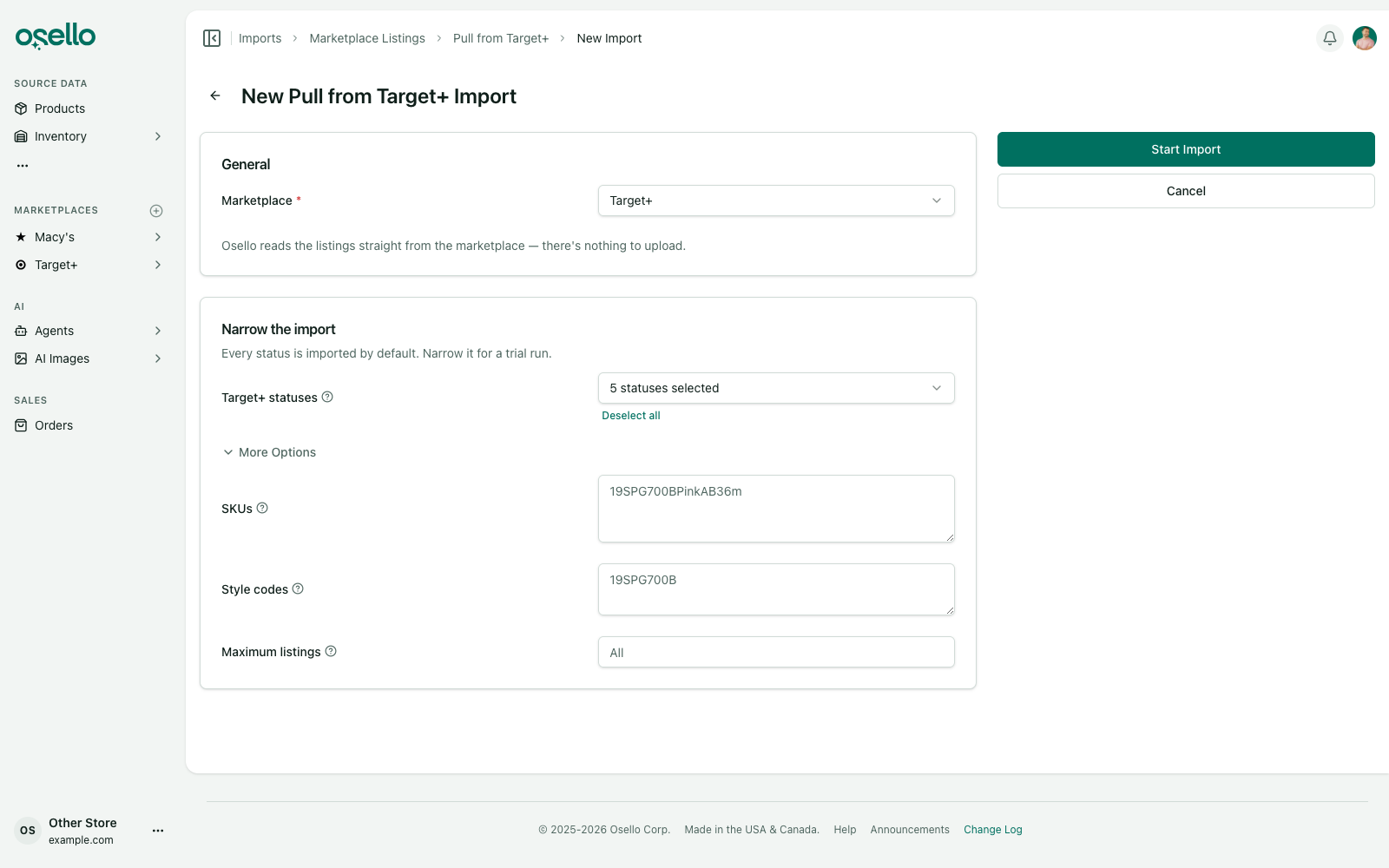
Pull from Target+ mirrors your Target+ catalog into Osello, including each variant's state and every problem Target is reporting.
Narrow the import by SKU, style code, Target+ status or a maximum number of listings.
Exclude a product from listing
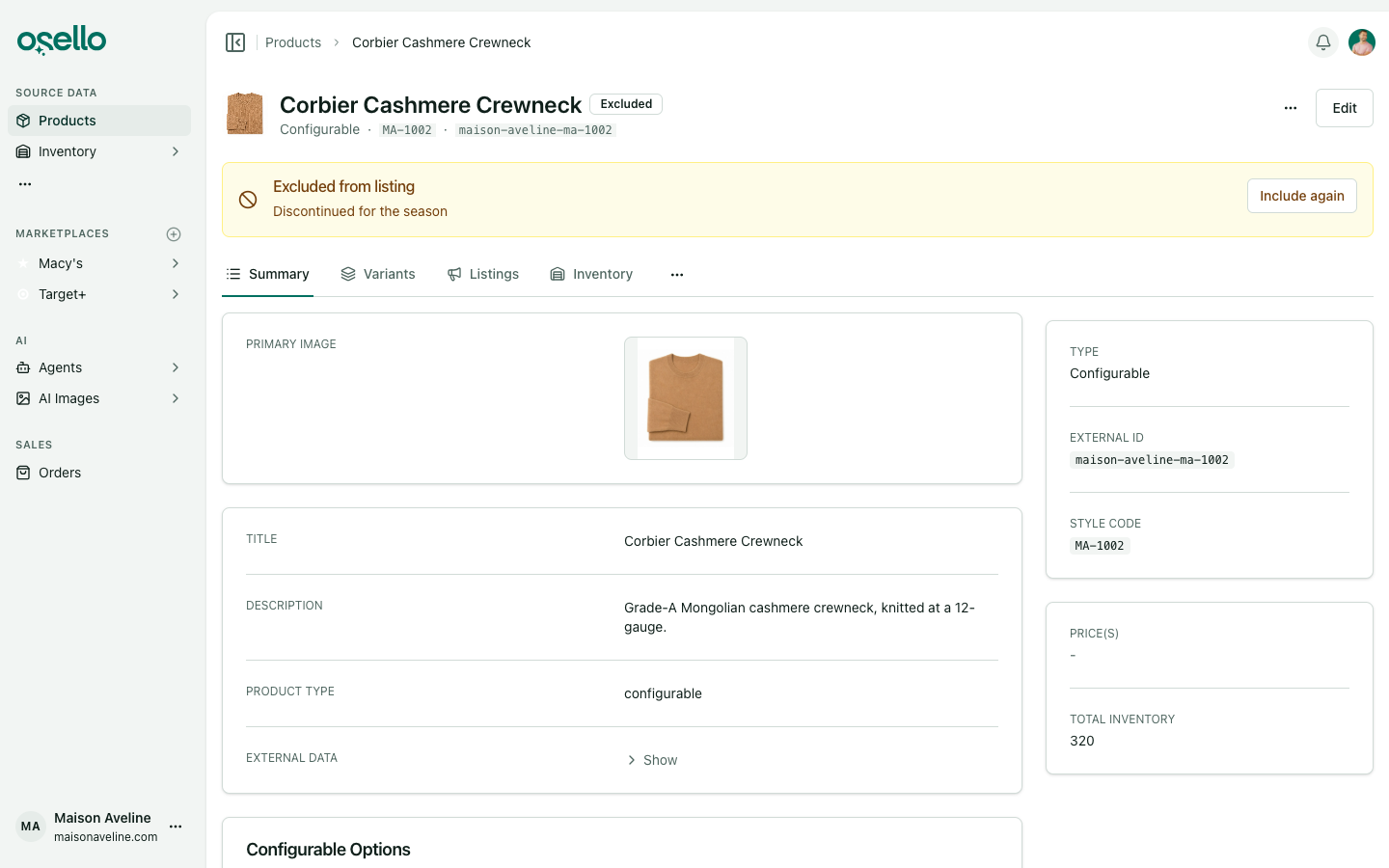
Take a product off every marketplace, for good or until a date you pick. It leaves Products to List and auto-listing, and shows in Products to Unlist wherever it's live.
Including it again never re-enables listings you disabled yourself.
See what a marketplace wants you to change
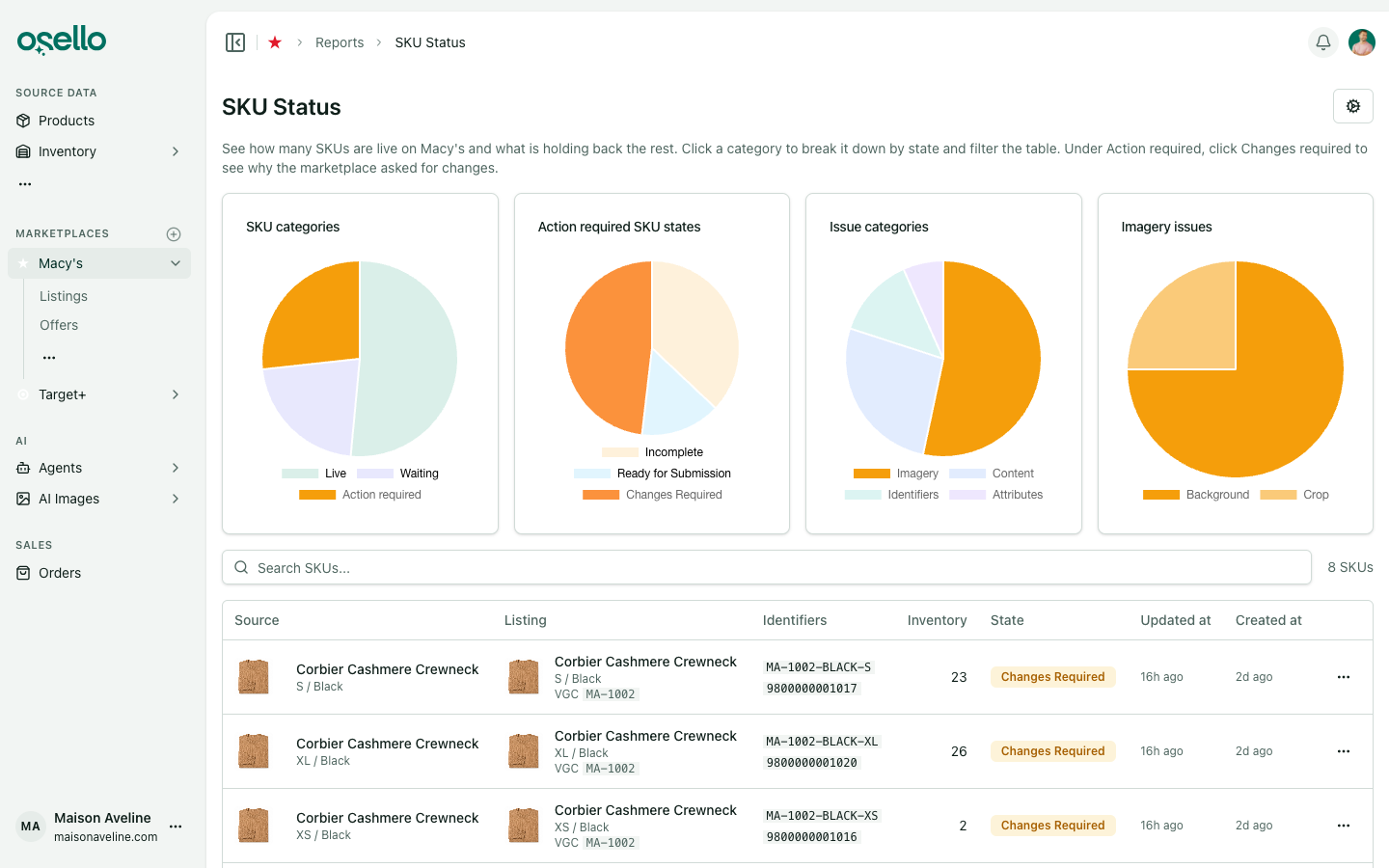
Marketplace feedback is now a categorized issue shown on the page where you'd fix it, and the SKU report breaks Changes required down by issue category.
A Live SKUs report for each marketplace
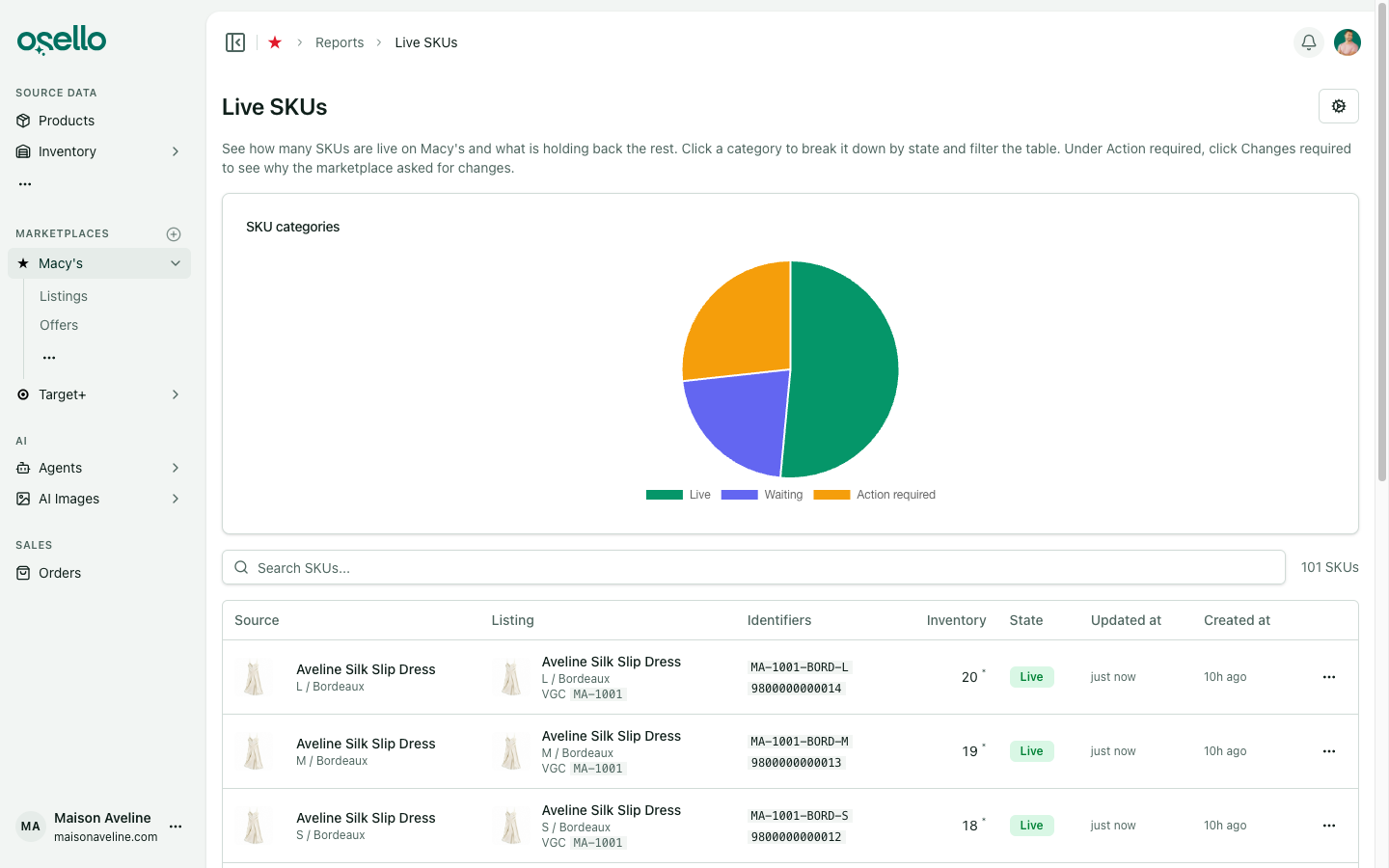
Each marketplace has its own Live SKUs report, replacing the store-wide SKU States report, with out-of-stock SKUs split out and a minimum inventory filter.
Set field rules per category
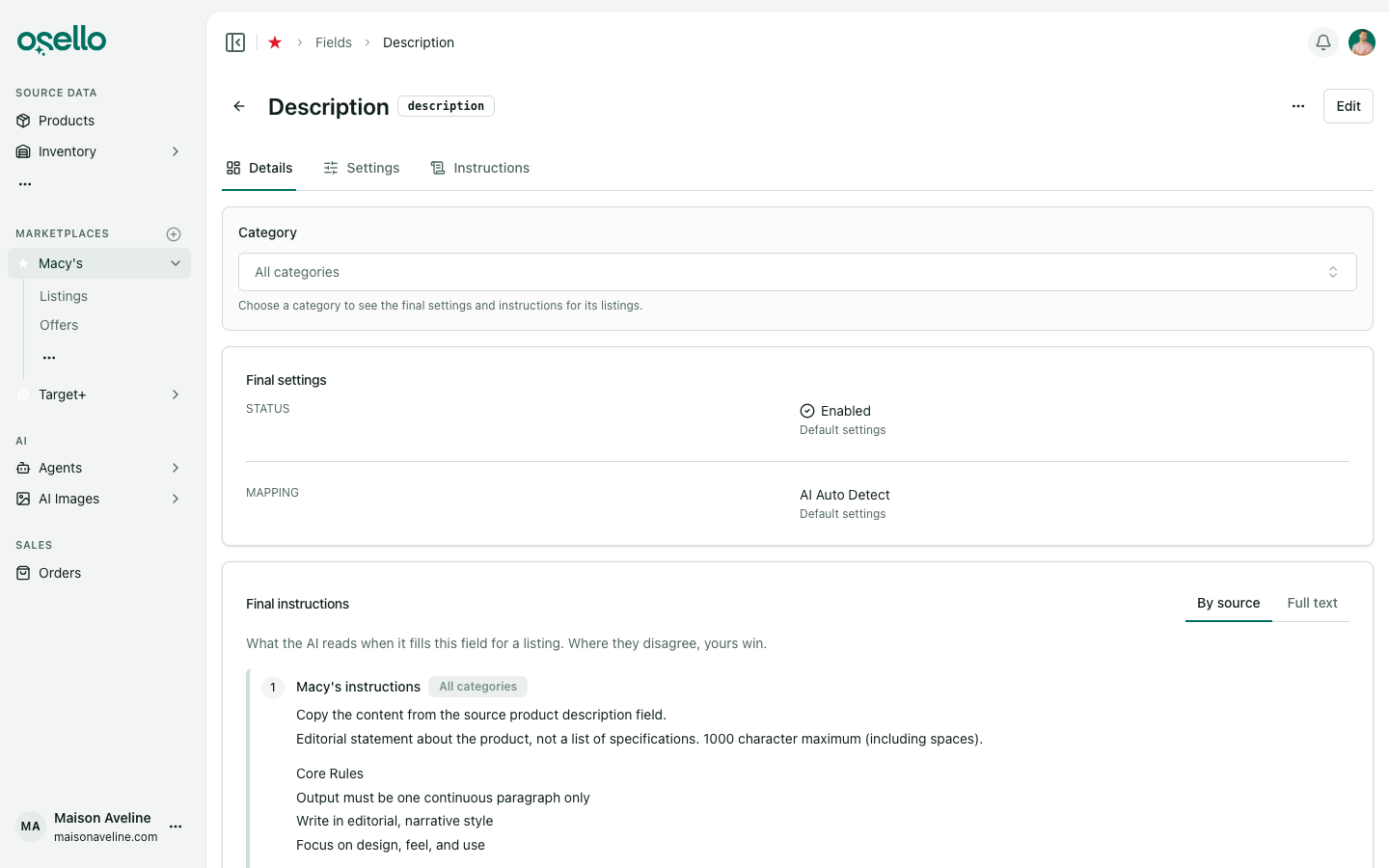
Pick a category on any marketplace field to see and set the status, fixed value and instructions the AI follows for that category's listings.
A category's settings carry down to its subcategories.
Show discounted prices on a marketplace
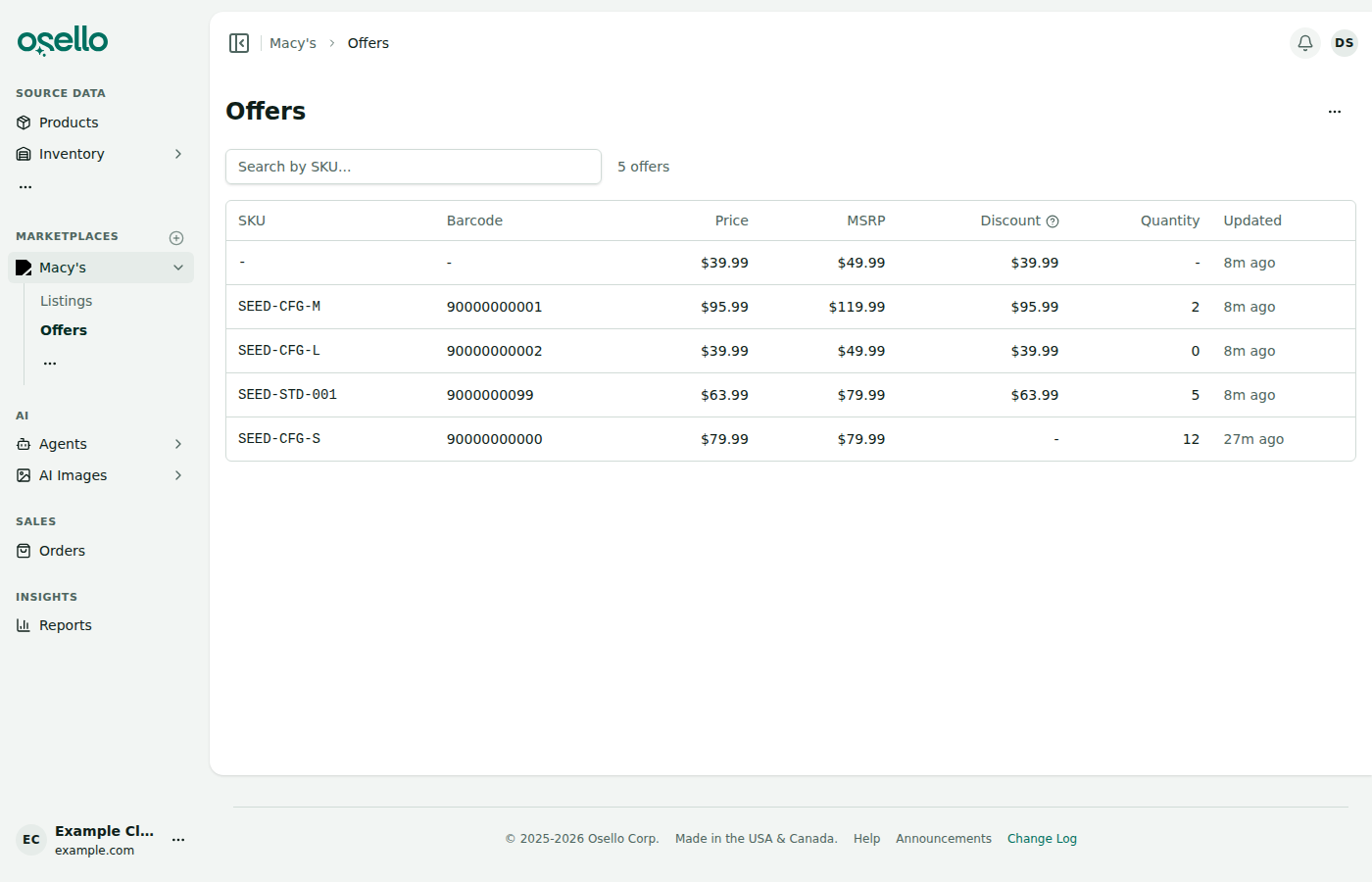
When a product has an MSRP and a lower selling price, Osello can send both so shoppers see the sale price next to a struck-through one.
Hold stock while a marketplace decides on an order
While a marketplace decides on an order, the stock it covers is held so the same unit isn't sold twice. A Reservations page shows what's held and why.
Merge listings
Ask your marketplace's AI agent to combine several listings into a single configurable parent.
Follow and retry bulk actions
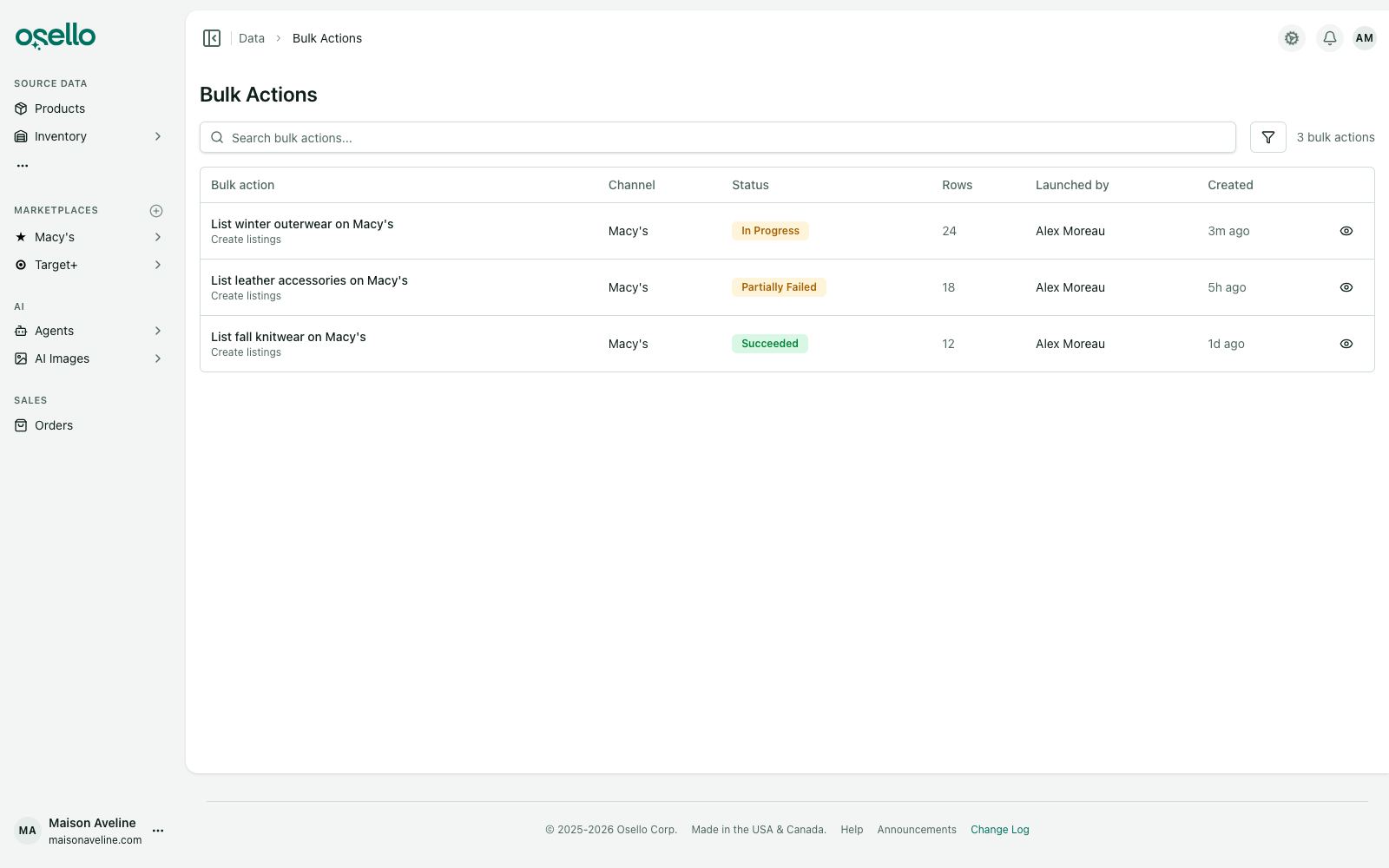
Every bulk operation has its own page and an indicator in the top bar, and you can retry just the rows that failed.
Notes on a listing
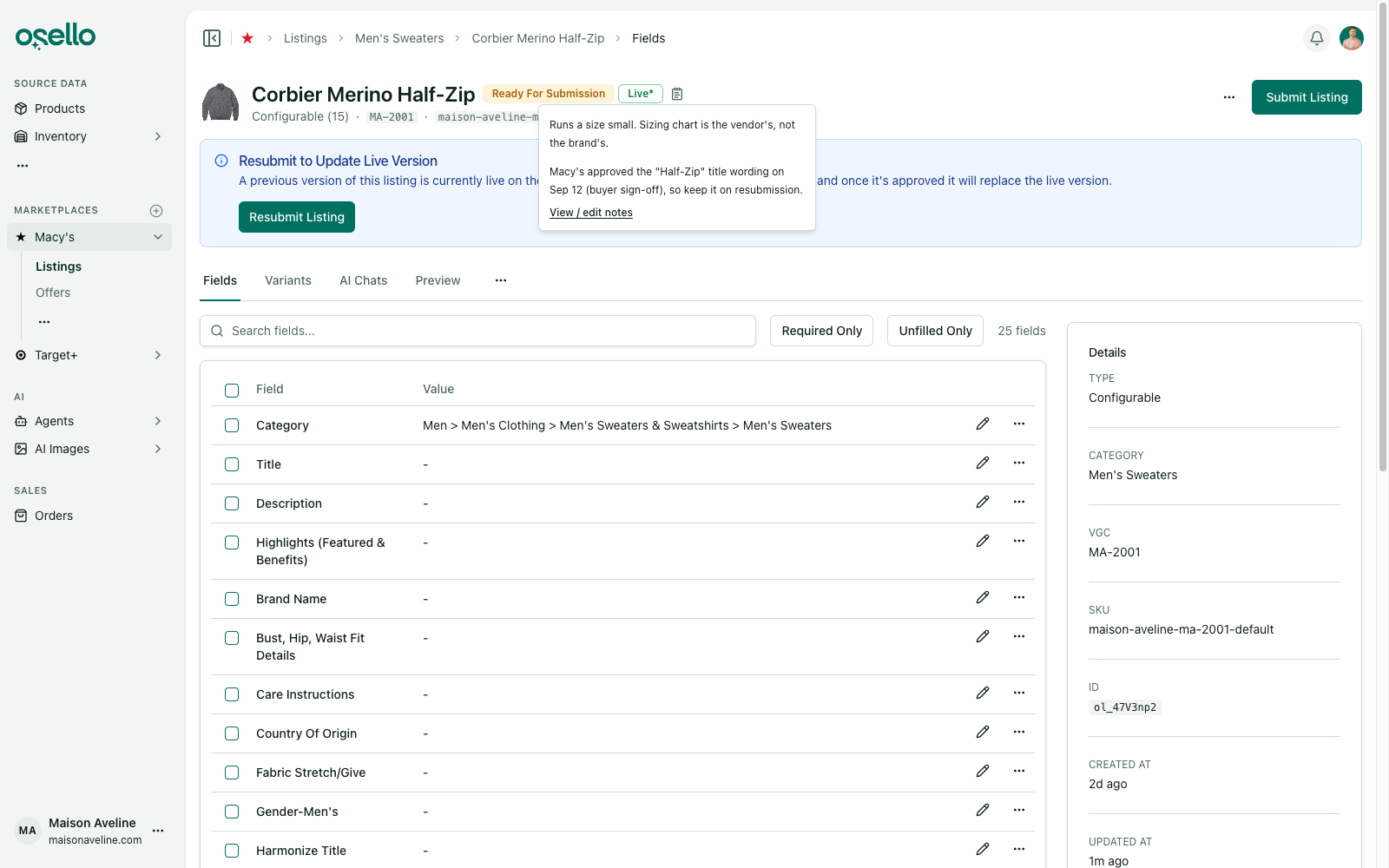
Leave free-text notes on a listing and preview them from the top of its page.
API keys with per-category scopes
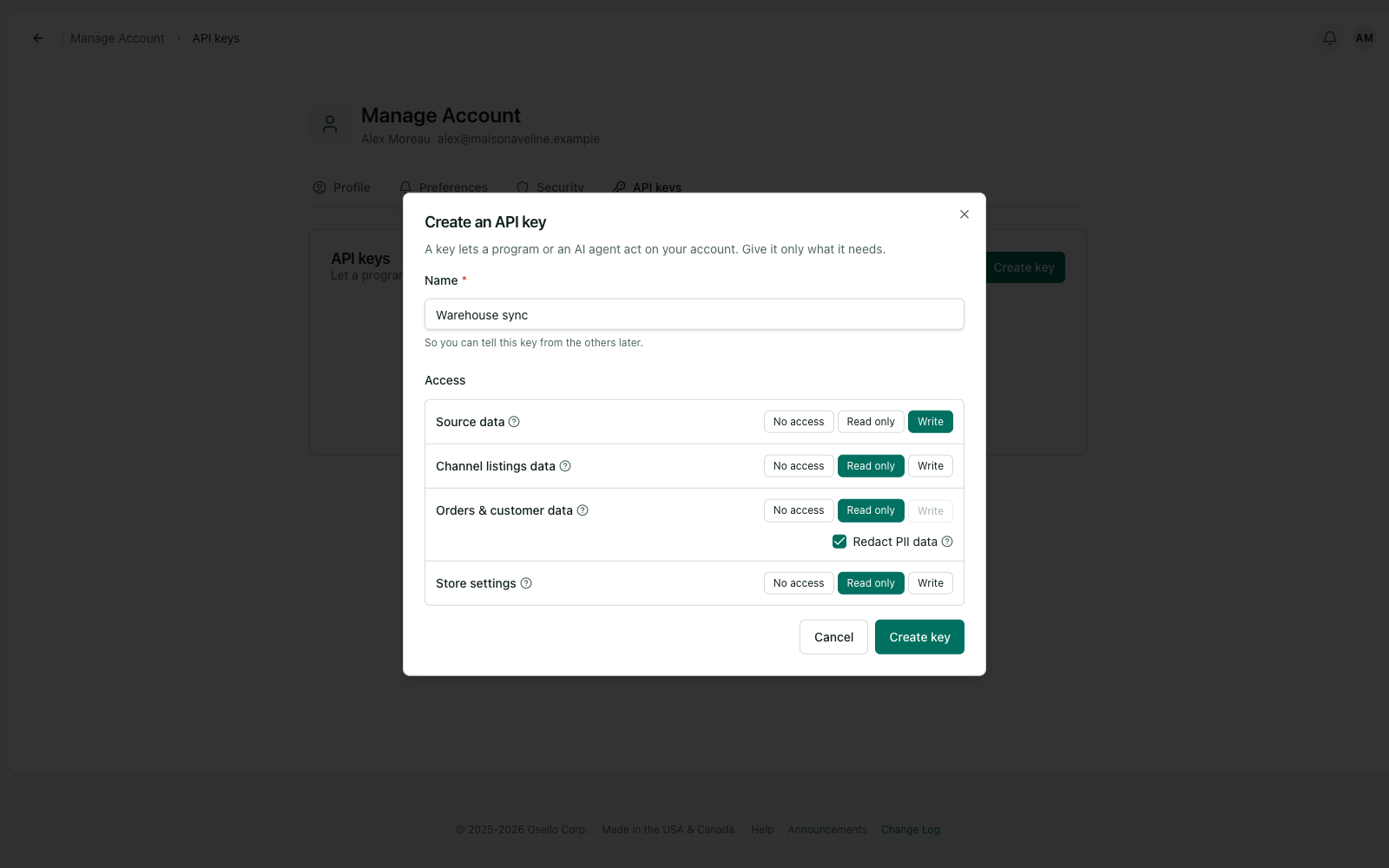
API keys now live in account settings, and each key gets its own access per category instead of one blanket level.
Size Type fills itself in
A new field reads each variant's size and sets the size type when it's certain, such as kids, petite, tall, big or maternity.
Ask the AI how Osello works
Every agent can search and read the Help Center, so questions about Osello get answered from the documentation.
Imports and exports from the page you're on
Products and each marketplace's listings have their own imports and exports pages, with the type and marketplace already filled in.
Marketplace refunds reach Shopify
A marketplace refund now refunds and cancels the unshipped lines in Shopify, and stock goes back once the return closes.
Submit only what changed
The submit dialog skips variants that haven't changed since their last submission, and you can pick specific variants to submit.
New listings reuse your images
A new listing takes its images from another submitted listing of the same variant. A wrong-shaped image is swapped or cropped, and the crop waits for your approval.
Orders and inventory
- Returns record who received and closed them, and both sync with Shopify.
- Map locations to Target+ distribution centers and carriers to its shipping methods.
- An order's Sync Status card shows how it's syncing and lets you change its settings.
- Accepting an order checks your real stock, not the buffered quantity.
Listings
- Refresh Status pulls a listing's current state and issues from the marketplace on demand.
- Listing history shows one line per decision, with bulk changes collapsed into one row.
- Disabled listings, inactive variants and archived products sort last.
- Only live listings are flagged out of stock.
Images
- Image cropping is about four times faster.
- Auto crop trims background and never crops into the product.
- One Update If Needed action fixes the primary image, replacing Ensure Image Meets Requirements and the per-field Crop.
- Rejecting an edited image puts back the version it replaced.
Imports and exports
- Export products and product variants to Excel.
- Parent rows in exports carry price range, MSRP range, sizes and colors.
- Leading zeros in a SKU or barcode survive a CSV import.
- Listing imports can set content state and liveness.
Around the app
- The back button returns you to the filtered list you were on.
- Listing pages fit a phone, and tooltips open on touch.
- Timestamps read "2 hours ago" instead of a raw date.
- The sign-in page follows dark mode.
Changes to know about
- Reconnect your Shopify store so Osello can edit orders there. Learn more
- A field is now either AI Auto Detect or a fixed value. AI Fields and Off are retired, and fields that were Off are disabled. Learn more
- Scheduled submissions, enables and disables are retired. An AI routine can do the same work on a schedule. Learn more
- Your plan's limits and prices are fixed when you subscribe, until you change plan or billing period. Learn more
API and MCP consumers: versions 18.1.0 through 23.1.0 include breaking changes. See the change logs for September 16, September 23 and September 30.