Last Week: Excluded Products, Target+ Listing Imports, and Rebuilt Field Pages (September 30, 2026)
Take a product out of listing consideration, pull your existing Target+ catalog into Osello, and set field instructions per category on rebuilt field pages.
Last updated: Sep 30, 2026 at 2:30AM
New Features
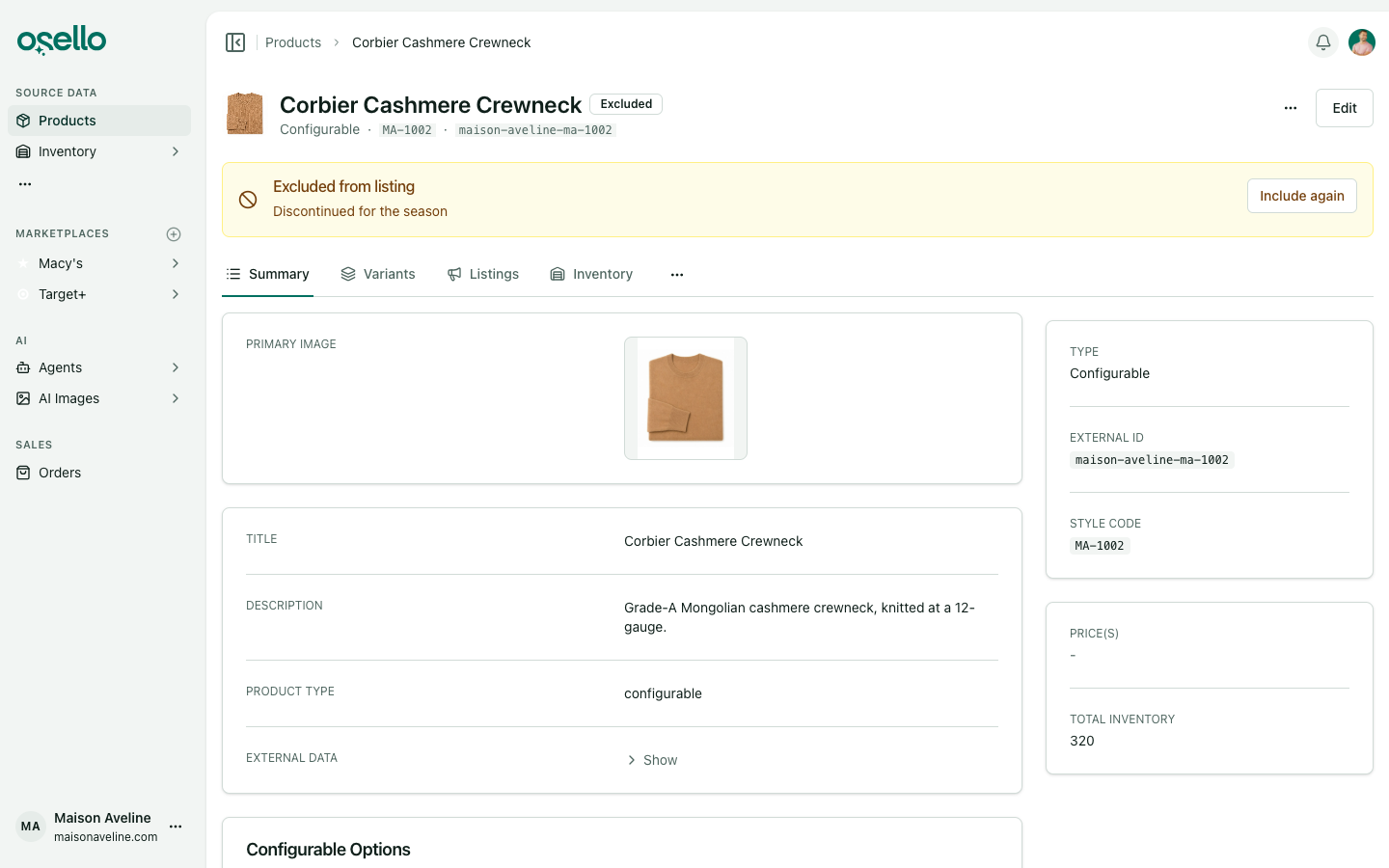
- Exclude a product from listing — take a product out of consideration on every marketplace, for good or until a date you pick, with a reason. An excluded product leaves Products to List and auto-listing, and shows up in Products to Unlist wherever it is already listed. Ending the exclusion puts it back; it never re-enables listings you disabled. There is a filter and an Excluded badge on the products table, and bulk exclude and include actions. Learn more
-
Import your existing Target+ listings — Pull from Target+ mirrors your Target+ catalog into Osello: listing structure, content, each variant's state and liveness, and every problem Target is reporting, as a listing issue you can act on. Narrow the import by SKU, style code, Target+ status, or a maximum number of listings. Learn more
-
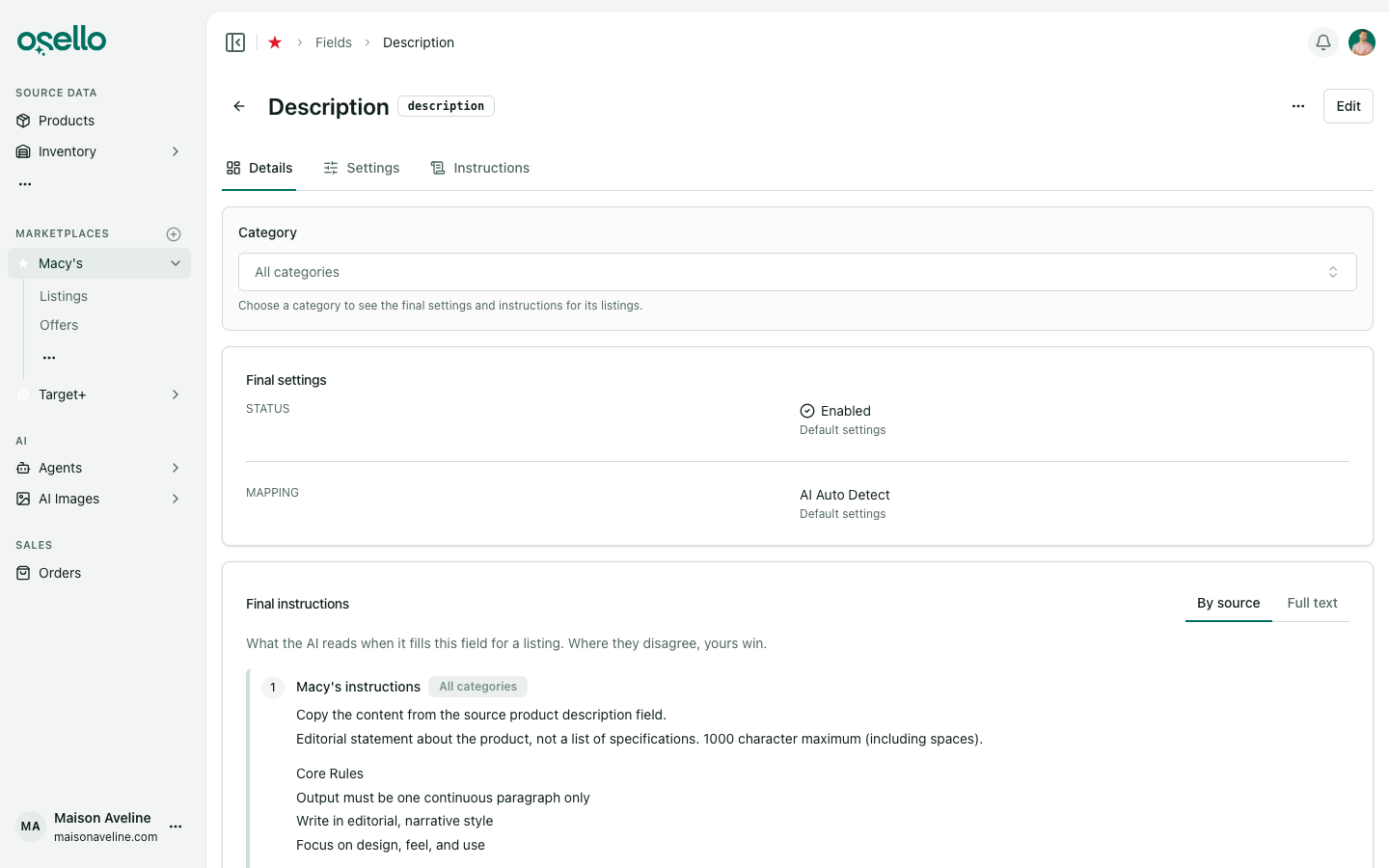
Field pages rebuilt around categories — every marketplace field now opens on Details, with Settings and Instructions on their own tabs. Pick a category and you see the status, fixed value and instructions that apply to its listings, next to the ones set for all categories, in the order the AI reads them. A category's settings and instructions now carry down to its subcategories, and the fields list can be filtered to one category. Learn more
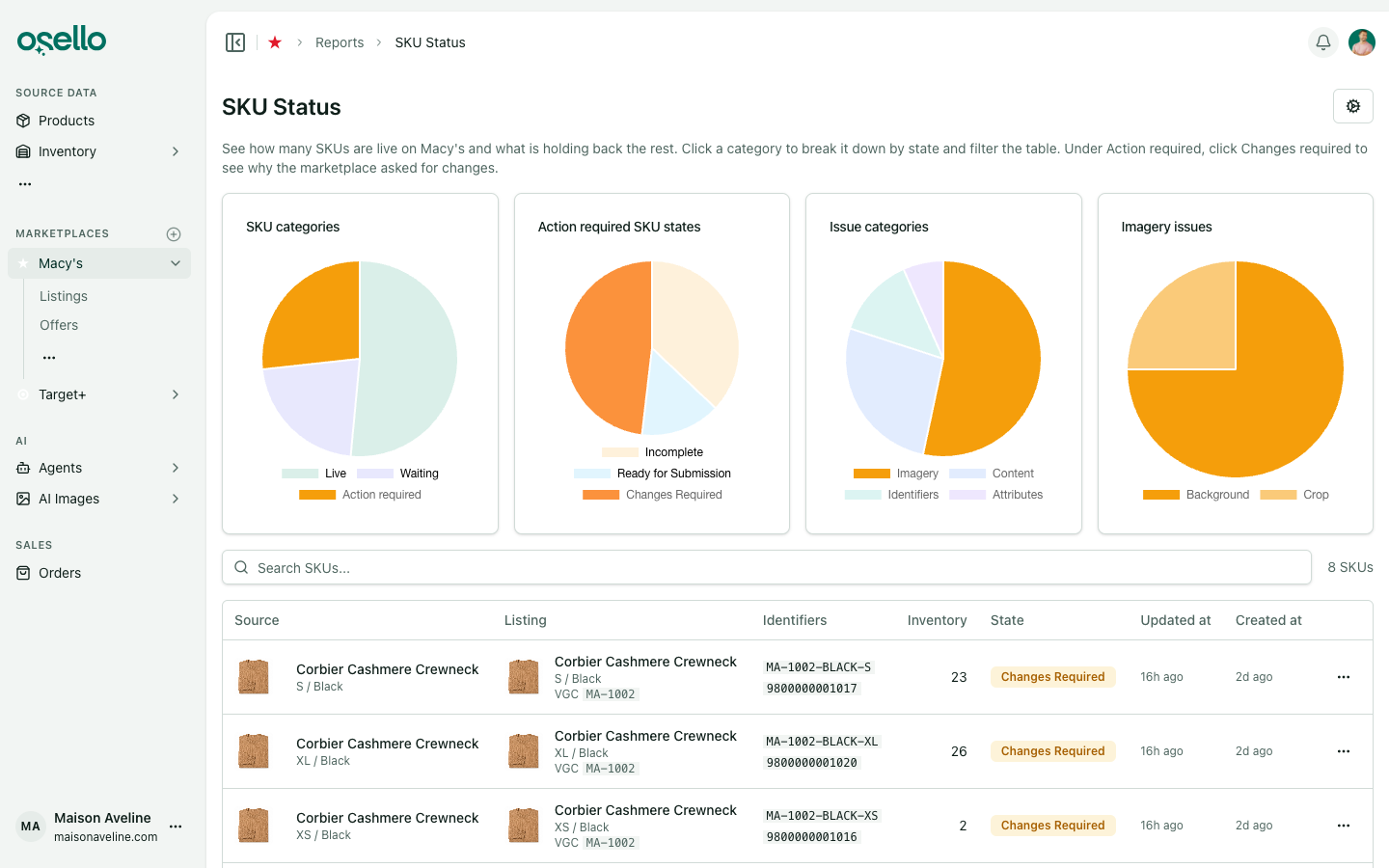
- See what your marketplace is asking you to change — the SKU report breaks Changes required down by issue category, then by sub-category inside the one you pick, and each click filters the SKU table underneath. Learn more
-
Size Type fills itself in — a new field that reads each variant's size and sets the size type when it is certain: kids sizes on kids products, months, 2T-5T, petite, tall and big sizes, and maternity products. Learn more
-
Ask the AI how Osello works — every agent can now search and read the Help Center, so a general question gets answered from the documentation instead of guessed at. Learn more
-
Imports and exports where you work — products and each marketplace's listings get their own imports and exports pages, reached from the actions menu on the index, with the type and marketplace already filled in. Learn more
Improvements
-
Submit only what changed — the submit dialog skips variants that have not changed since their last submission, and can include disabled ones. Learn more
-
New listings borrow images from the product's other listings — the primary and alternate images come from another submitted listing of the same variant, most recently updated first. An image in the wrong shape is swapped for a version in the right one, or cropped to fit, and the crop waits for your approval. Learn more
-
Products without barcodes stay out of To List — on marketplaces that require them, and product and variant pages say which barcodes are missing. Learn more
-
Listing history reads like a record of decisions — no more bookkeeping rows. Disabling, re-enabling and settled content state changes each get their own line, a submission logs one line with its variant count, and a change made across many records collapses into one row you can open. Learn more
-
Inactive sorts last — disabled listings, inactive variants and archived products all fall to the bottom by default, and the listings state filter gained an Omit disabled listings switch. Learn more
-
Parent exports carry more — price range, MSRP range, sizes and colors are on the parent rows of product and listing exports. Learn more
-
Image approvals behave like every other table — selections work the way mass actions do everywhere else, you can choose how many images to show per page, and rejecting an edited image puts back the version it replaced. Learn more
-
Only live listings are flagged out of stock, so a listing that was never live stops asking for inventory it does not need.
-
Imported listings are categorized after the import finishes, which keeps a long import moving instead of waiting on each row.
Other Notable Changes
-
A field is either AI Auto Detect or a fixed value — the AI Fields and Off mapping methods are retired, and a switch on the field's edit page sets which one it uses. Fields that were off are now disabled. Learn more
-
One Update If Needed on the primary image — it reads the field's requirements and corrects the image, replacing both Ensure Image Meets Requirements and the per-field Crop action. Auto crop still runs for the listings mass action and for new listings. Learn more
-
Your plan terms are fixed when you subscribe — if published limits, overage rates or prices change afterward, you keep the ones you signed up with until you change plan or billing period. The Medium plan's monthly GMV limit is $300k for new subscribers. Learn more
API and MCP Updates
Version: 23.1.0
New endpoints
POST /api/stores/{store_id}/products/{id}/excludeand/include— take one product out of listing consideration, or put it back. Exclusion takes a reason and an optional end date.POST /api/stores/{store_id}/products/mass_excludeand/mass_include— the same across a selection.
Notes for API consumers
- Breaking: a channel field's mapping method is now
ai_auto_detectorfixed_value.ai_fieldsandoffare rejected, and the AI Fields source list is gone. Existing fields were moved toai_auto_detect, and ones that wereoffwere disabled. - The products index filters on
excluded, and the product serializer carries the exclusion reason and end date. - Listing submissions accept
only_changed_variantsandinclude_disabled_variants. - Channel fields expose marketplace instructions, category instructions and category overrides separately, plus the resolved settings and instructions for a category, and the index filters by category.
- The marketplace SKU report returns issue categories with their counts and sub-categories, and its rows filter on
issue_categoryandissue_sub_category. - Listing imports keep a variant with no matching source product, importing it unlinked and warning on the import row.
- The exports index accepts several comma-separated model types, and the imports index filters by channel.