
Last updated: Oct 19, 2026 at 6:05PM
If your products carry both an MSRP and a lower selling price, Osello can send both to a marketplace — the higher number as the regular price and your selling price as the discount beneath it. Shoppers see the higher price struck through and the sale price next to it.
The one setting
Each marketplace connection has an Only use MSRP switch, in the Pricing card under its Settings → Offers tab.
Either way, the price the marketplace is told is the greater of your two numbers — your MSRP if you set one, otherwise the product's price. What the switch decides is whether a discounted price goes underneath it:
- On — the marketplace gets that one price and never a discount.
- Off — your product's price is also sent as the discounted price, whenever it is genuinely below the regular price.
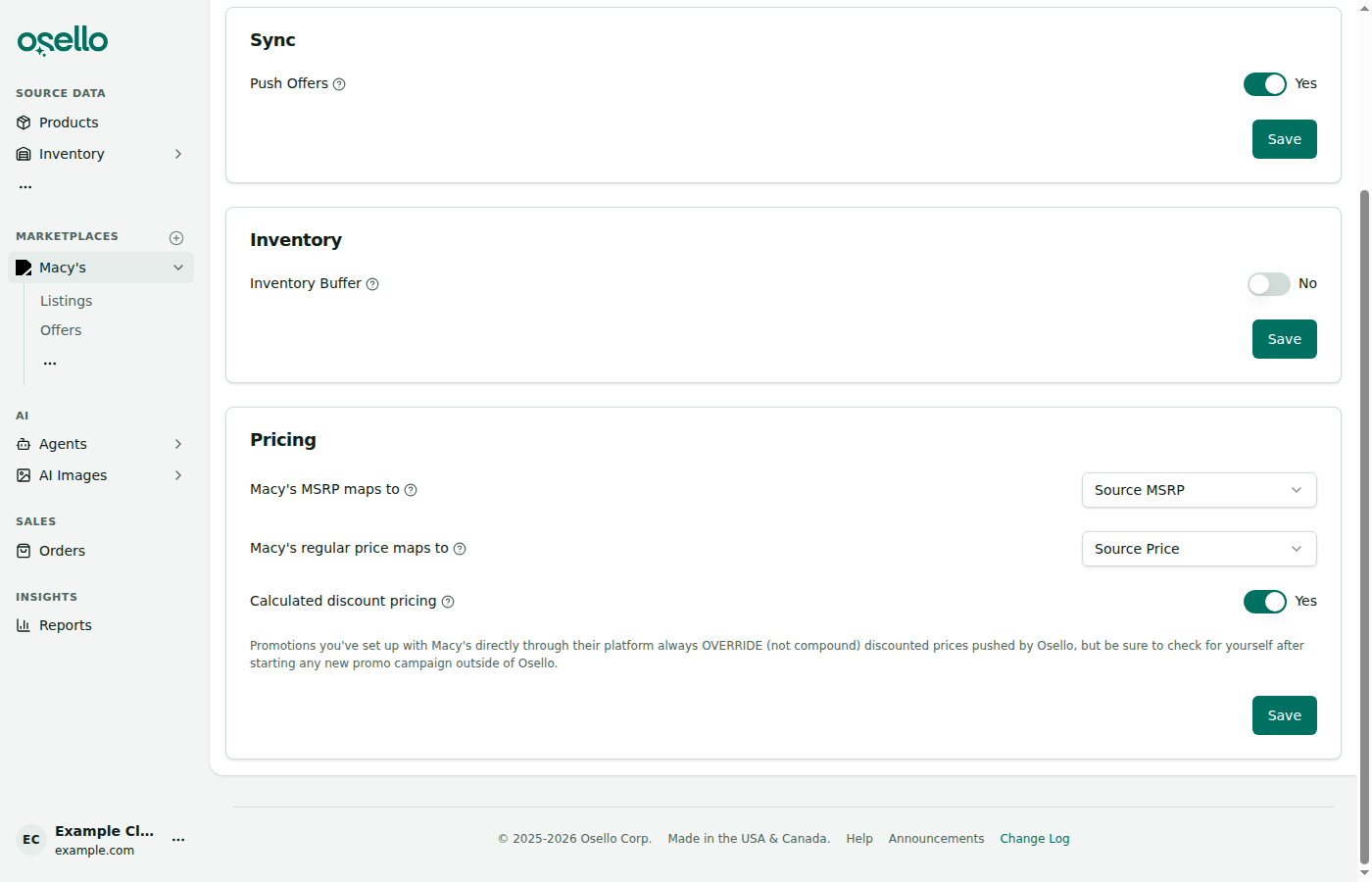
To turn discounts on:
- In the sidebar, open the marketplace, click the ... under its links and choose Setup -> Settings, then open the Offers tab.
- In the Pricing card, switch Only use MSRP off.
- Click Save.
Saving refreshes your offers straight away, and the prices it changed go out to the marketplace within a minute.
What each product gets
With Only use MSRP switched off:
| Your MSRP | Your price | Marketplace price | Discounted price |
|---|---|---|---|
| $100 | $80 | $100 | $80 |
| $100 | $100 | $100 | none |
| $100 | $120 | $120 | none |
| $100 | (blank) | $100 | none |
| (blank) | $80 | $80 | none |
A product only gets a discount when its price is genuinely below its MSRP. Everything else is sent at a single price, exactly as before.
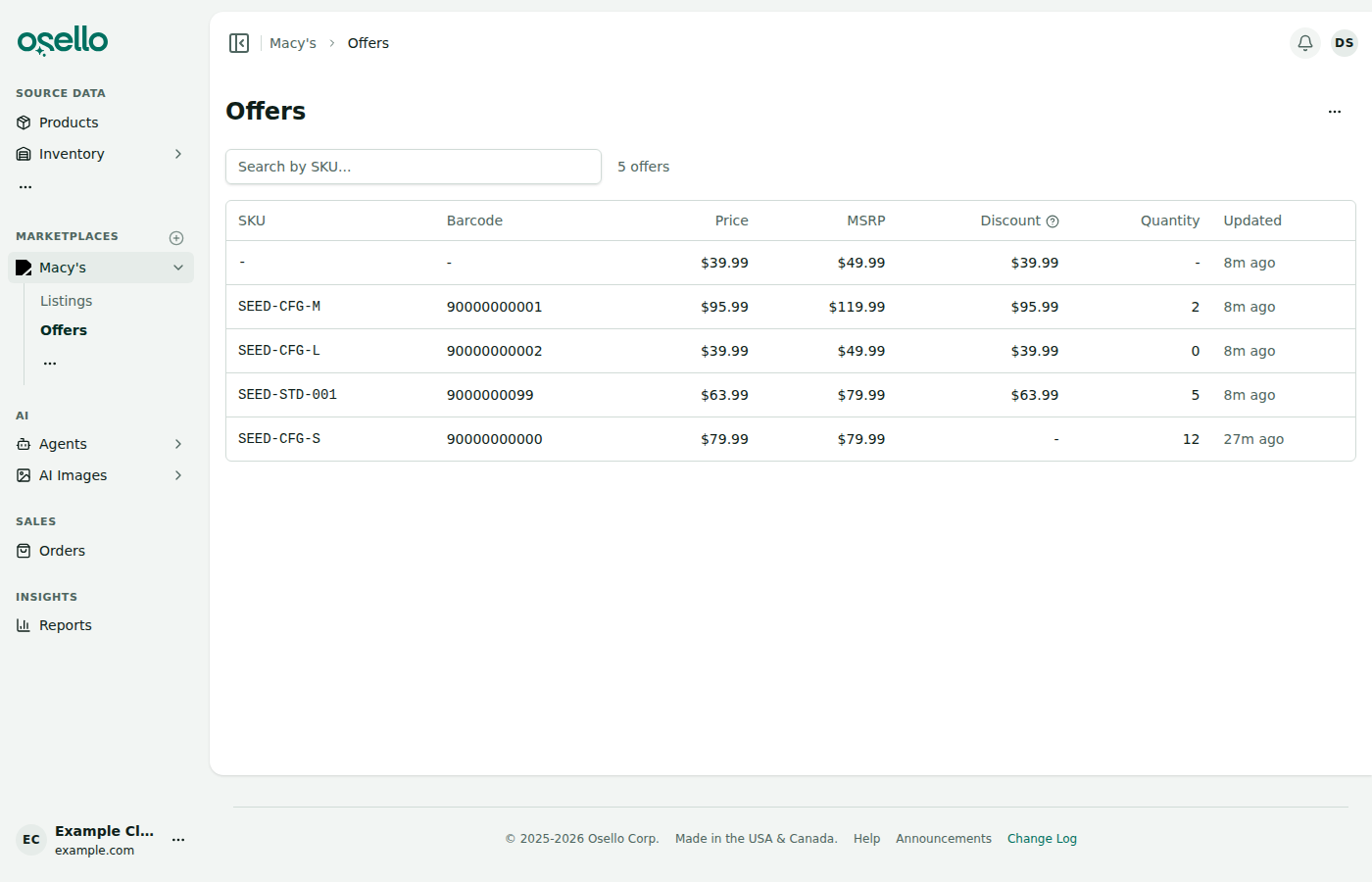
You can check what every SKU was sent on the marketplace's Offers page. Each row shows the price, with the regular price struck through and the discount beside it wherever one applies — hover any price to see the full breakdown.
Promotions you run on the marketplace directly
Promotions set up with a marketplace through its own platform override the discounted prices Osello sends — they don't stack on top of them. A shopper sees the marketplace's promotional price, not a second discount off your discount.
That is the behavior to expect, but it is worth checking your listings yourself after launching any campaign outside Osello, since each marketplace runs its promotions its own way.
A promotional campaign is not the same thing as a discounted price typed onto the item itself in a marketplace's seller portal. Osello sends a discounted price with every price sync, so a per-item discount you set in the portal by hand is replaced by whatever your Osello product data works out to. Run discounts you want Osello to keep through your product data, and campaigns through the marketplace's own promotions tools.
Turning discounts off again
Switch Only use MSRP back on and Osello stops sending discounted prices. The discount we last sent is cleared on the same push, so your listings go back to showing a single price without you having to touch the marketplace's own tools.
The same goes for a single product that stops being discounted: once its price is no longer below its MSRP, the next sync clears the discount that product had.