
Target+ unlisting, listing sales and pre-submission checks
Disabled listings come down on Target+, see what each listing sells, check a listing before you submit it, and spot orders Shopify canceled after they shipped.
 By Jay El-KaakeOctober 21, 2026
This week: disabled listings come down on Target+, see what each listing sells, check a listing before you submit it, and spot orders Shopify canceled after they shipped.
Disabled listings come down on Target+
Disabling a listing or variant now unlists it on Target+ and sends its stock as 0 to every distribution center. Submitting a disabled listing or variant re-enables it, and the submit dialog warns you first.
Enabling a listing again does not put it back on sale. Target+ relists an item only once a new version is submitted and approved, and Osello reminds you to submit.
Orders canceled in Shopify after they shipped
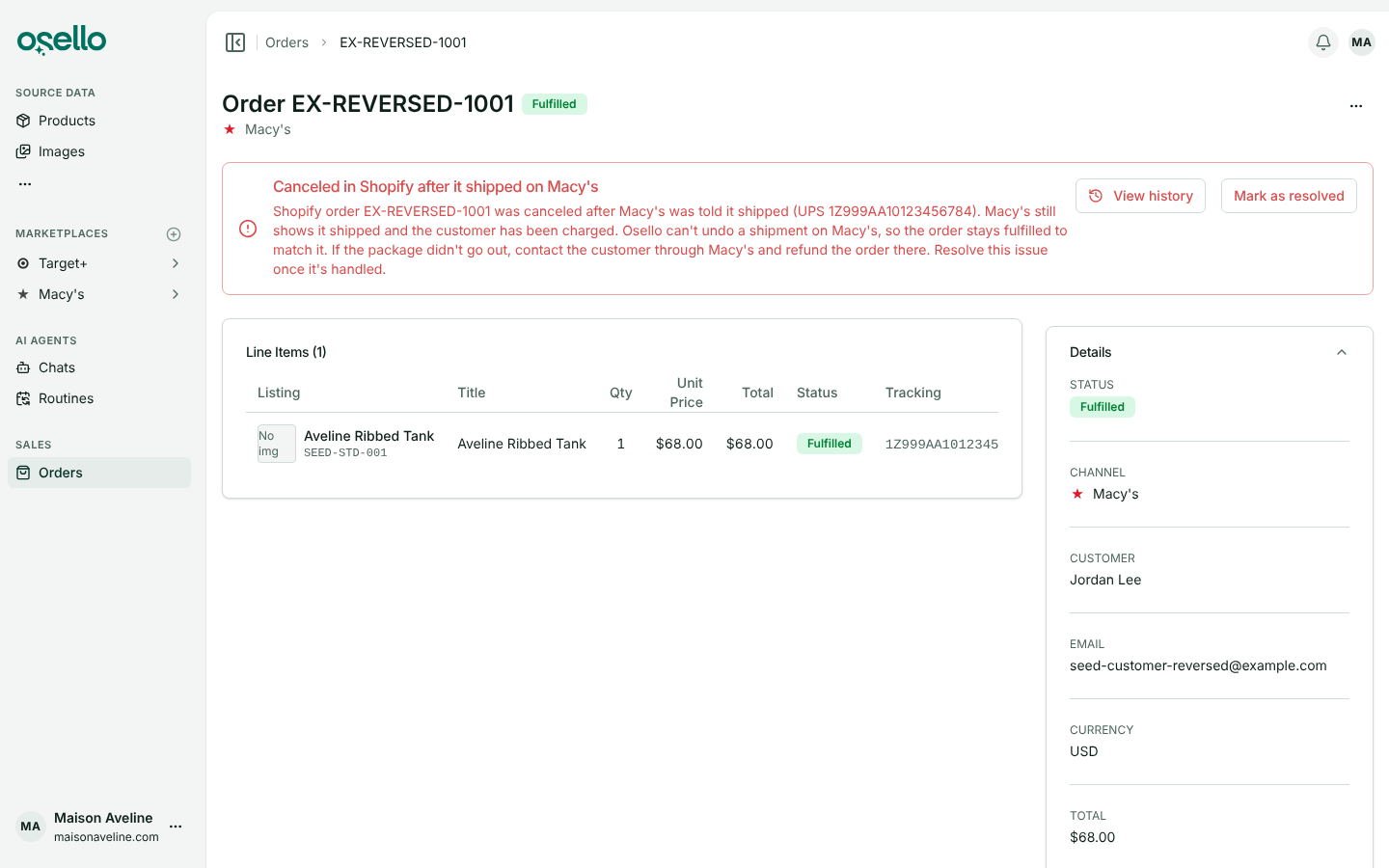
When Shopify cancels an order, or its fulfillment, after the marketplace was told it shipped, the order page shows a red alert saying what to do. Your dashboard and the Orders list count these orders, and a new filter shows only them.
Order History records every status change Shopify made, with who made it and when. Choose Mark as resolved once you have handled it.
See what each listing sells
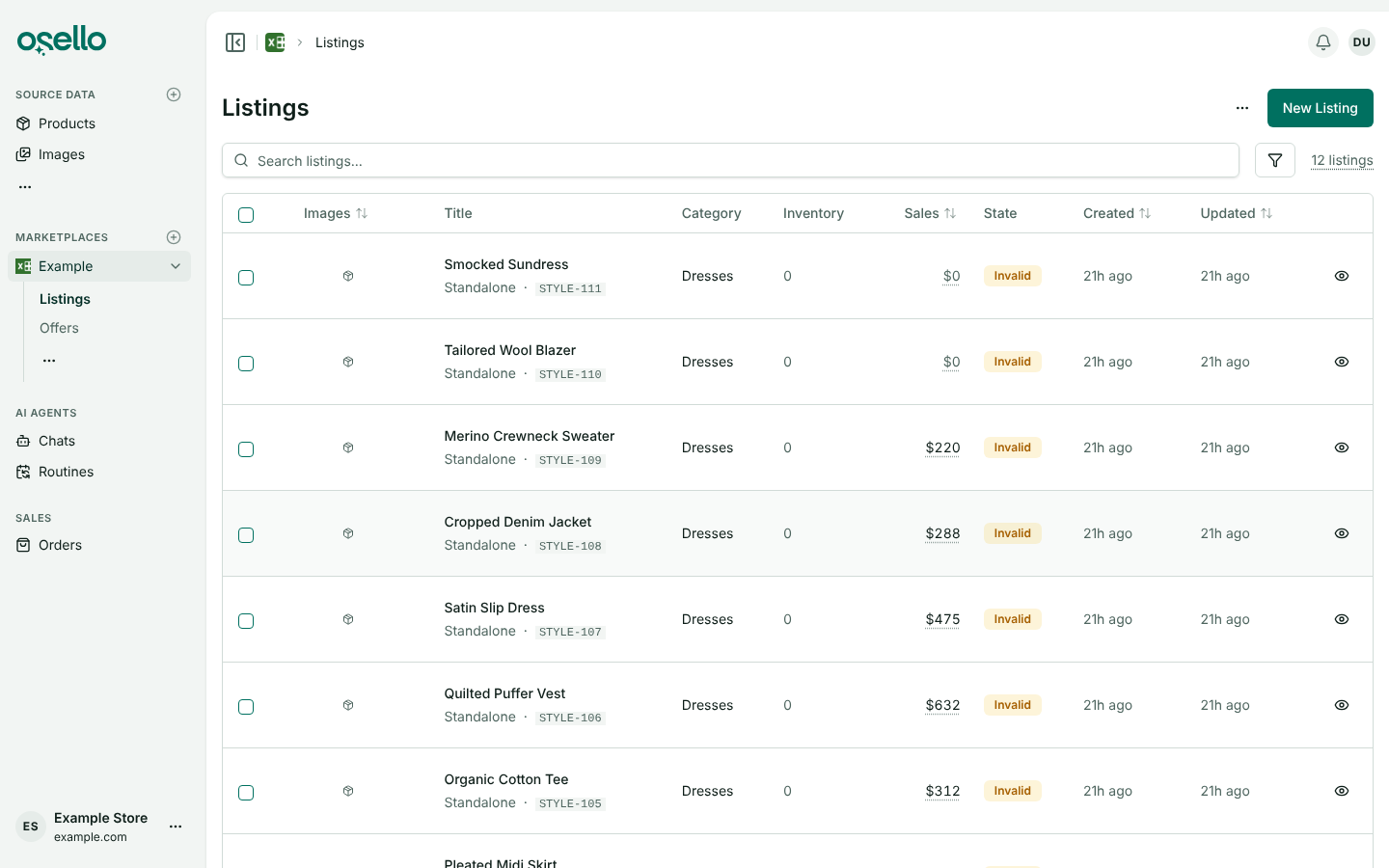
A marketplace's Listings page has a Sales column showing what each listing sold over the last 30 days or a period you pick. Sort by it, or filter to listings that sold more or less than an amount.
Check a listing before you submit it
Check listing, in the listing's AI menu, has an agent review the listing the way the marketplace will and raise an issue for each problem it finds. Check & submit runs the same check, then submits when nothing stands in the way.
Find broken size runs with Style Integrity
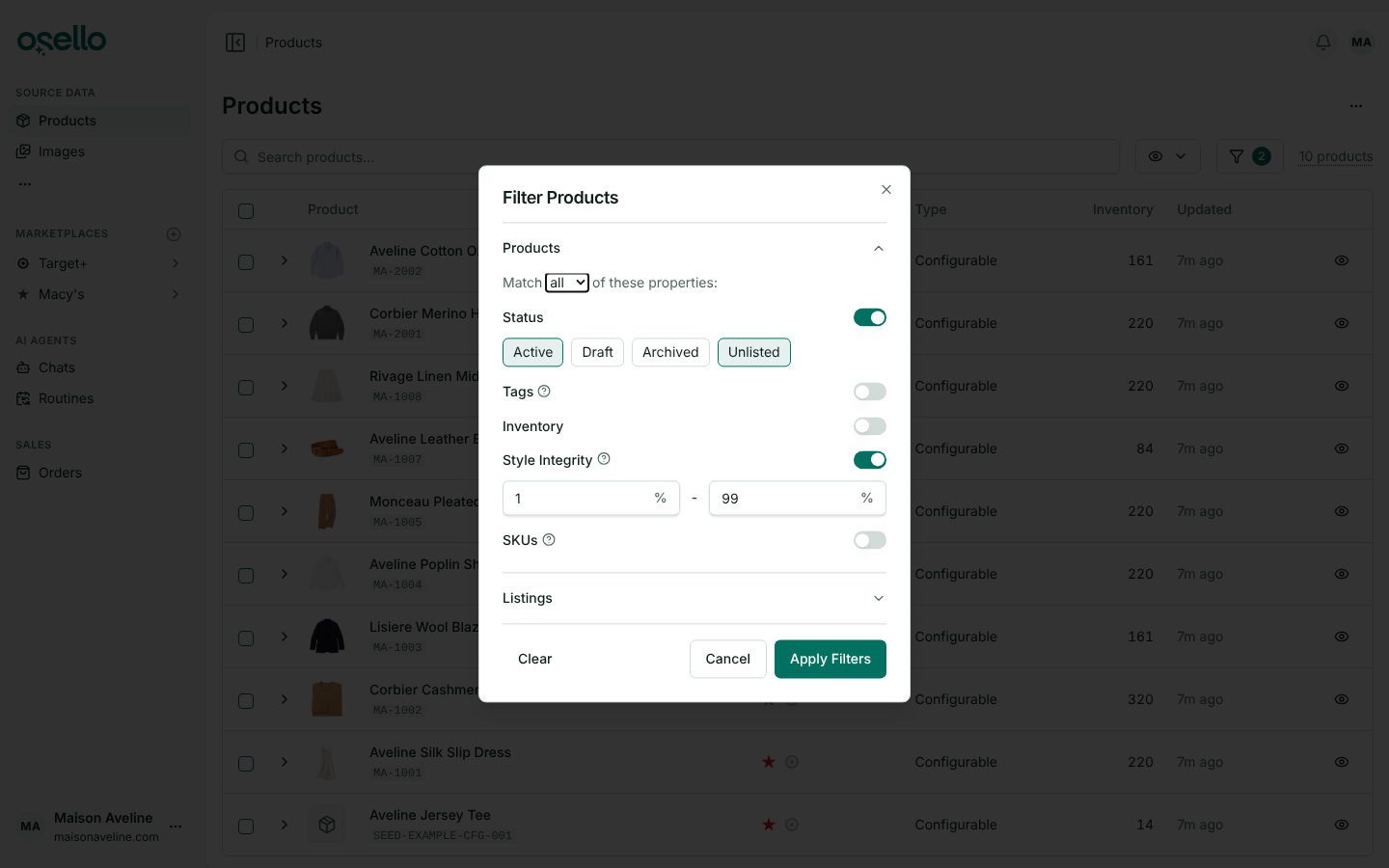
Style Integrity is the percentage of a style's variants with at least one unit in stock. Filter the Products and Listings pages by it, and add it to a marketplace's Products to List and Products to Unlist criteria.
Your AI assistant follows Osello's skills
A Claude, ChatGPT or other assistant connected to your account now follows the same step-by-step skills Osello's own agents use to create, categorize and fill in listings, merge listings and fix images. Ask for the job and it finds the skill.
A marketplace field's settings on one tab
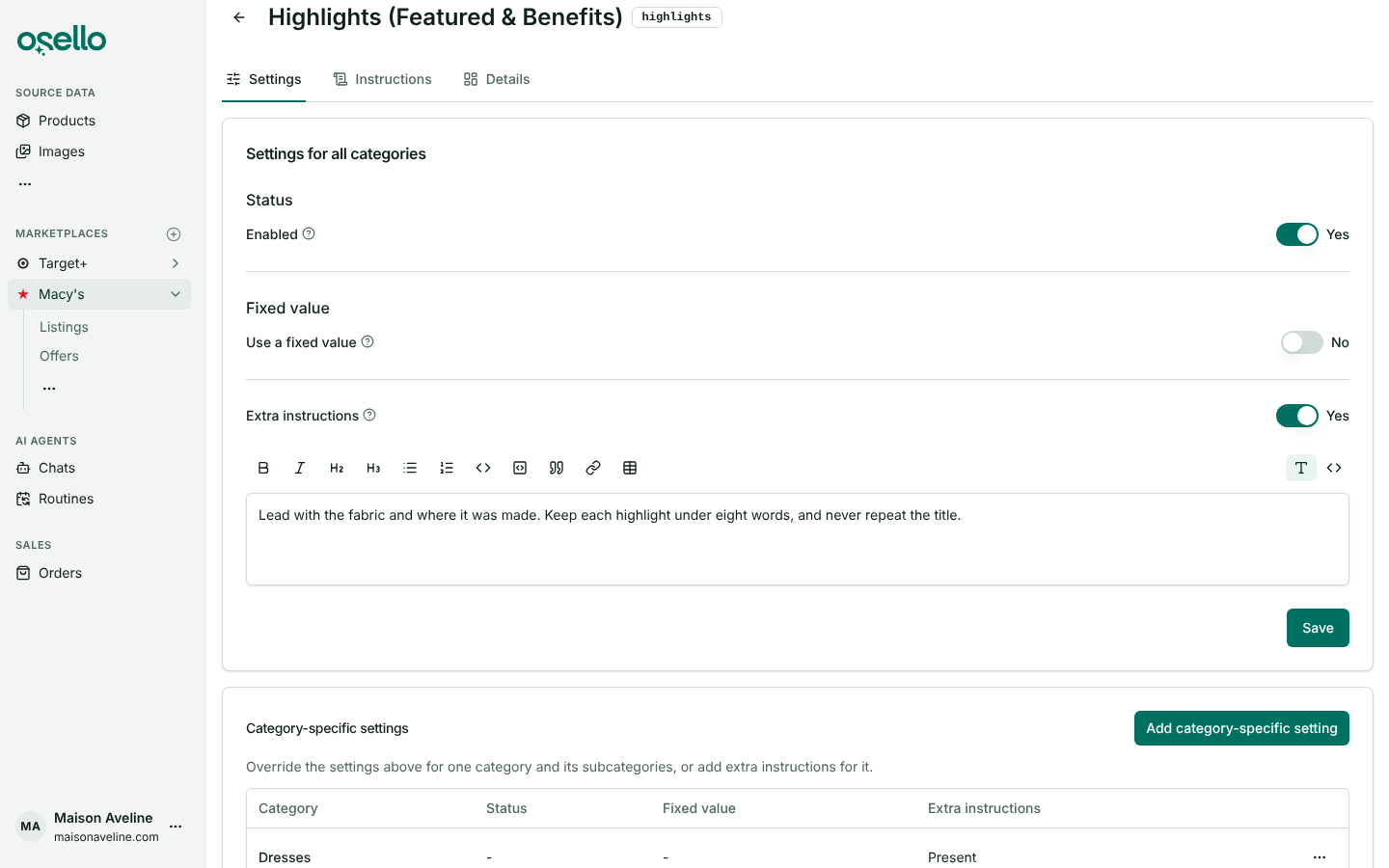
A field's page opens on Settings, with its status, fixed value and extra instructions for all categories in one card, and the categories with their own settings listed below.
Change a listing photo from the photo itself
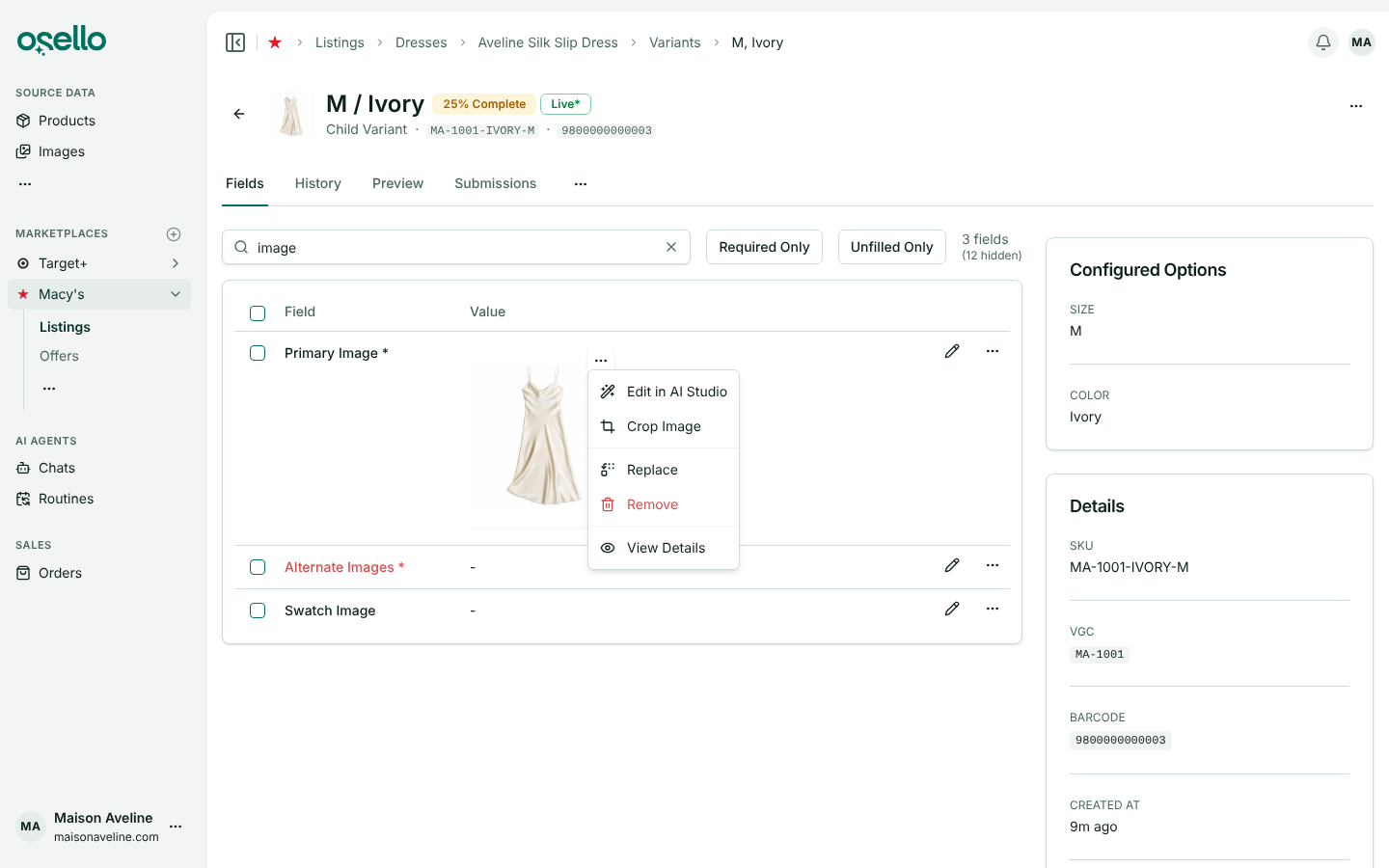
Hover over any image on a listing's Fields tab and click its "..." button to edit it in AI Studio, crop, replace, remove or view it. The new photo takes the place of the one you opened.
Listings
- Target+ listings read Partially Pending Approval or Partially Live until Target+ approves the parent product as well as its variants. Learn more
- A product counts as listed on a marketplace only when one of its variants there is enabled and not unlisted by the marketplace. Learn more
- Mirakl marketplaces such as Nordstrom: rejections that point to integration errors now show each error on the field it names. Learn more
- Target+ listings gain Apparel lining materials fields where Target+ asks about the lining. Learn more
Orders and images
- Refunding an unshipped item in Shopify now cancels it on the marketplace, whether or not you restock it. Learn more
- Choosing an image that is waiting for approval no longer approves it. Approve it on the review page or the image's own page. Learn more
- AI Studio saves an edit only when you accept it, and closing the dialog mid-run cancels the edit.
Plans
- Small is $799 a month ($499 billed yearly), Medium $1,599 ($999 yearly) and Large $3,299 ($1,999 yearly), with Large's Active SKU limit raised to 100,000. Existing subscriptions keep their current price. See plans
- You can enter a promo code at checkout when you subscribe.
API and MCP consumers: see the October 21 change log for version 27.7.0 and later. The full list of changes is in the change log.