
Kohl's, one Product Images field and per-store notifications
Sell on Kohl's, order listing images in one list and convert their file type, pick notifications per store, and turn listings off from a list of SKUs.
 By Jay El-KaakeNovember 4, 2026
Sell on Kohl's
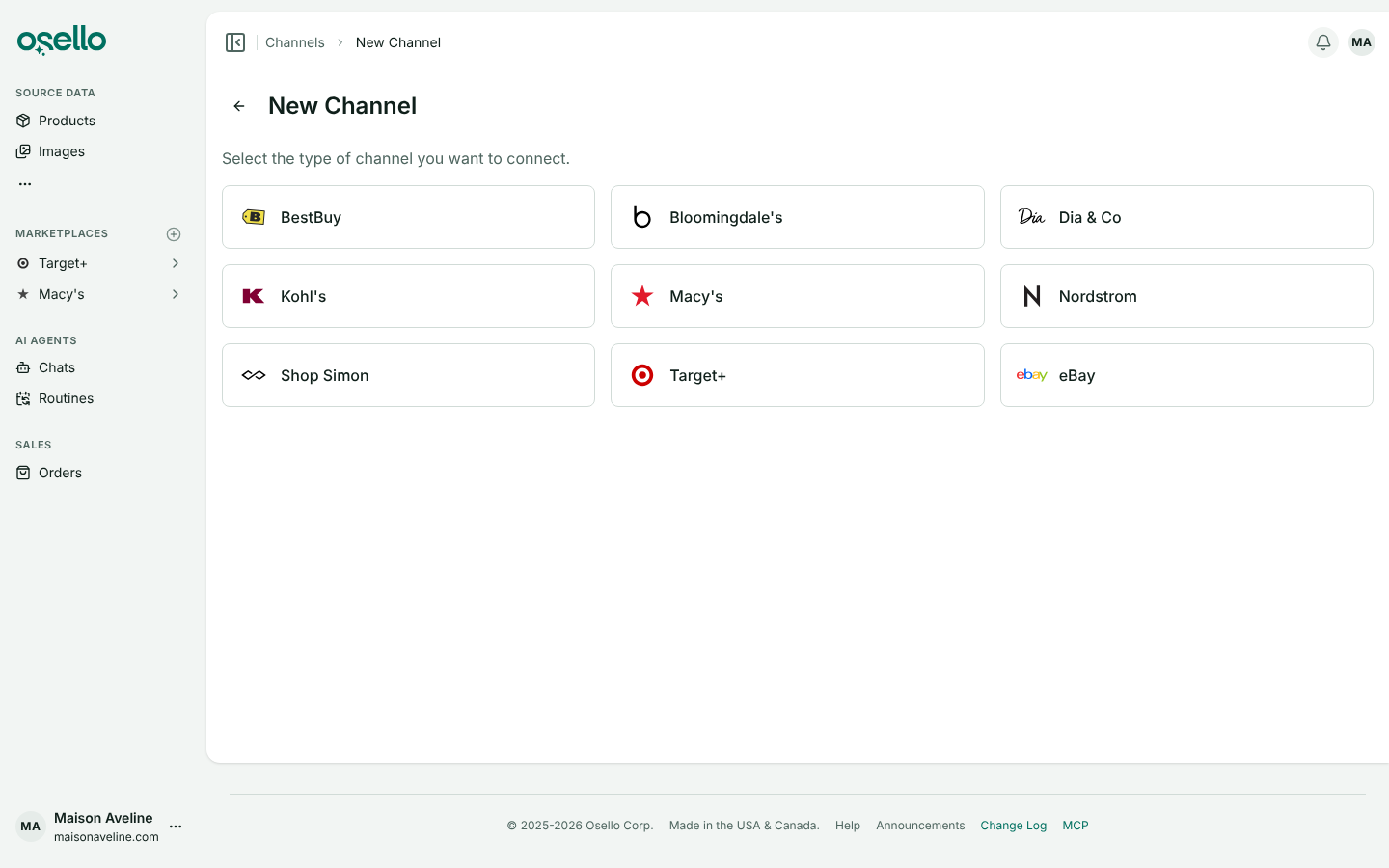
Kohl's is now a marketplace you can connect, with its categories, field requirements and content guide loaded so the AI fills titles, NRF sizes and compliance fields the way Kohl's asks.
Kohl's runs on the same platform as Macy's and Nordstrom, so it connects with a Store ID and API key from the Kohl's seller portal. Each listing previews as it will look on kohls.com.
Listing images in one ordered list
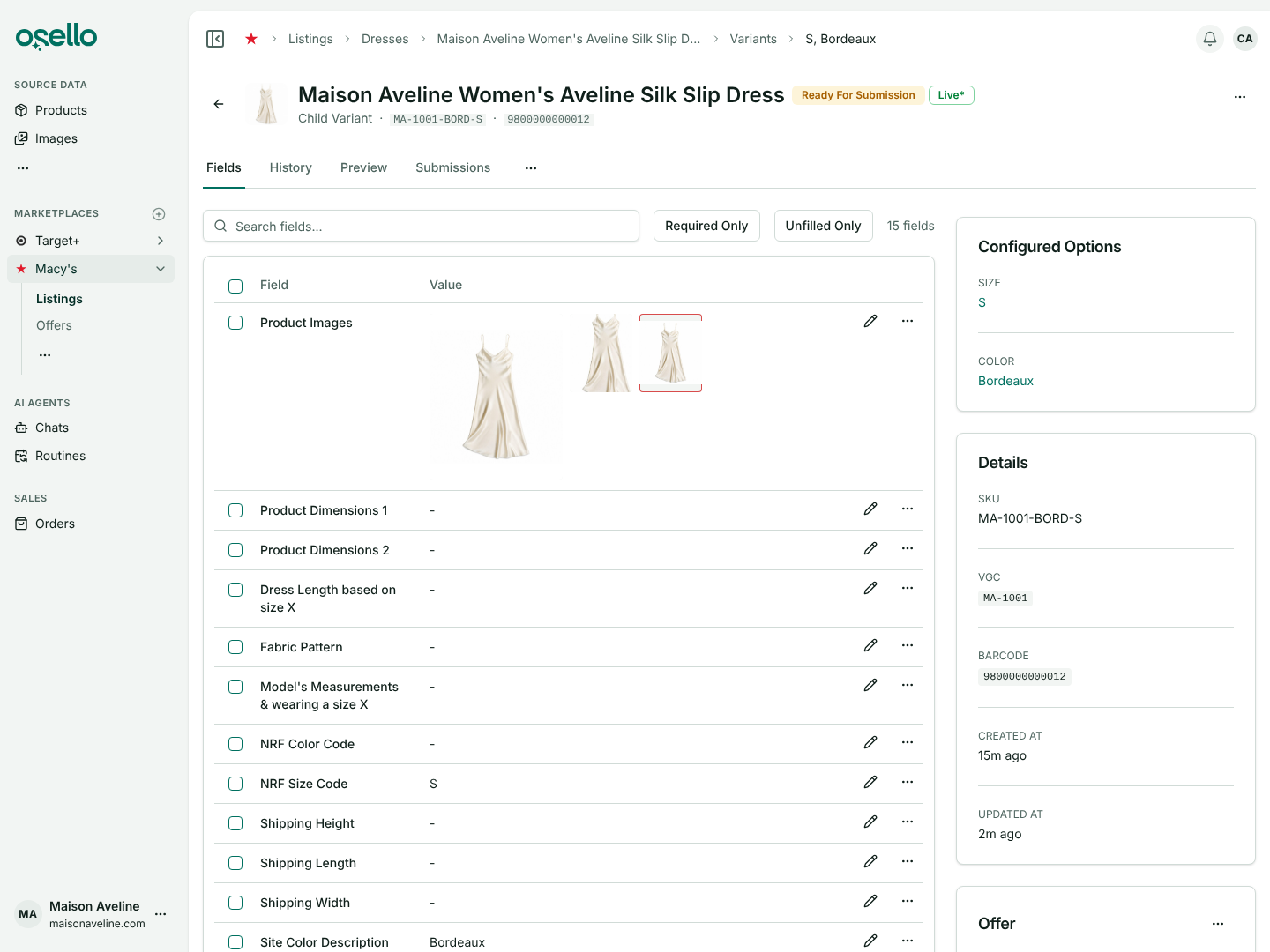
Primary Image and Alternate Images are now a single Product Images field on every marketplace. The first image is the primary image, and you drag images into order and click Save sort order.
Each photo shows in the marketplace's shape, with a red outline when it doesn't fit. Your existing images moved over in the same order, and each category is held to its marketplace's minimum number of images.
Convert an image to another file type
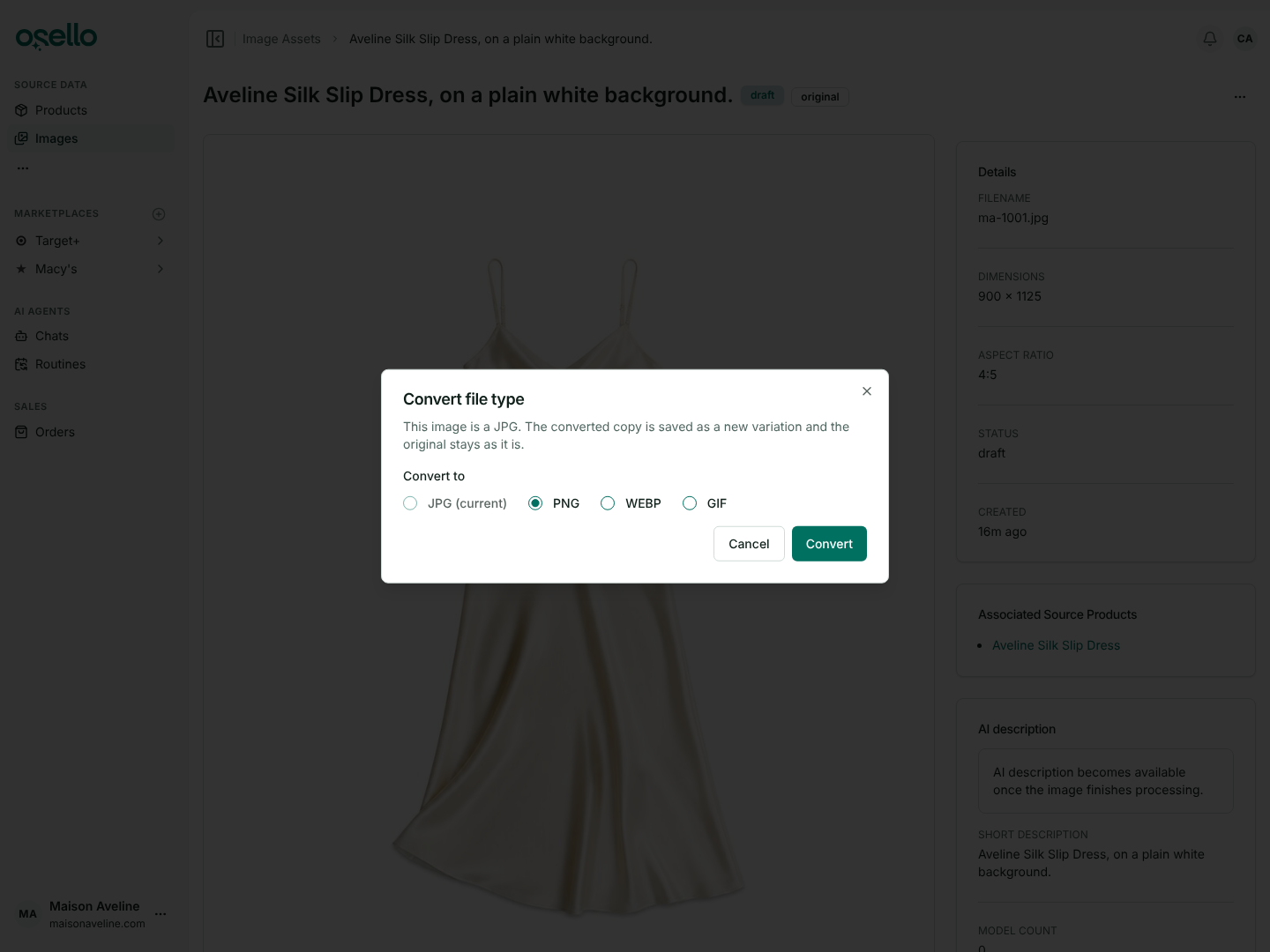
Choose Convert file type from an image's menu to save a JPG, PNG, WEBP or GIF copy as a variation. The original stays as it is.
Kohl's and Target+ take JPG only. A listing holding a file type its marketplace doesn't take shows as Invalid, and Osello converts images it picks from your products.
Notifications and billing contacts per store
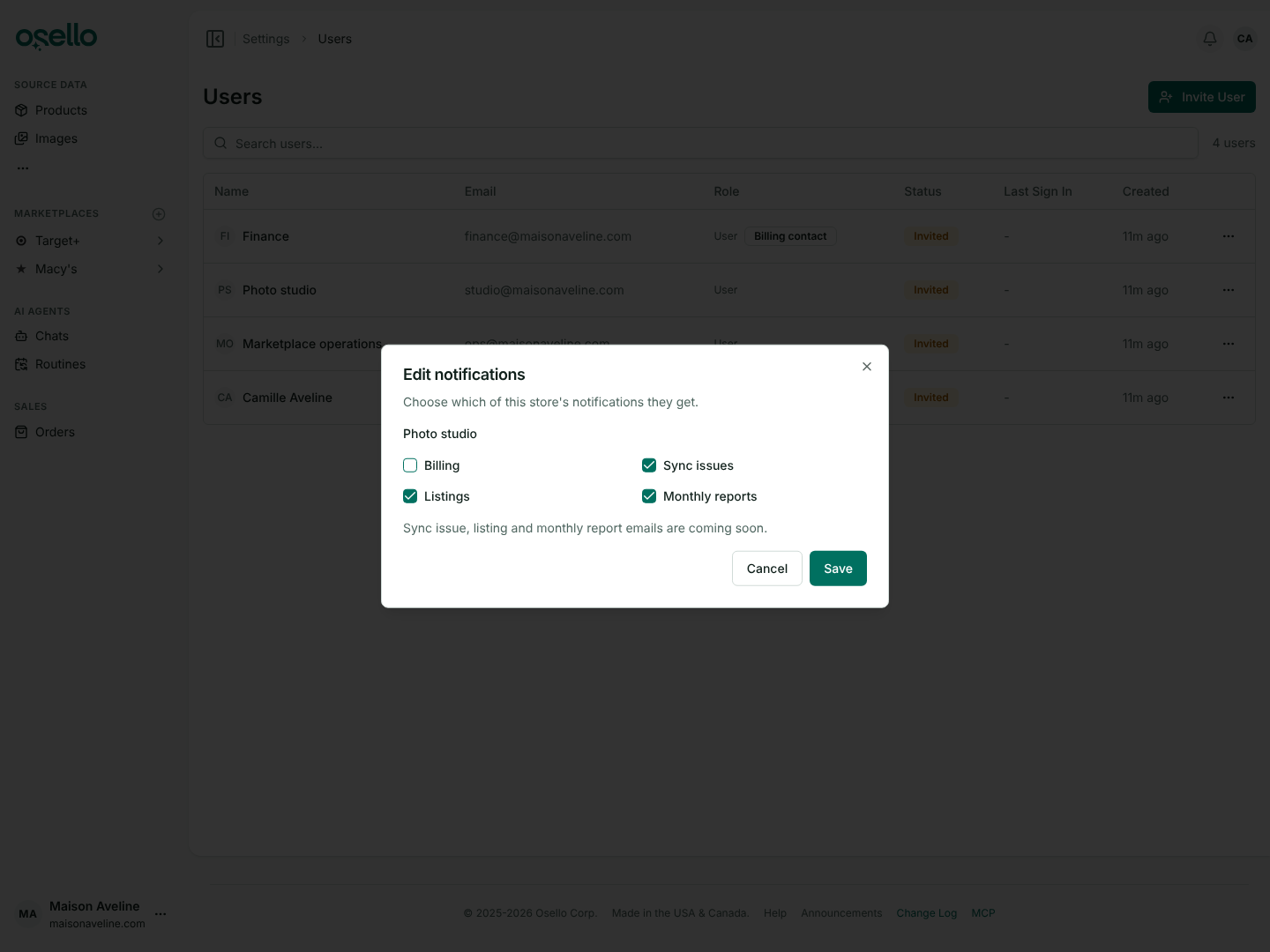
Each store now picks its own billing contacts, marked with a badge on the Users page. Edit notifications in a person's row menu chooses what they hear about that store.
Everyone can set theirs for every store from the Store notifications card on their Preferences page. The account-wide Billing email preference is gone.
Turn listings off or on from a list of SKUs
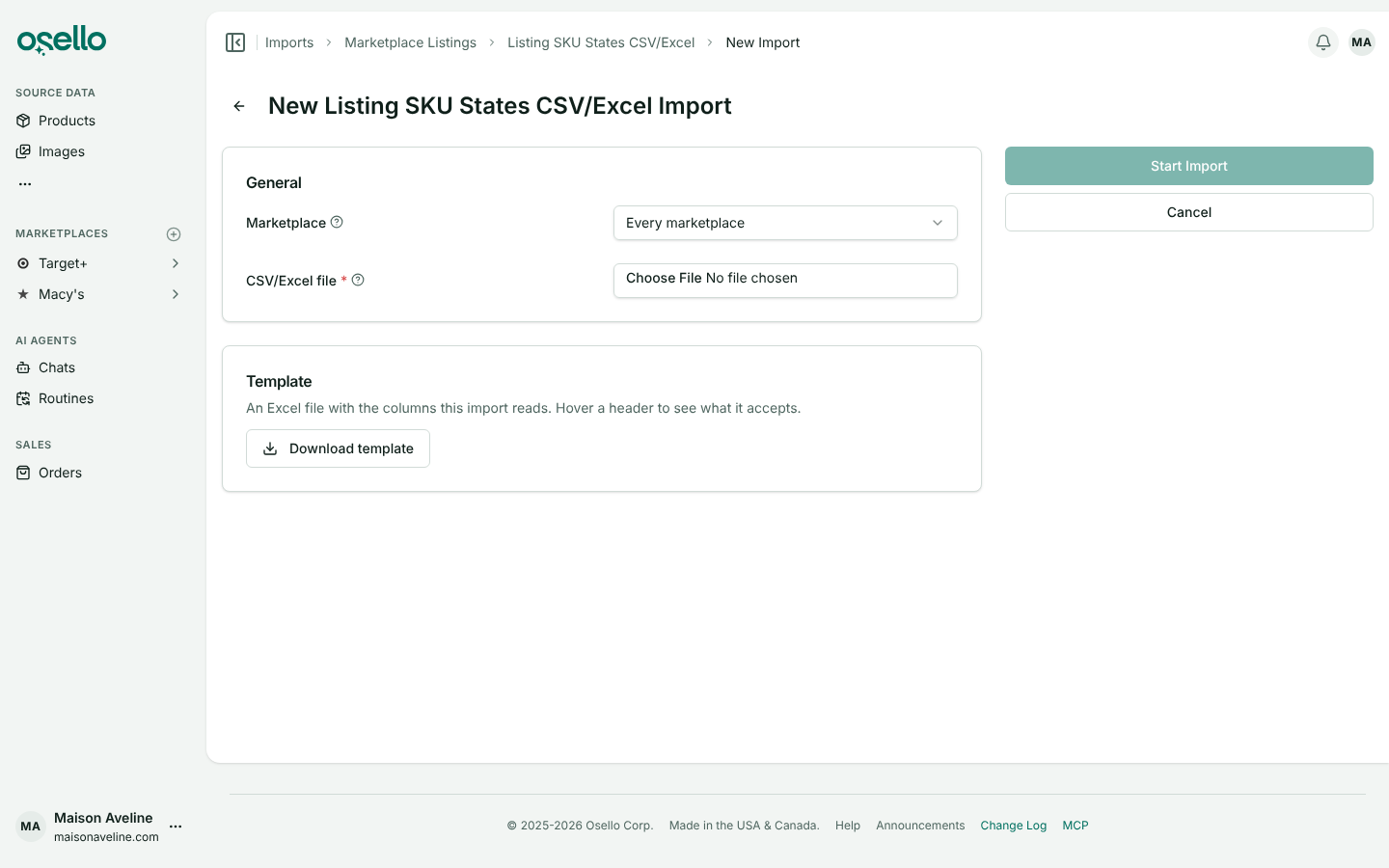
Upload a spreadsheet with a sku column and Osello disables those listing variants on one marketplace or all of them. Add an enabled column to turn SKUs back on from the same file.
Every import format now has an Excel template under Download template on the New Import page, with a note on each column and example rows.
Errors from a listing check hold back submission
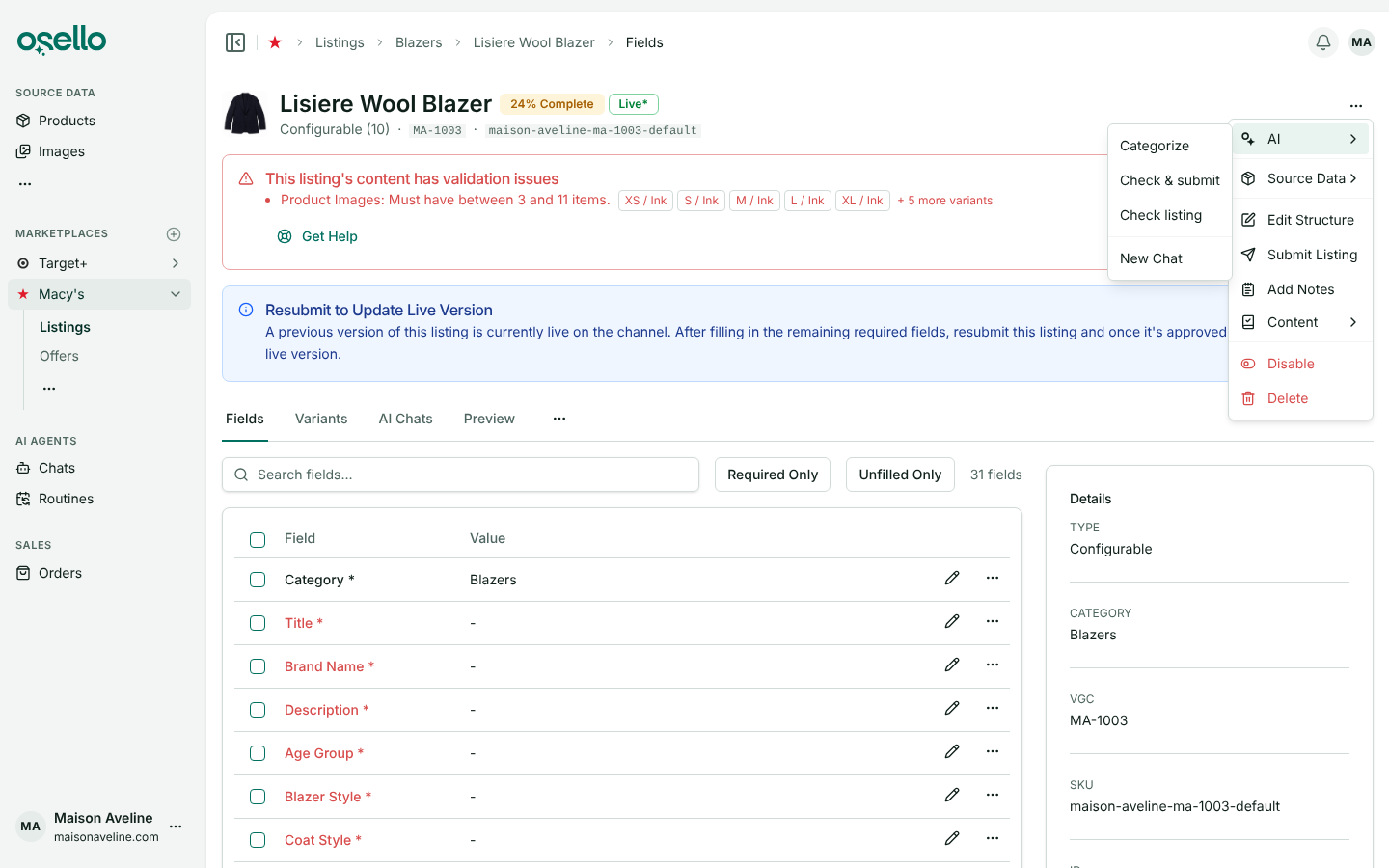
Open errors raised by Check listing now keep a listing from being submitted until you fix or dismiss them. The Submit dialog lists them behind a Dismiss errors and submit checkbox.
A second check looks only at what changed, and the AI's Fill In and Update If Needed fix and dismiss the issues on a field.
Dashboard charts by marketplace, with this month's projection
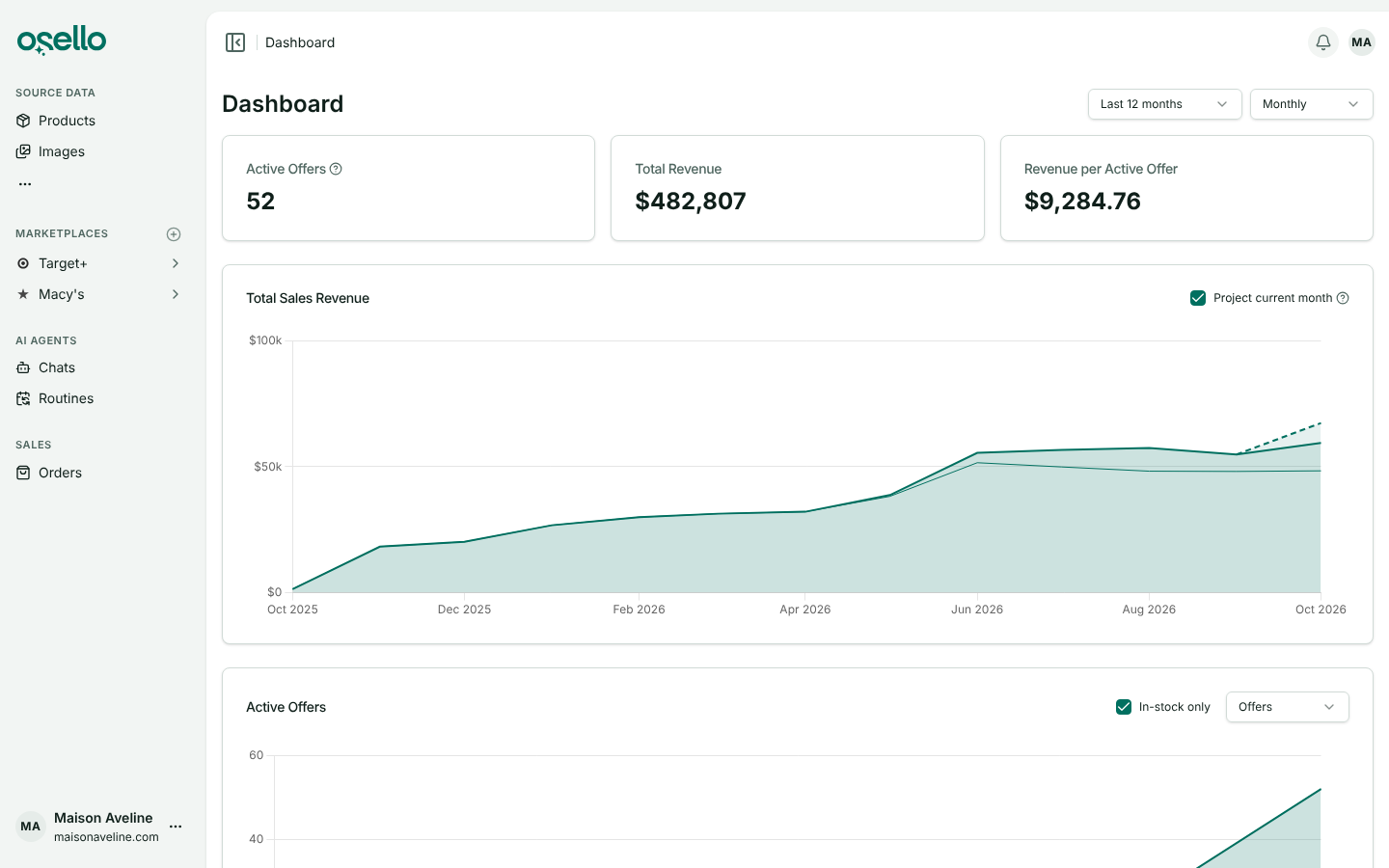
Each dashboard chart stacks one band per marketplace, biggest at the bottom. On the Monthly interval, Total Sales Revenue projects where this month is heading from your last 30 days of sales.
1-year contract pricing
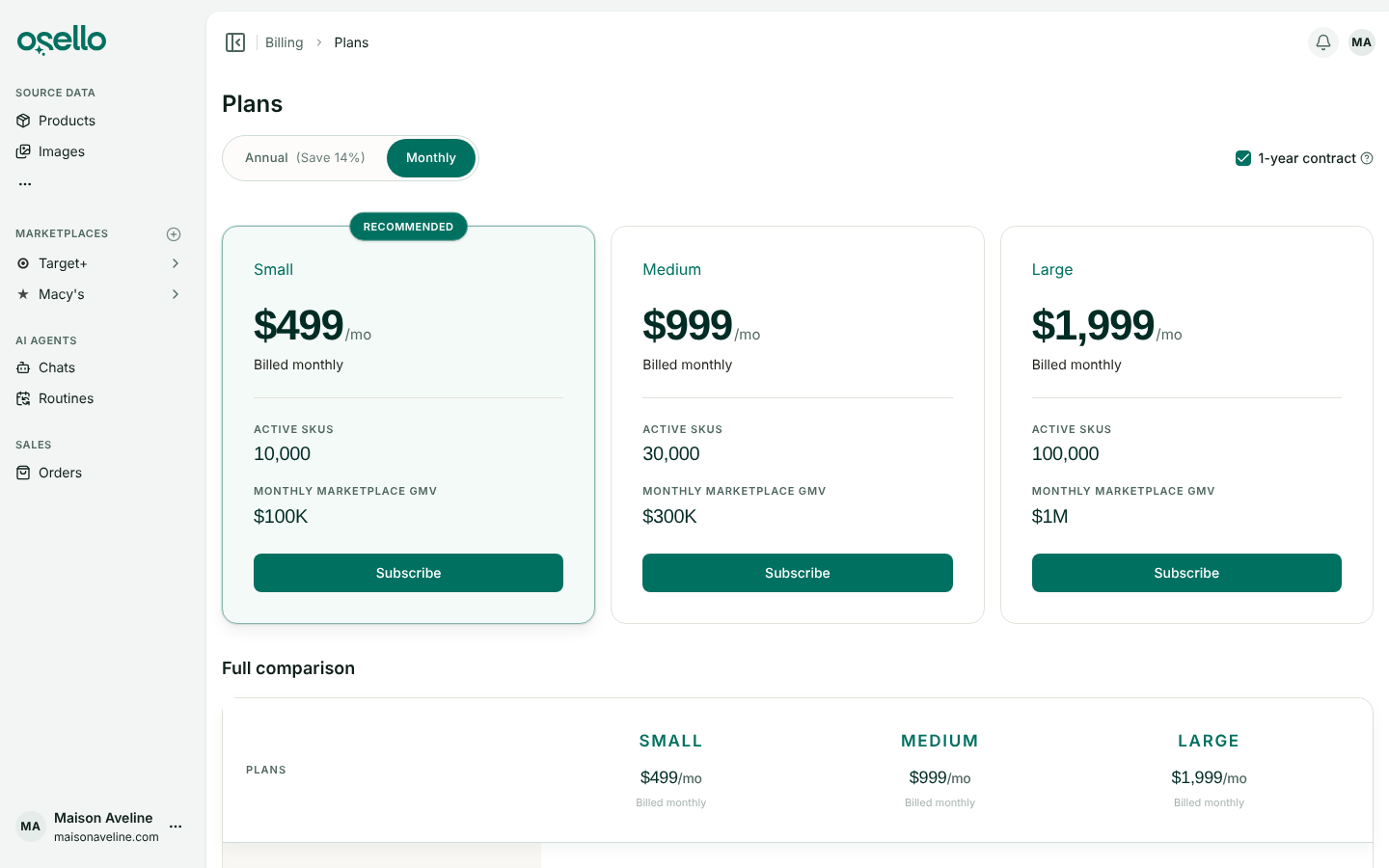
Pricing page prices are now for a 1-year contract paid monthly: Small $499, Medium $999 and Large $1,999 a month. Annual billing works out to $429, $859 and $1,709 a month, and monthly with no contract is $709, $1,419 and $2,849.
Existing subscriptions keep their current price. Before checkout on a 1-year contract, the Plans page asks you to agree to the term and the Terms of Service.
Failed submissions called out on the listing page
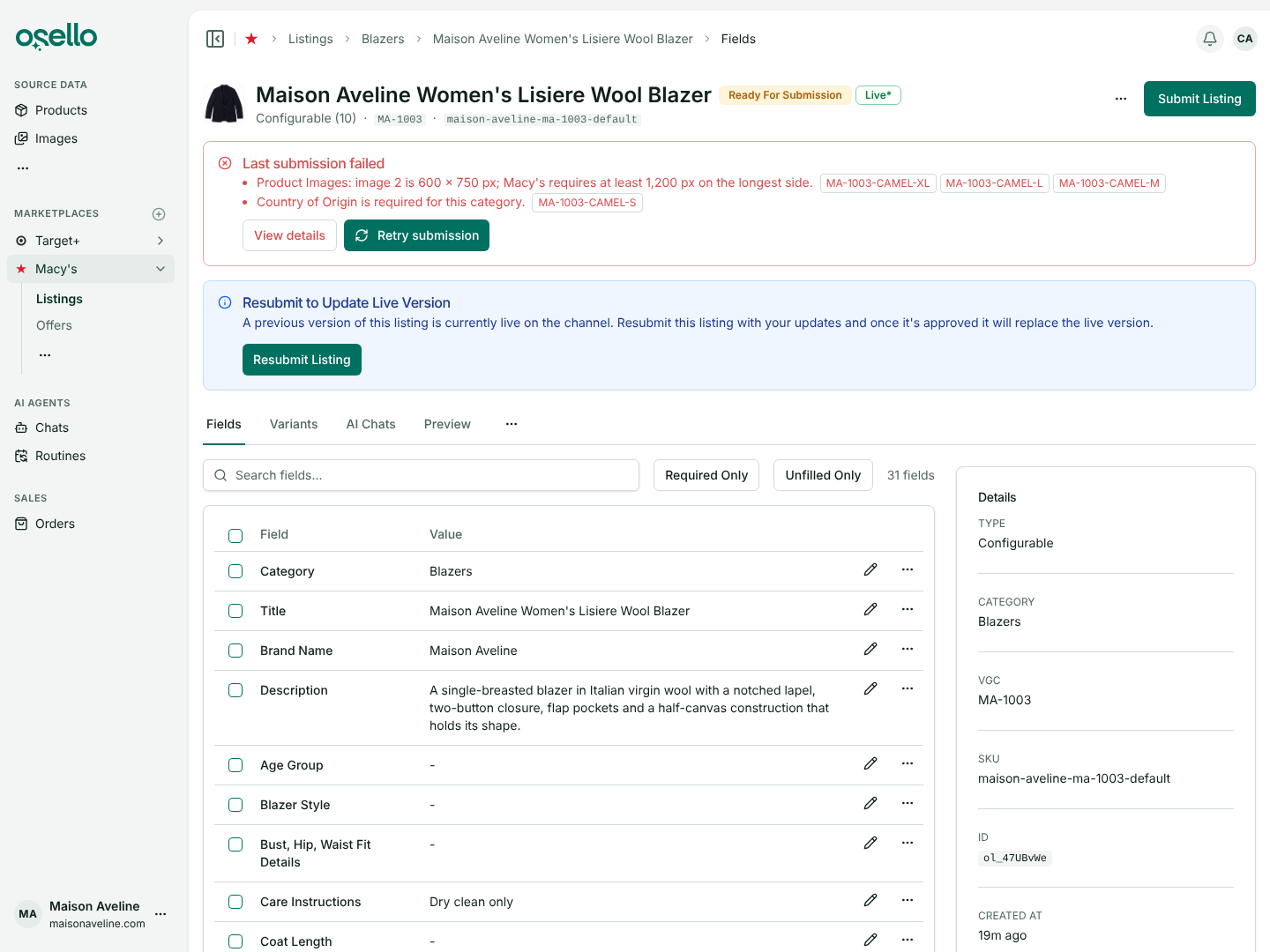
When a listing's last submission failed, a red banner at the top lists each reason with the SKUs it hit. Retry submission opens the submit dialog.
Color and size fields on Macy's, Nordstrom and Kohl's
Fields that repeat a variant's color or size, such as Nordstrom's Color Description, are now regular listing fields. They show as required before you submit, and you can type a different value.
They used to be filled only as the listing was sent, so a variant with no color went out blank and was rejected.
Listings
- Some fields are required only for certain products, such as Nordstrom's sleepwear flammability field once Age is Youth, Toddler or Infant. Osello holds the listing until the field is filled and says why in the asterisk's tooltip. Learn more
- The Sales column shows the exact figure and its dates on hover, with a Change period link. The Listings, Products and variant tables also have a Price column. Learn more
Orders, products and images
- When Shopify cancels an order after it shipped, Osello waits an hour for a replacement shipment and sends its tracking to the marketplace. Canceled items on Macy's are refunded there and show as Refunded. Learn more
- A Shopify product with no options and no SKU now imports using its Shopify variant ID as the SKU, and one product that can't import no longer fails the whole import. Learn more
- AI Studio lists your own templates before Osello's defaults, and nothing reaches your image library until you click Save variation. Learn more
The full list of changes, including API and MCP updates, is in the change log.