Last Week: Human Review for AI Images, and Bulk Operations (September 9, 2026)
Images an AI agent edits now wait for your approval, bulk work runs in the background where you can watch it, and each marketplace can hold back an inventory buffer.
Last updated: Sep 9, 2026 at 2:04AM
New Features
- AI image edits wait for your approval — any image an AI agent creates or edits is held for review before it goes live, and a listing using a pending image is held back from submission until you decide. You can approve or reject from the image's own page, and undo a decision afterward. Learn more
- Bulk operations you can watch — bulk work runs in the background with tracked progress, starting with creating many listings at once, and a marketplace's agent waits for it to finish. Learn more
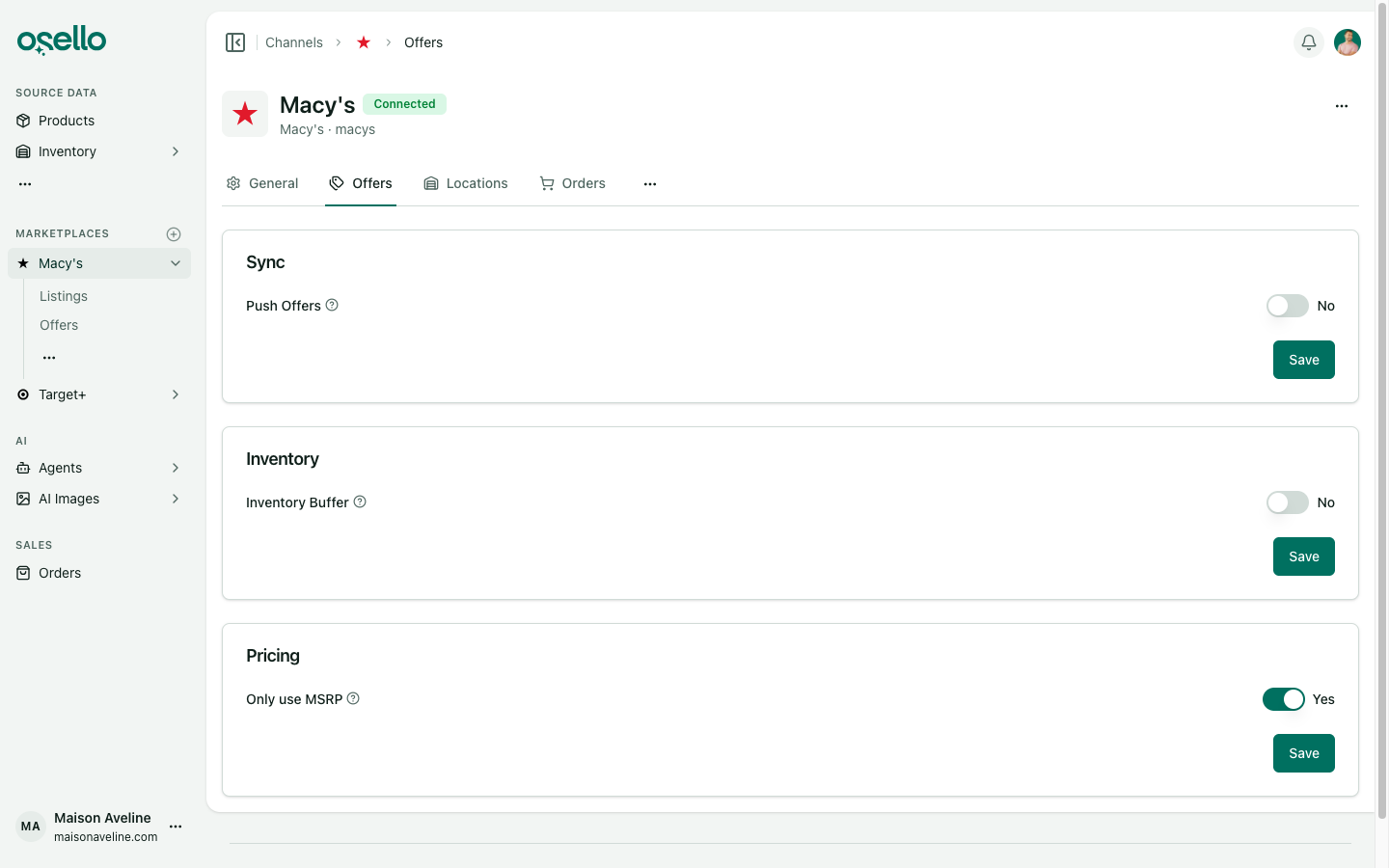
- An inventory buffer per marketplace — hold back a set quantity from what Osello pushes, so a late order can't oversell you. Learn more
- Copy a listing to another marketplace — ask a marketplace's agent to copy listings across.
- See which values came from an import — a field value set by an import is marked as such and links back to the import that set it. Learn more
- Rename an image, or replace its file in place — edit an image's name and description, or swap the file without breaking anything that points at it. Learn more
- One parent value can fill every variant — for a field that can be set on the listing or on each variant, the listing's value can now apply to all of its variants instead of you filling each one. The AI agents understand the fallback too. Learn more
- Each marketplace can name style codes its own way — Mirakl marketplaces call it VGC, and the caption follows. Learn more
- Materials need a quantity — every material now takes a percentage by default, with a per-field opt-out where a marketplace doesn't want one. Learn more
Improvements
- Filtering a marketplace's listings is much faster — from about 19 seconds down to under one.
- An incomplete listing can't be submitted — Osello refuses it up front instead of letting the marketplace reject it. Learn more
- Only AI images need approval — images you upload or import go live as before. The approvals queue holds only what an AI agent made.
- Show pages work on a phone — details sidebars are consistent across listings, variants, products and orders, and page headers fit a small screen.
- An AI chat opens as its own page, with a details sidebar that collapses on mobile.
- Decimals in number fields — type a decimal into a numeric listing field and Osello rounds it to the places the marketplace accepts.
- Measurement units are labeled, and a field with only one unit stops asking you to pick it.
- Submission reports its progress while it runs, and the submit check reads the listing's rolled-up content state.
- Shopify order lines name the source product — each line carries the source product's title and SKU. Learn more
- Source product filters are split apart — the listings filters have their own Source Product Tags and Source Product SKUs sections. Learn more
- See who rejected an image, and why — the decision and its reason show on the image's page.
- The Chats badge counts what's actually waiting — chats awaiting a reply for under 24 hours.
- Every image has a name, clicking one opens the original, and the sidebar section is now called AI Images.
Other Notable Changes
- Listed SKUs, barcodes and style codes are frozen after a listing's first submission — no marketplace we support lets a listed identifier change, and resubmitting under a new one creates a duplicate on the marketplace. Osello keeps what it submitted instead of following a later edit to the source product. Learn more
- Store members no longer see each other's personal details — a user's own details are visible to that user, not to everyone else in the store. Learn more
API and MCP Updates
Version: 16.5.0
Notes for API consumers
- Breaking: submitting a listing whose content is incomplete or invalid now returns
422with the blocking reasons, where it previously accepted the submission and failed later against the marketplace. Check the response rather than assuming a submission was queued. - Mass actions are readable and creatable, with per-row progress.
- Channels accept an inventory buffer, which is subtracted from pushed offer quantities.
- Image assets carry an approval state, and a variant using an image awaiting approval reports that it is waiting on the store rather than incomplete.
- Listing variants expose whether their SKU or barcode differs from the source product's, alongside the source value. Listing field values report the import that set them.