
Last Week: Custom Marketplace Prices and Next Step Alerts (November 18, 2026)
Set your own price or MSRP per SKU on each marketplace, see what each listing needs next at the top of the Listings page, and follow a submission through one banner.
Last updated: Nov 18, 2026 at 3:00AM
New Features
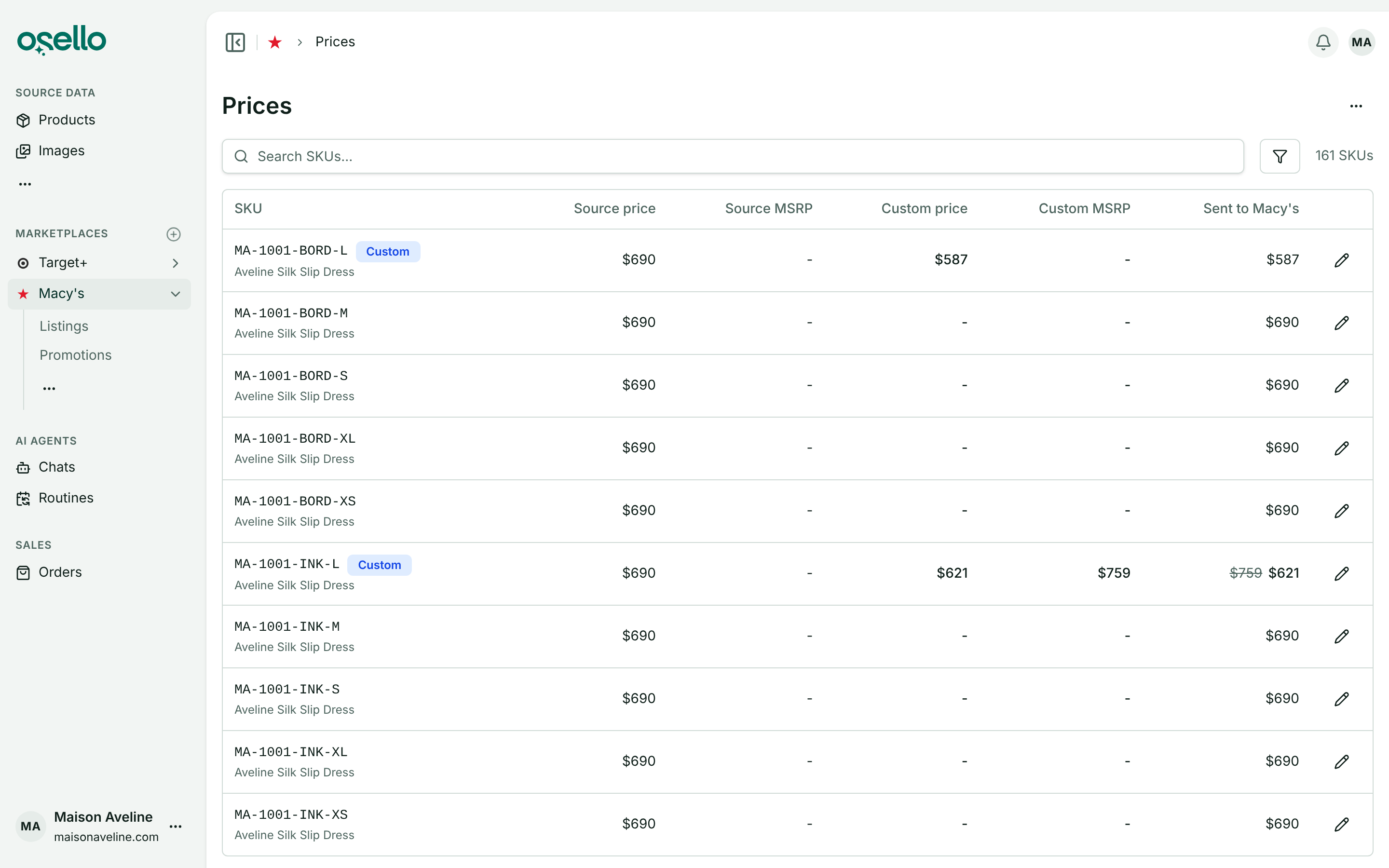
- Your own prices on each marketplace — a marketplace's new Prices page (under Data in its sidebar menu) lists every SKU listed there with the price and MSRP from your product data, the custom price or MSRP you set, and what the marketplace is sent. Click the pencil on a row to set or reset a custom price or MSRP for that SKU on that marketplace only. Your product data and your other marketplaces are left alone, and the new price reaches the marketplace within a few minutes. To price many SKUs at once, Import prices takes a CSV or Excel price list for one marketplace or every marketplace, checks the whole file before changing anything, and reports what was updated, put back on your product data or skipped. Export prices writes the same file back out, so the usual way to change many prices is export, edit, import. Learn more
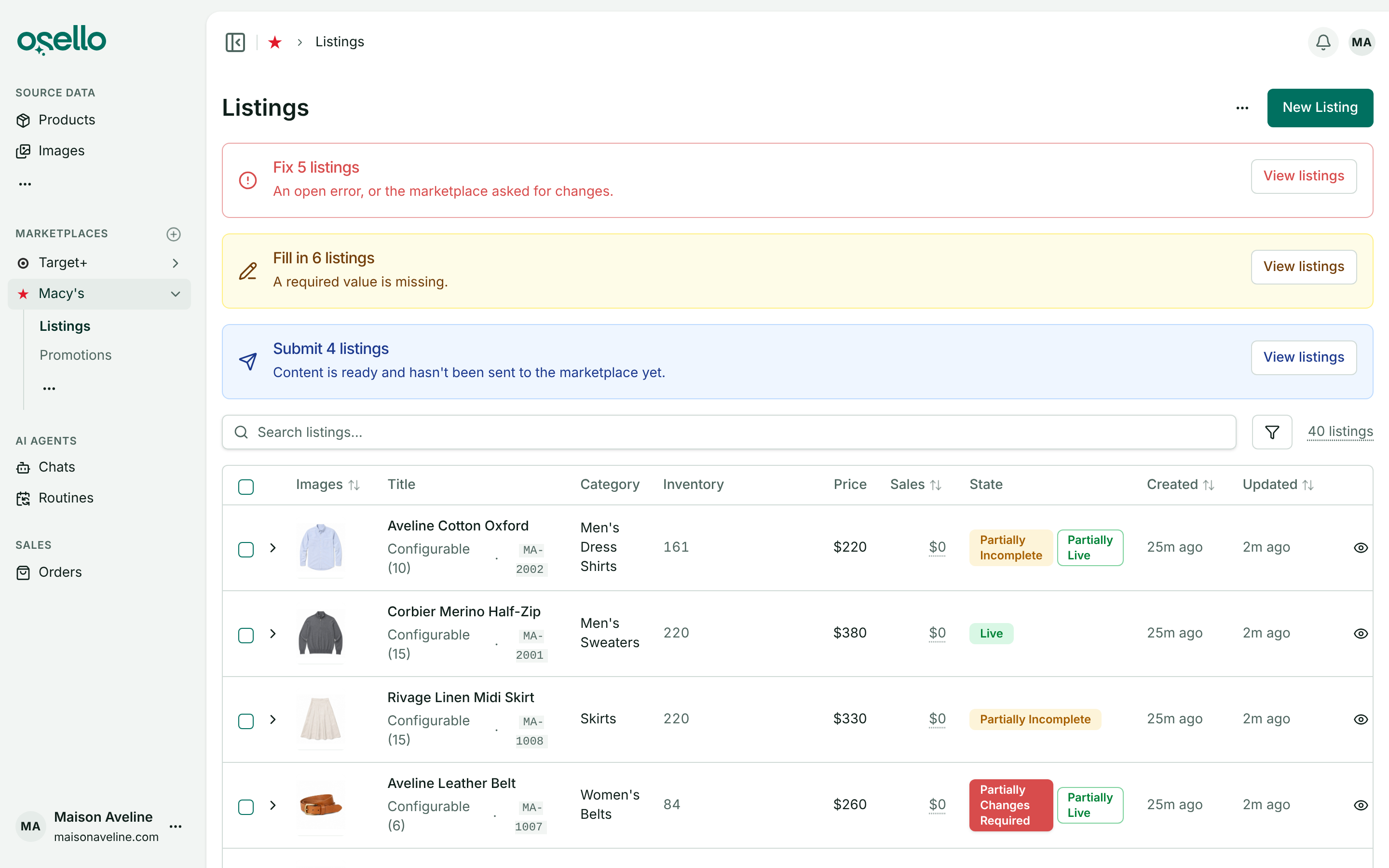
- Next step alerts on the Listings page — the top of a marketplace's Listings page now shows an alert for each step waiting on you (Fill in, Fix, Approve, Submit or Resubmit) with how many listings are at it. View listings on an alert narrows the page to those listings, and expanding one of them shows only the variants at that step. A listing counts under every step any of its variants is at, so one listing can appear in more than one alert. Learn more
Improvements
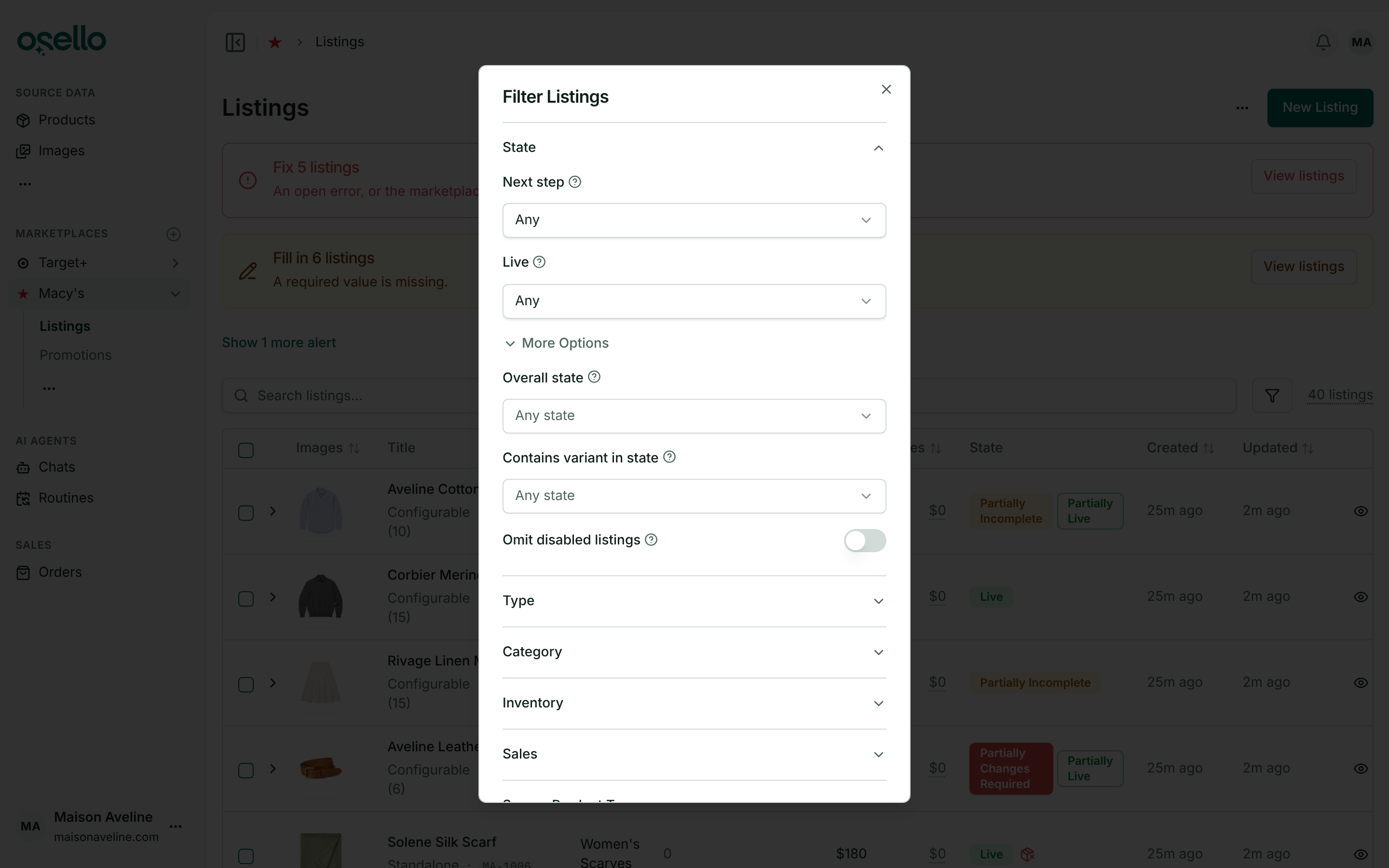
- Simpler state filters on listings — the State section of the Listings filters is now two fields: Next step (pick Wait and a Waiting for field appears to narrow by what it waits for) and Live (Fully live, Partially live or Not live at all). Exact states moved under More Options as Overall state and Contains variant in state, grouped into Action required, Waiting on marketplace, Waiting on Osello, Live and Inactive, with a search box and a live count on each. The old Show category picker is gone, and the variants table inside a listing has the same section. Learn more
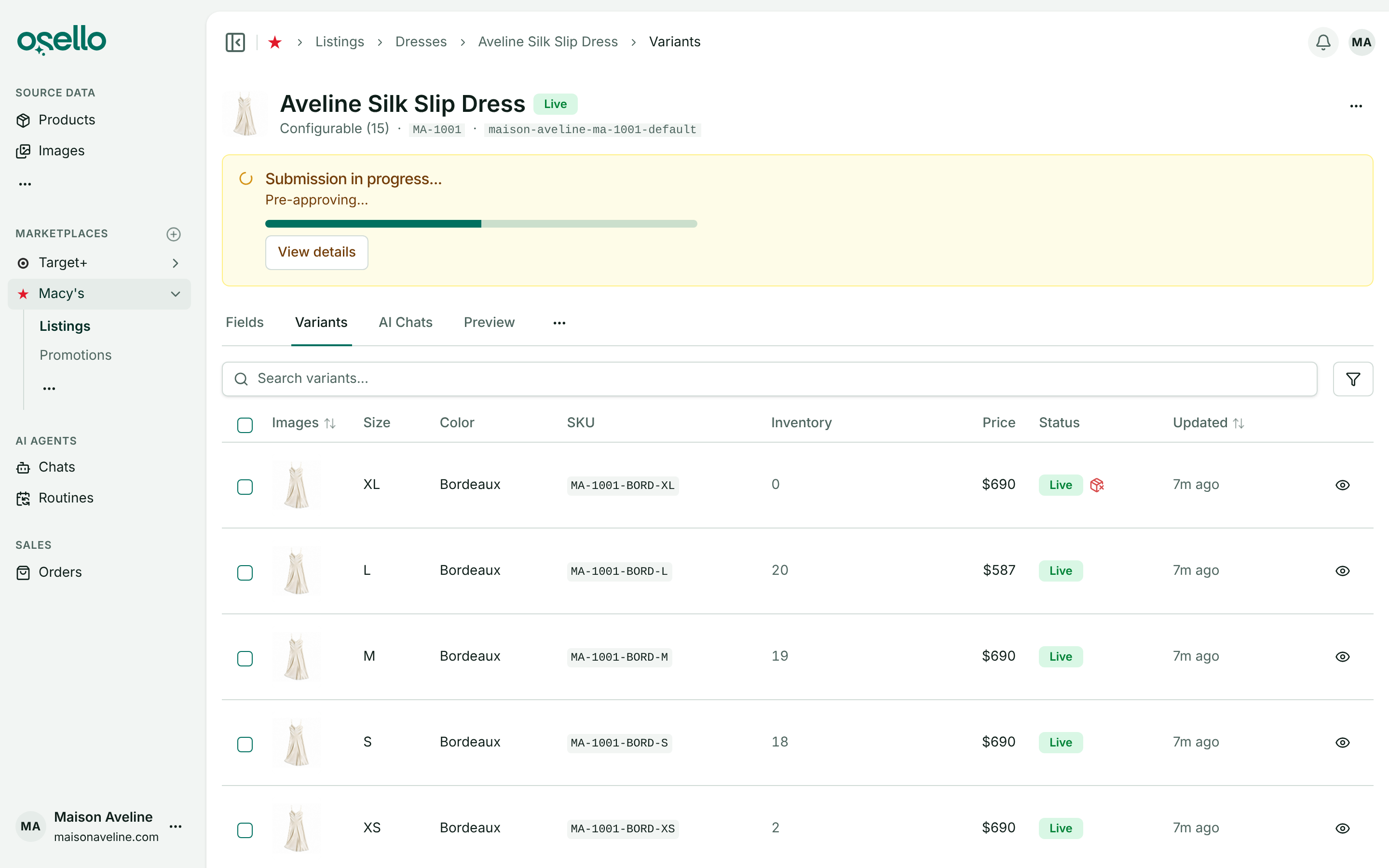
- One banner for a submission in progress — a submission now validates the listing's content, pre-approves it, then sends it, and the listing page shows a single Submission in progress... banner with the current step, a progress bar and a View details link. The submit dialog closes as soon as the submission is created, with a Submission started notice and a View submission button, so a style with hundreds of variants starts as quickly as a small one. Submitting also dismisses the listing's open issues, whoever raised them and whatever their level, since the new version is your answer to them; the Dismiss errors and submit checkbox is gone. A value that fails the marketplace's rules is never dismissed this way and still has to be fixed first. Learn more
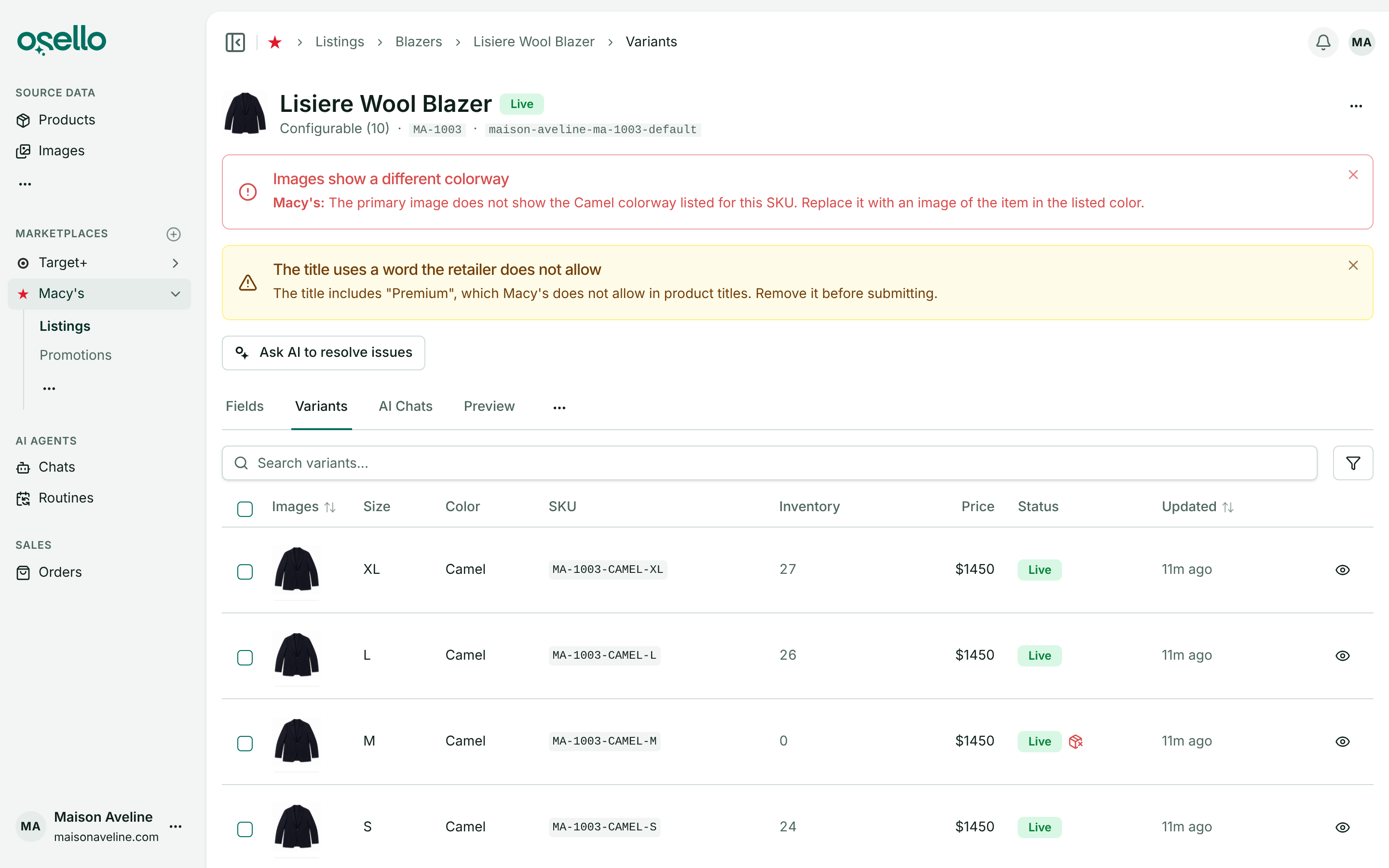
- Issues that say who raised them — an alert for a problem the marketplace reported now starts with the marketplace's name, such as Macy's:, while one with no name in front was raised in Osello by a check, an AI agent or someone on your team. Changes Required badges are red, like the other error states, and warning-level issues on the Issues tab carry a warning badge instead of a gray one. The Check listing review, and the pre-approval that runs it, now hold a listing only to the marketplace's requirements: a value that departs from your custom instructions but meets the marketplace's rules gets no issue, and where your instructions override a marketplace requirement, the check follows your choice. Learn more
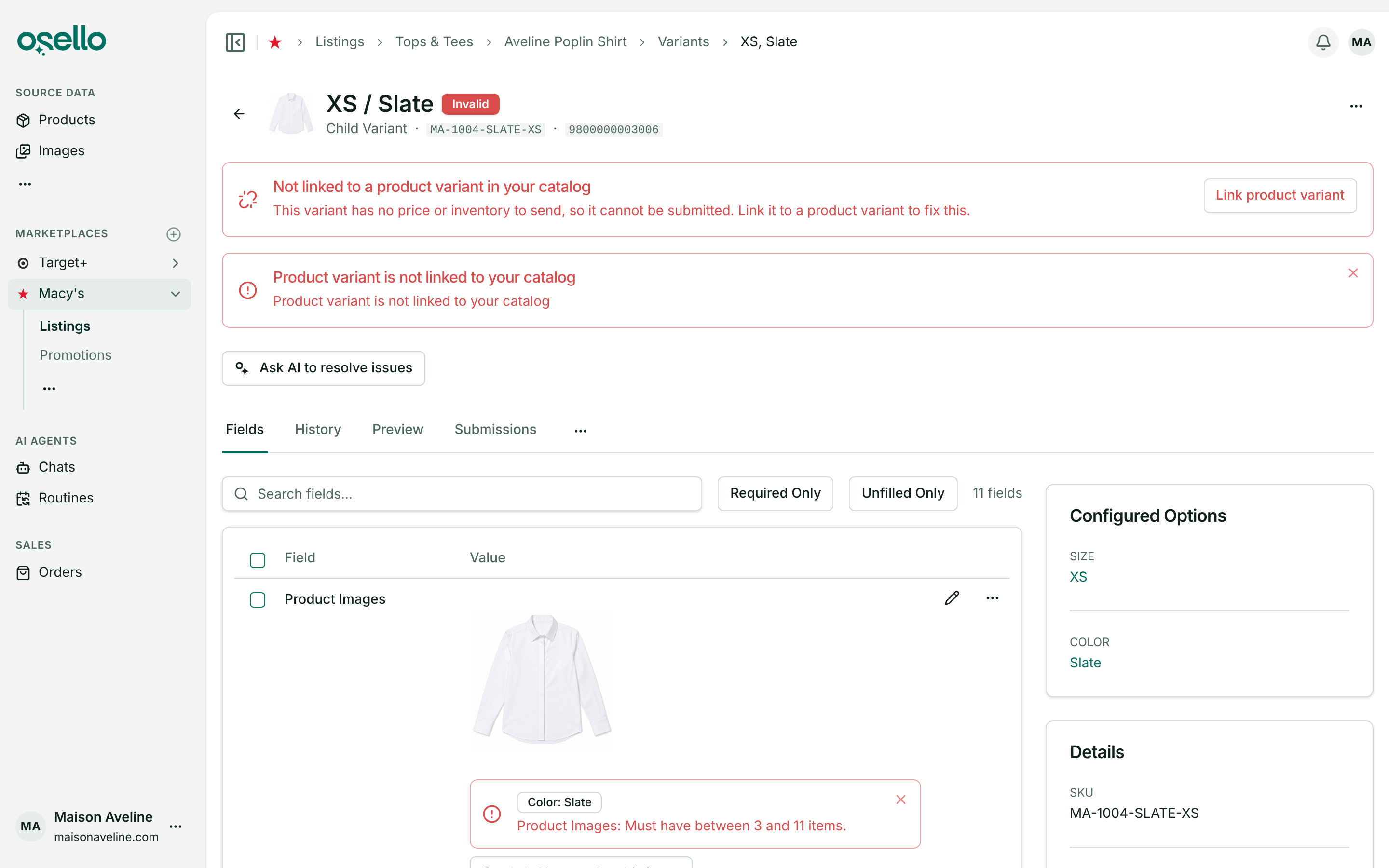
- Variants not linked to a product are flagged — a listing variant with no matching product variant in your catalog, usually one imported from a marketplace before the product was, now shows a red Not linked to a product variant in your catalog alert, reads as Invalid and can't be submitted, because Osello has no price or inventory to send for it. Click Link product variant on the alert, choose the product variant and save. The variant keeps the SKU and barcode it is listed under. Learn more
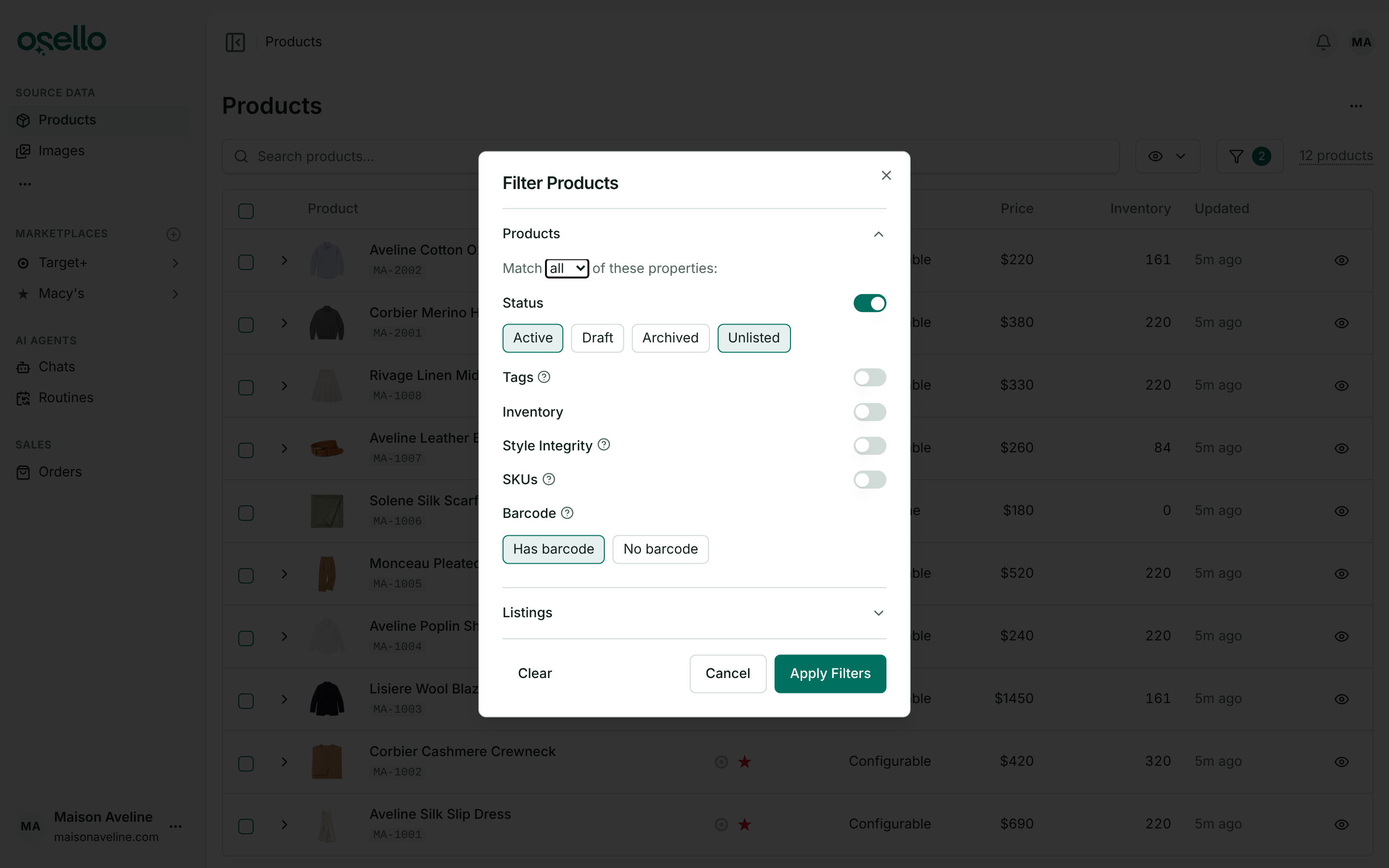
- A Has barcode filter for products — the Products page and a product's variants can be filtered to the ones with a barcode, or the ones without. On a marketplace that requires barcodes, its Products to List preset turns the filter on, so products the marketplace can't take yet stay out of the list, and the AI's Create/Enable listings action skips those SKUs and names them in its plan. Learn more
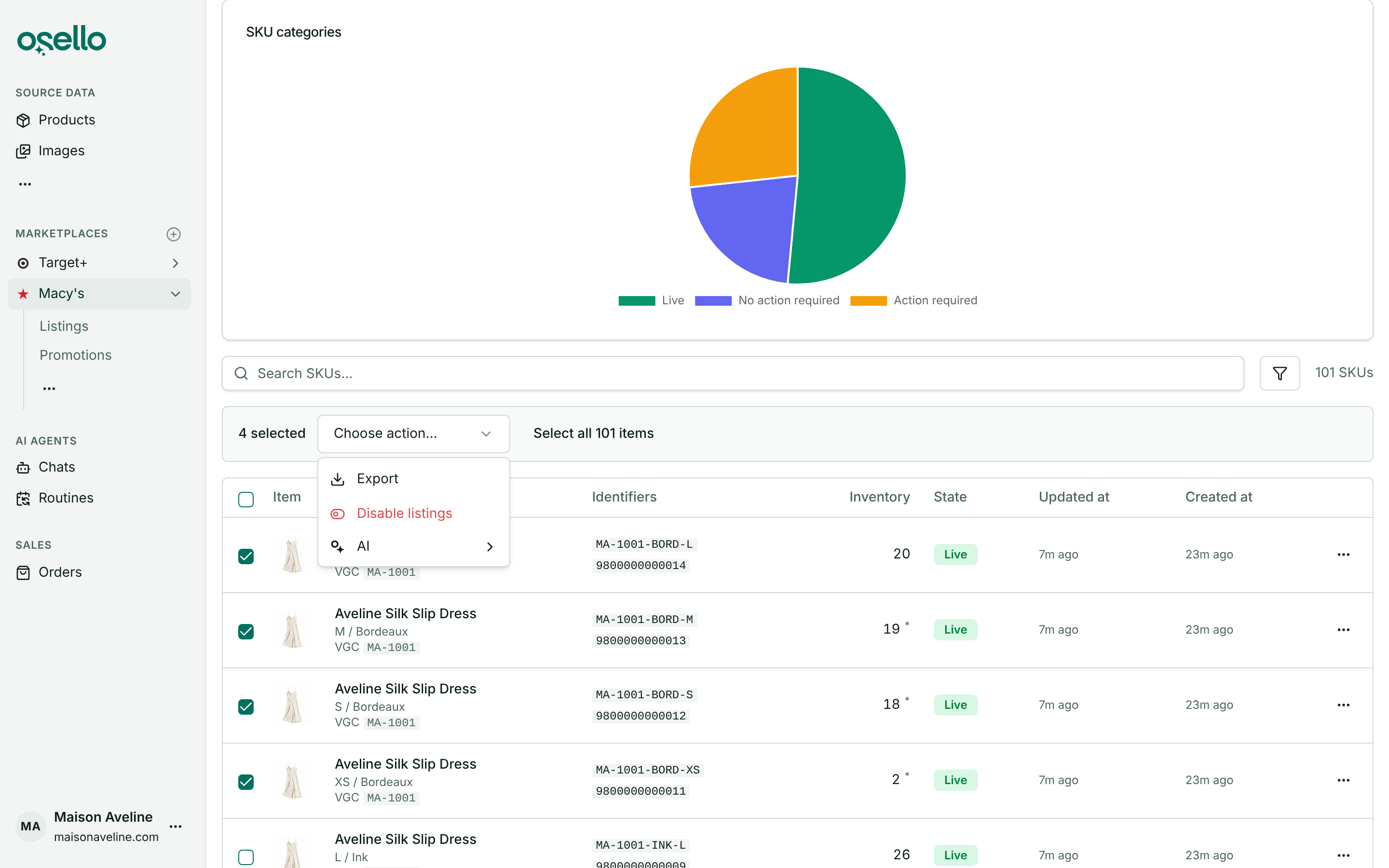
- Disable listings from the SKU Status report — select SKUs in a marketplace's SKU Status report and choose Disable listings to disable their listing variants on that marketplace. Other variants of the same listing stay enabled. Yet to list SKUs have nothing to disable, so they are skipped and the dialog says how many. Learn more
-
Shopify image metafields import as images — a metafield that holds an image or a list of images, such as a size chart, now imports into your store's image assets. The product's Metafields tab shows the image, and the AI can open it when it fills a listing. An image shared by many products is stored once and is never downloaded twice. Learn more
-
Update listings by SKU from a Mirakl file — to change fields on listings that already exist on Macy's, Nordstrom, Bloomingdale's or another Mirakl marketplace, the file now only needs the SKU column and the field columns you want to change. A row with no style code finds its listing through its SKU and changes that variant's fields alone. It never creates a listing or a variant, and the listing's style code and variation options are left as they are. The marketplace's two header rows are recognized whichever of the export's other sheets you kept. Learn more
-
Deleting large listings and products is far faster — a style with hundreds of variants now deletes in minutes rather than the better part of an hour, and deleting a product runs in the background the way deleting a listing does, so the page is free straight away. Either can take up to 15 minutes.
Other Notable Changes
-
The price markup is gone — the per-marketplace price markup setting, which only Kohl's offered, is replaced by the custom prices above. No store had one set, so no price changes.
-
Osello's AI agents no longer submit listings — the marketplace and listing agents check listings and get them ready, and leave submitting to you: Submit Listing on the listing, or Submit to Marketplace on the Listings page. The Check & submit action is gone. An AI assistant you connect to Osello and the API can still submit. Learn more
-
Monthly GMV overage rates — the charge on marketplace order volume above your plan's monthly limit is now 3.5% of the amount over on Small, 2% on Medium and 1% on Large; Unlimited has none. If you subscribed before this change, you keep the rates you signed up with until you change plans or billing period. Learn more
API and MCP Updates
Version: 38.2.0
New endpoints
GET /api/stores/{store_id}/channels/{channel_id}/pricesandGET .../prices/{id}— every SKU listed on the channel with itssource_priceandsource_msrp, itscustom_priceandcustom_msrp,has_custom_price, and the resolvedprice,msrp,discount_priceandpromotion_pricethe channel is sent.searchmatches SKUs, barcodes and titles;custom=truekeeps the SKUs with a custom value.PUT/PATCH /api/stores/{store_id}/channels/{channel_id}/prices/{id}— setcustom_priceand/orcustom_msrpfor one listed SKU on the channel.nullfollows source data again, a value left out is kept, and a value equal to the source's is stored asnull.DELETEresets both. Every write refreshes the SKU's offer, and the new price reaches the marketplace within a few minutes.
Updated/removed endpoints
- Breaking:
dismiss_errorsis gone fromPOST .../listings/{id}/submitand the other submit endpoints. Every submission dismisses the open issues on what it submits, whatever their level; a value that fails the marketplace's rules is never dismissed and still blocks it. - Breaking:
price_markup_enabledandprice_markup_percentare removed from channels. Use the channel prices endpoints above. - Breaking: a create response embeds only the records the request created. Other associations are referenced by their
*_idfields, and a record appears once per response. A new listing still embeds its new variants. - Listings index and both listing variant indexes take
next_step(fill_in,fix,approve,submit,resubmit,wait,do_nothing; several values union) andwaiting_for(setup_draft,setup_structuring,setup_preloading,content_validating,submission_submitting,submission_pending_acknowledgement,submission_pending_approval,submission_pending_publication,offer_unsubmitted,offer_submitting,offer_submitted). Listing variants carry their ownnext_step; disabled variants and listings match none. - Listing submissions carry
in_progress_step(validating,pre_approving,sendingornull) until the listing is sent. PUT/PATCH .../listings/{listing_id}/variants/{id}takesproduct_variant_idto link the variant to the product variant it takes its price and inventory from, keeping its listed SKU and barcode. Listing issues have a newproduct_variant_unlinkedcode, an error that marks the variant invalid.- Products index and both product variant indexes take
has_barcode(true/false). Channels exposerequires_barcodes. DELETE /api/stores/{store_id}/products/{id}now runs in the background, like listings, and can take up to 15 minutes.- Inventory locations index takes
search, matching the name or handle.
Notes for API consumers
- MCP — new tools
list_channel_prices,get_channel_price,update_channel_priceanddelete_channel_pricefor a channel's prices, andmass_disable_channel_variantsto disable listing variants by SKU. Assistants connected over MCP can still submit listings, although Osello's own agents no longer do.