
Last Week: Kohl's, Pre-Submission Checks, and Listing Sales (October 28, 2026)
Kohl's joins the marketplaces you can sell on, an AI check finds listing problems before the marketplace does, the Listings page shows each listing's sales, and 1-year contract pricing arrives.
Last updated: Oct 28, 2026 at 2:33AM
New Features
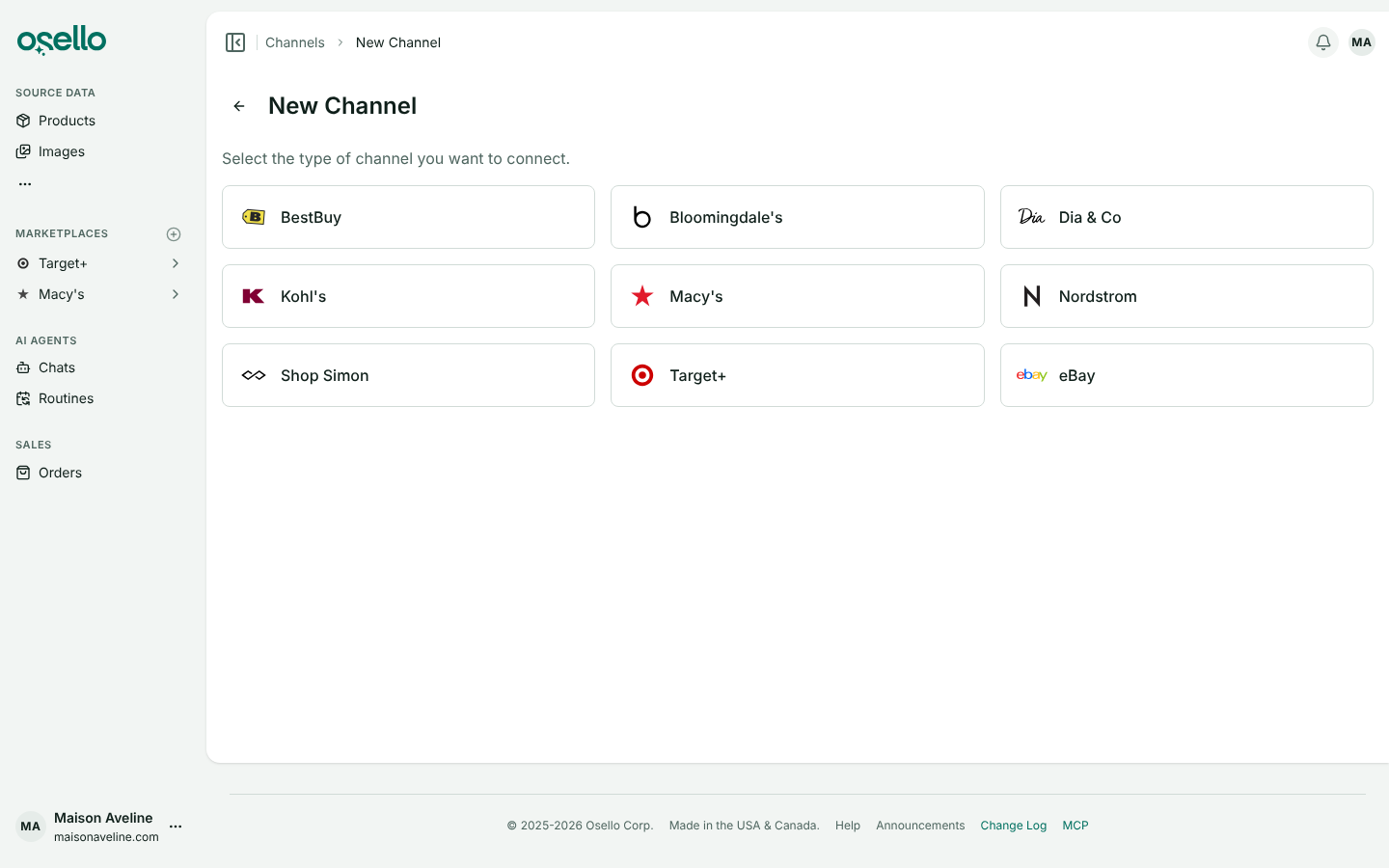
- Sell on Kohl's — Kohl's is now one of the marketplaces you can connect, with its full category tree and field requirements loaded, and Osello's listing instructions written from Kohl's content guide, so the AI fills titles, NRF sizes, set piece counts and compliance fields the way Kohl's asks. Each Kohl's listing previews as it will look on kohls.com, and every Kohl's field has a public guide. Kohl's runs on the same platform as Macy's and Nordstrom, so it connects with a Store ID and API key from the Kohl's seller portal. Learn more
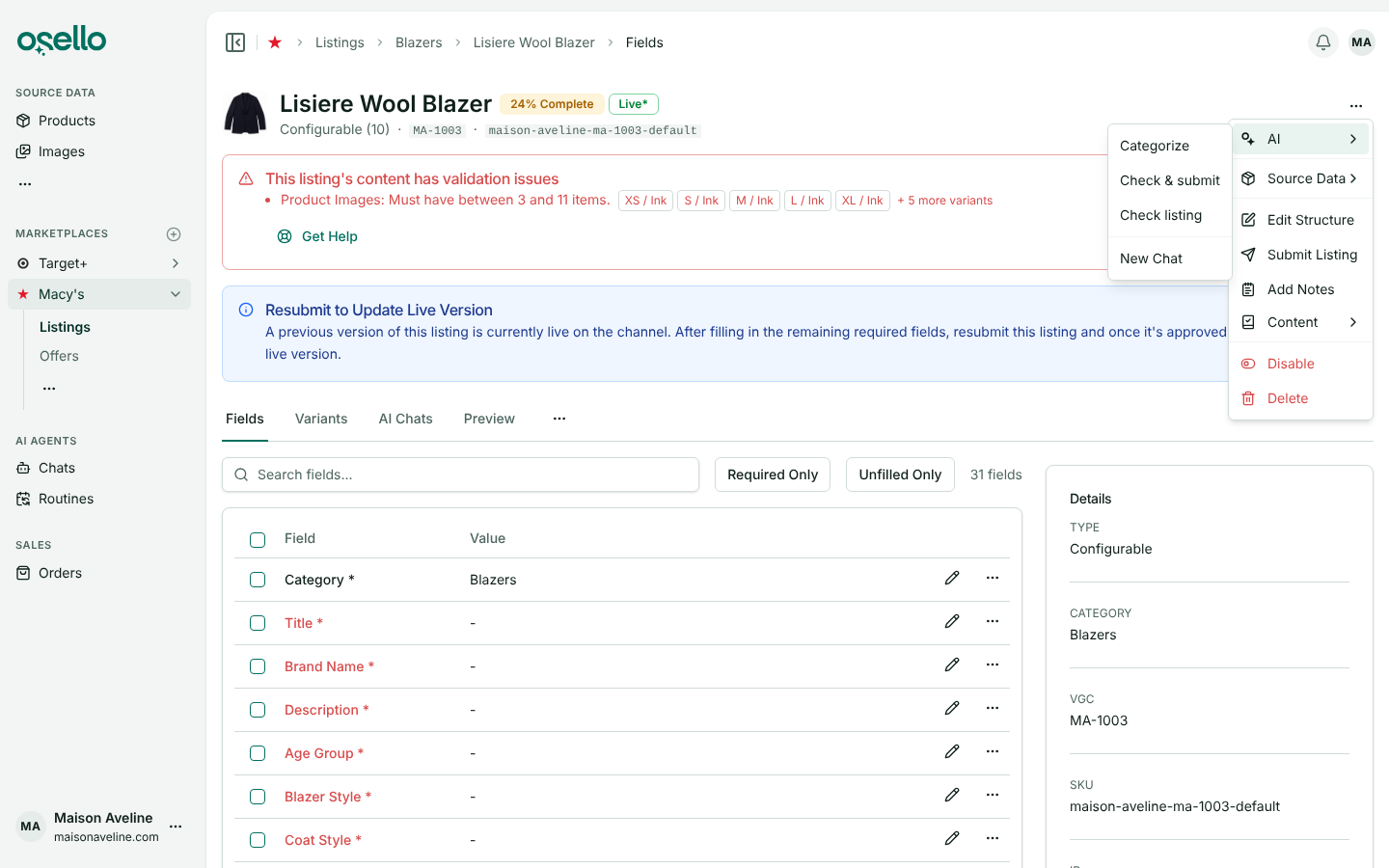
- Check a listing before you submit it — choose AI -> Check listing from a listing's ... menu and an agent reviews the listing the way the marketplace will: its category and structure, every field value and every image against the field's requirements and your product data, and the reasons this marketplace has rejected your other listings. Each problem becomes an issue at error, warning, recommendation or info level. Open errors keep the listing from being submitted until they are fixed or dismissed, and the Submit dialog lists them behind a Dismiss errors and submit checkbox. Check & submit runs the check and submits when nothing is in the way. A second check only looks at what changed, and the AI's Fill In and Update If Needed read a field's open issues, fix what they ask for and dismiss the ones they resolve. To clear many issues at once, check their rows on an Issues tab or the marketplace's Issues page and pick Issues -> Dismiss under Choose action.... Learn more
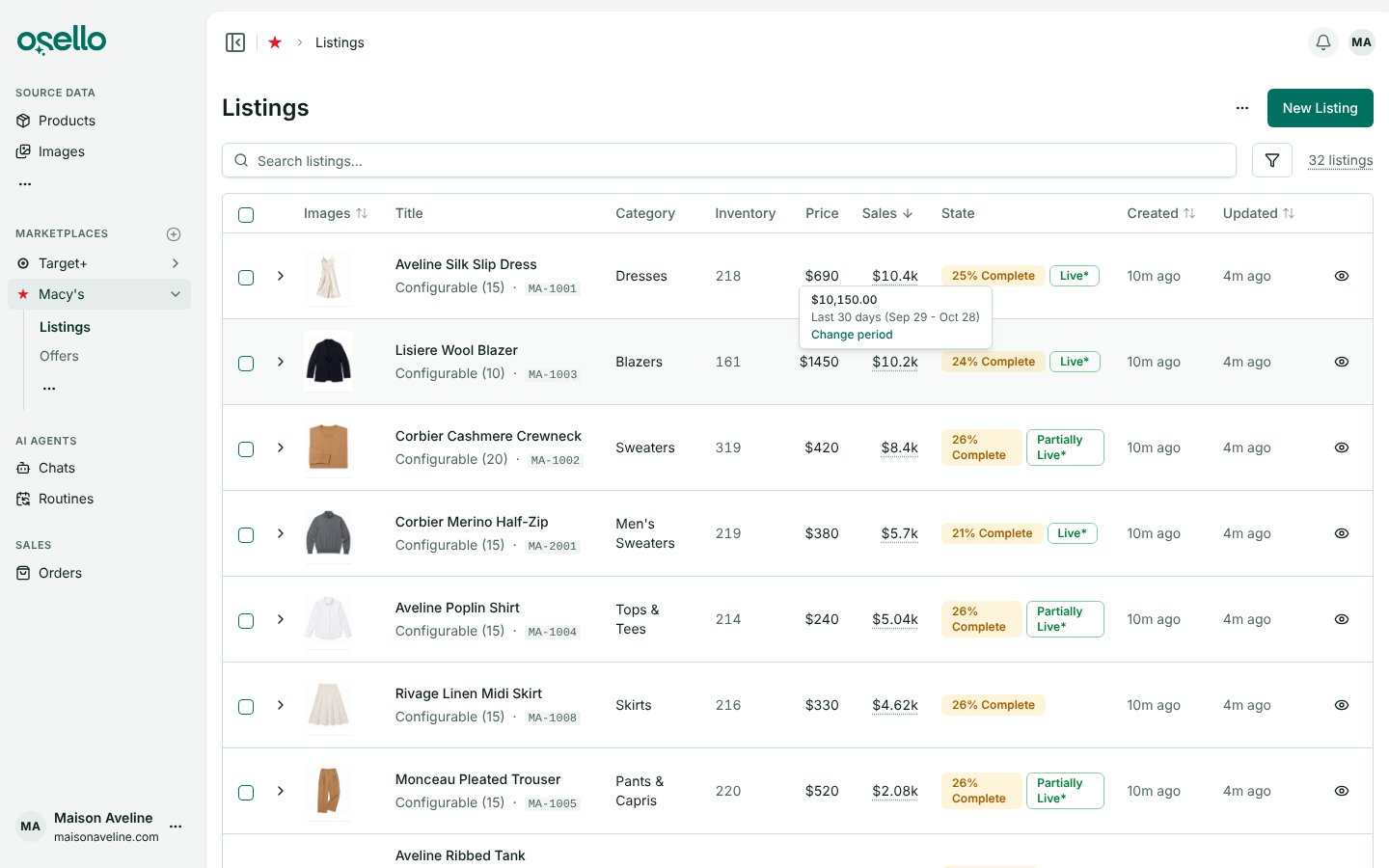
- See how much each listing sells — the Listings page of every marketplace has a Sales column with what each listing sold in a period, the last 30 days to start. Hover over an amount for the exact figure and the days it covers, and click Change period to pick a range or your own days. Sort by the column, or filter to listings that sold more or less than an amount over a period of its own, such as nothing in the last 90 days. The Listings, Products and variant tables also gain a Price column: the marketplace price on listings, the source price and MSRP on products. Learn more
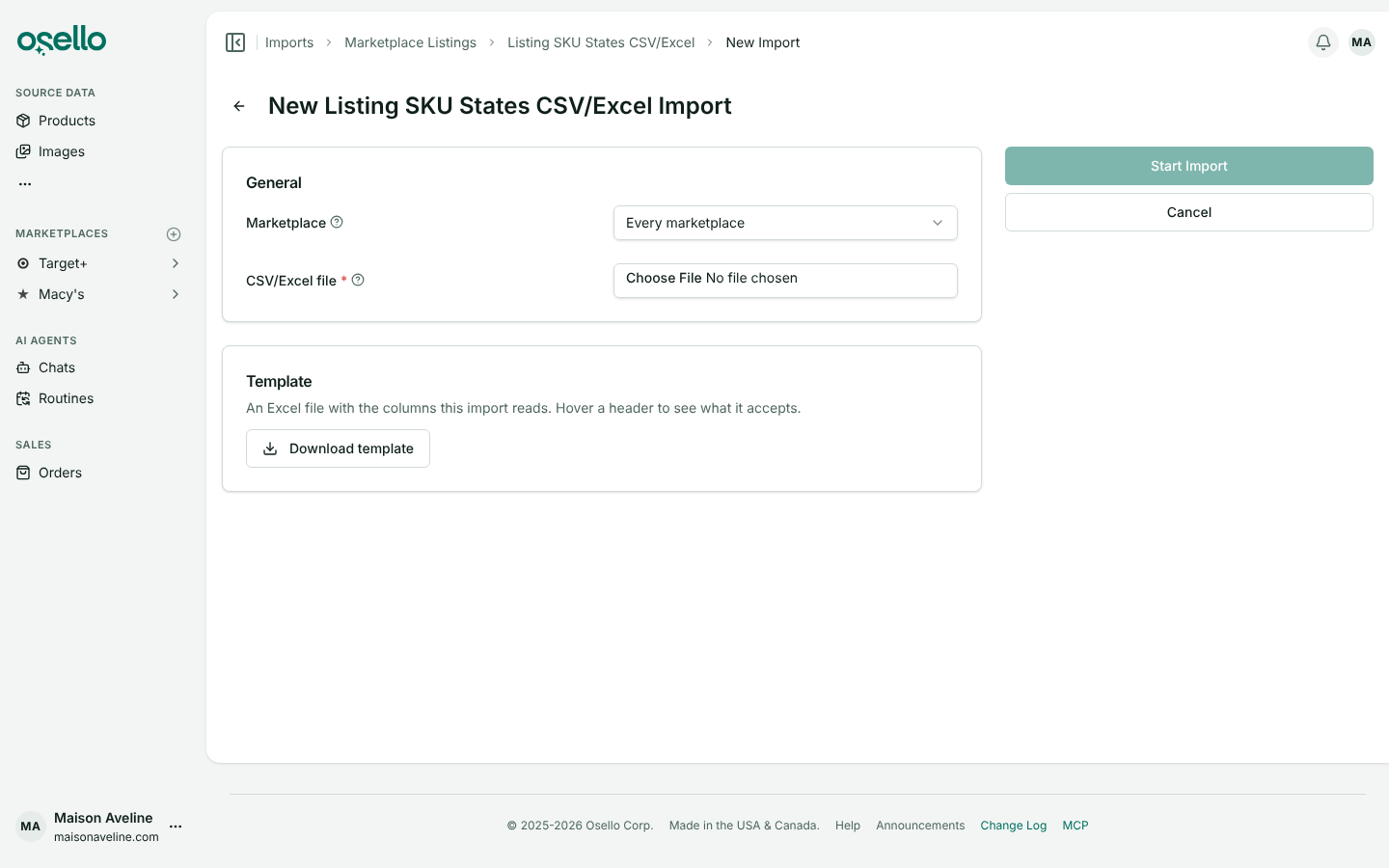
- Turn listings off or on from a list of SKUs — upload a spreadsheet with a
skucolumn and Osello disables every listing variant with those SKUs, on one marketplace or all of them, leaving everything else about the listings as it is. Add anenabledcolumn to turn SKUs back on from the same file, and achannelcolumn to aim rows at one marketplace. Disabled offers come down in the next offer push, and Target+ unlists them in a single run. Every file import now has an Excel template: once you pick a format on the New Import page, Download template gives you its columns, a note on each header and example rows, and listing templates come with a column for every field the categories you pick use. Learn more
Improvements
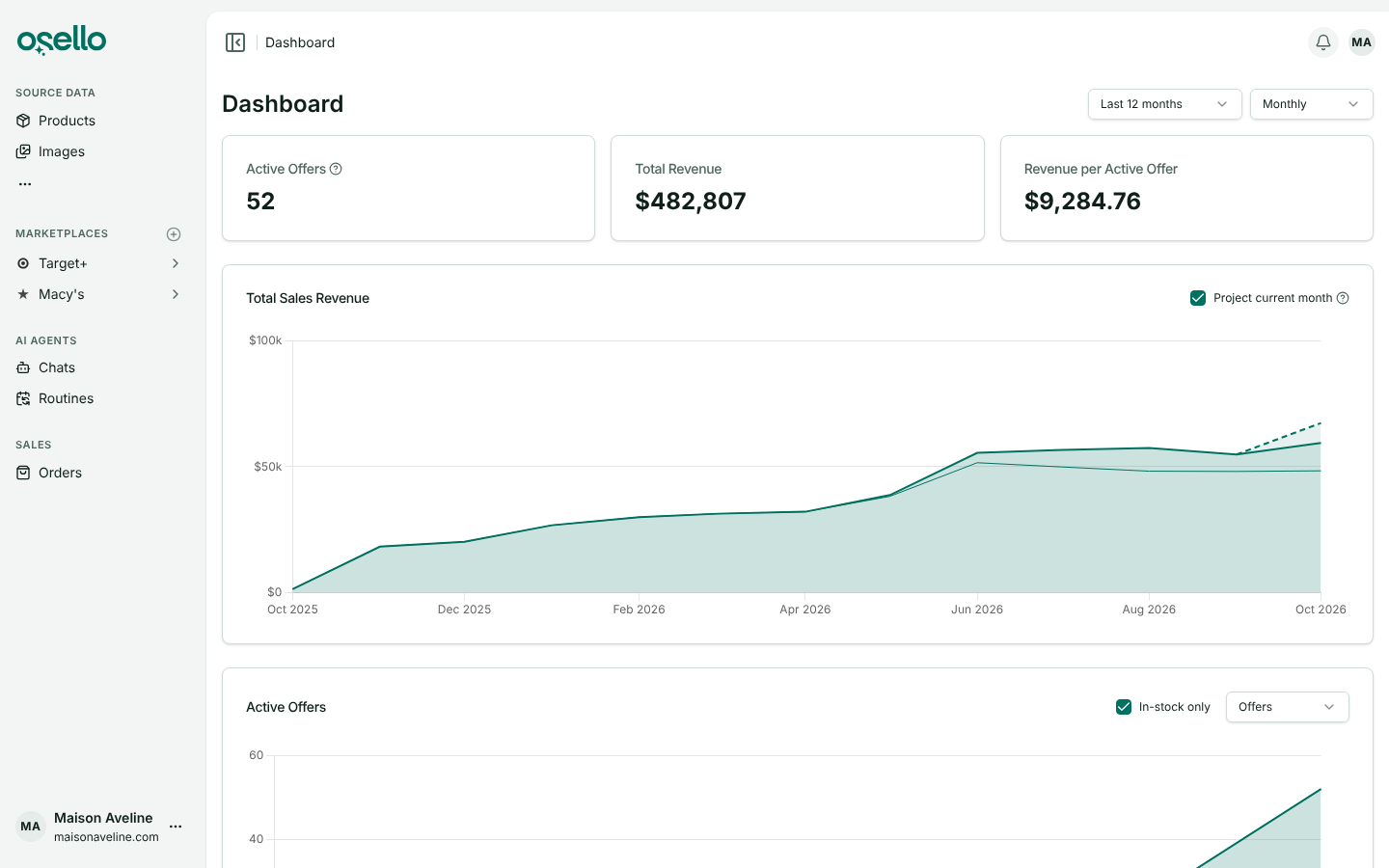
- Dashboard charts that stay readable with many marketplaces — each chart stacks one band per marketplace, your biggest at the bottom, with a line between bands. With the Monthly interval, Total Sales Revenue adds a lighter band with a dashed line projecting where this month is heading: its sales so far plus your last 30 days' daily average for each day left. Hover over the current month for the projected total, or uncheck Project current month to see actual sales only. The projection appears once you have sold at least $1,000 in the last 30 days. Learn more
-
Orders canceled in Shopify after they shipped are refunded on Macy's — when an order or a shipment is canceled in Shopify after Osello told the marketplace it shipped, Osello now waits an hour for a replacement shipment. If one appears, its tracking number goes to the marketplace, on Macy's, Nordstrom, Bloomingdale's, Kohl's, BestBuy, Shop Simon and Dia & Co. If the items were canceled instead, Osello refunds them on Macy's and shows them as Refunded, which is how the marketplace shows them. Anything else is flagged on the order page as before. Refunding an unshipped item in Shopify also counts as canceling it now, whether or not you restock it, so the marketplace stops waiting on it. Learn more
-
Fields required by another field's value — some marketplaces require a field only for certain products. On Nordstrom, CPSC Compliance for Sleepwear Flammability is required once Age is Youth, Toddler or Infant, and Set/Multipack Number of Pieces once Is Set/Multipack? is Yes. On Kohl's, Set Piece Count is required when an item sells as a pack. Osello follows these rules, holding the listing back until the field is filled, and the asterisk's tooltip says why it is required. Learn more
-
AI Studio keeps only the edits you save — describe the edit or start from a template, with your own templates listed before Osello's defaults, and run it as often as you like. Nothing lands in your image library until you click Save variation. Learn more
Other Notable Changes
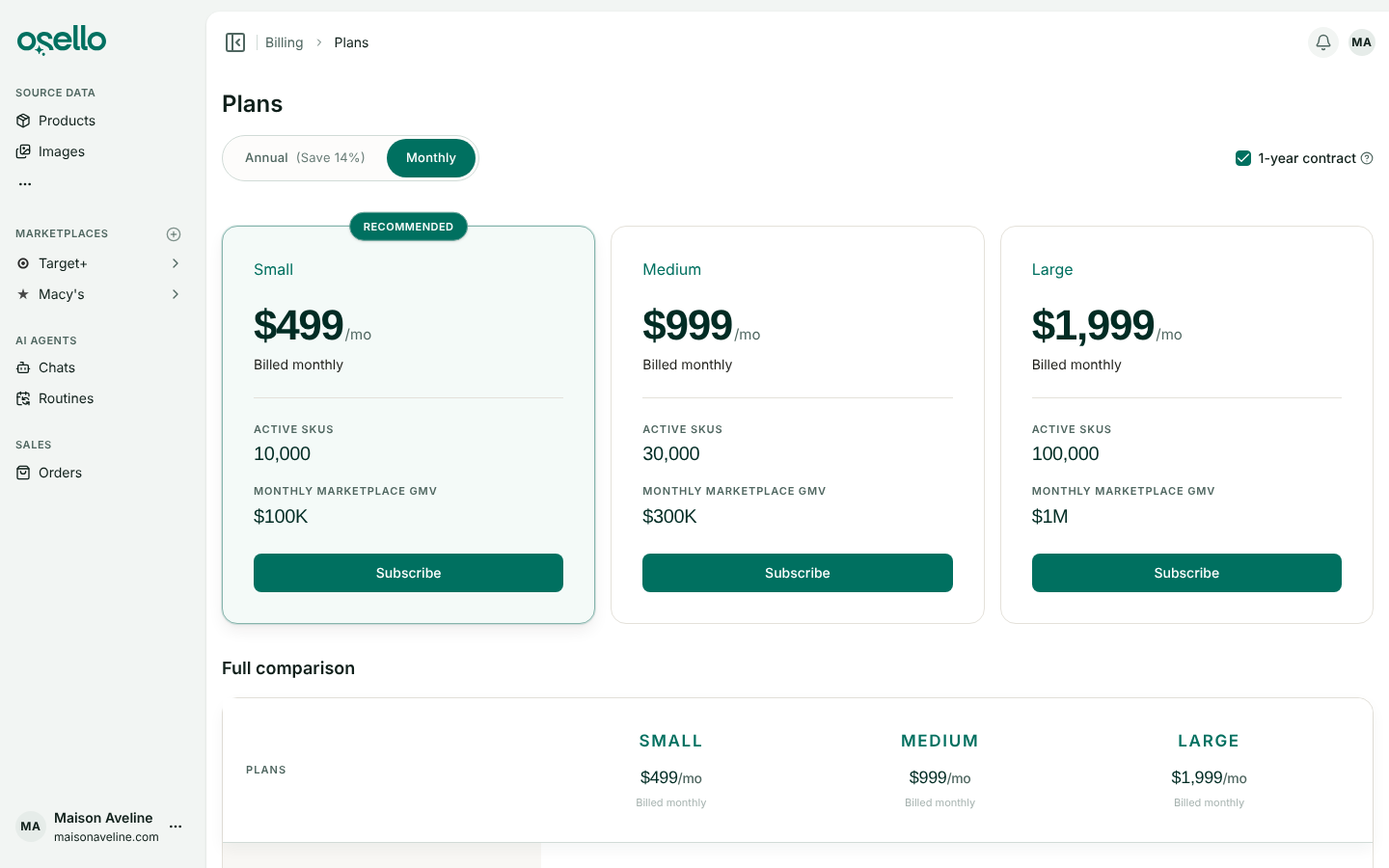
- 1-year contracts and new plan prices — the prices on the pricing page are now for a 1-year contract, paid monthly: Small $499, Medium $999 and Large $1,999 a month, renewing for another year unless you cancel the renewal first. Annual billing, paid up front, works out to $429, $859 and $1,709 a month, and monthly billing with no contract is $709, $1,419 and $2,849. On the in-app Plans page, Monthly has a 1-year contract checkbox, checked by default. During a contract, a bigger plan applies right away and starts a new 12-month term, while a smaller plan or no-contract billing waits for the term to end, and the Billing page offers Cancel at contract end. Existing subscriptions keep their current price. Stripe Checkout now has a promo code field, and a link from Osello can open checkout with a code already applied. Learn more
API and MCP Updates
Version: 28.7.0
Updated/removed endpoints
GET /api/stores/{store_id}/channels/{channel_id}/listings— each listing carriessalesandsales_currencyforstats_period, which also drives the newsort=sales:desc/sales:asc.min_salesandmax_salesfilter onsales_filter_period. Both periods takelast_7_days,last_30_days(the default),last_90_days,last_6_months,last_12_months,this_month,last_month,this_year,last_year,last_2_yearsorall_time, in the store's reporting time zone, or a custom range throughstats_start_date+stats_end_dateandsales_filter_start_date+sales_filter_end_date(YYYY-MM-DD, inclusive).- Listings, listing variants and listing field values — gain
last_checked_atandcheck_needed. The field value indexes (.../listings/{listing_id}/field_valuesand.../variants/{variant_id}/field_values) takecheck_needed=trueto return only values never checked or changed since their last check. Field values also carryopen_issue_countandconditional_requirement_message, the reason a field is required by another field's value. POST /api/stores/{store_id}/channels/{channel_id}/listings/{id}/submit— refused while the listing has open error issues raised by a check, an agent or a person.dismiss_errors: truedismisses them when the submission starts. Issues the marketplace reported never block a submission and are dismissed by it.PUT/PATCH .../listings/{listing_id}/field_values/{id}and.../variants/{variant_id}/field_values/{id}— takedismiss_issues: trueto dismiss the value's open issues, for every variant sharing it, once the update saves.- Listing issues —
levelgainsrecommendation, besideerror,warningandinfo. POST /api/stores/{store_id}/image_assets— takesforce_aspect_ratio(width:height, such as4:5) to trim the saved image evenly from both sides to exactly that ratio, for an AI result that came back a few pixels off.GET .../products/{product_id}/variantsand.../listings/{listing_id}/variants—searchmatches any whole word of an option value, so4TfindsSize 4T.
Notes for API consumers
- MCP — new tools:
check_channel_listing_contentandcheck_channel_listing_variant_content,mark_channel_listing_checked,mark_channel_listing_variant_checkedand the field value equivalents,create_channel_listing_issue,mass_dismiss_channel_issuesandmass_undismiss_channel_issues,get_import_template(an import format's Excel template) andlist_ai_agent_default_prompt_templates. Every tool that changes, sends or deletes something is marked as such, so Claude and ChatGPT ask before using it; adding records does not need a check. - MCP — the taxonomy tools (
list_taxonomies,list_taxonomy_fieldsand the rest) return only the marketplaces your stores have channels on. Billing changes, refunds on returns and Osello's own AI agents (chats, routines and image edits) stay in Osello; an assistant can read them but not run them.