Last Week: Image Variations, Shopify Import Options, and Faster Offer Sync (October 7, 2026)
Make variations of any image, choose what your Shopify catalog import skips, and get price and stock changes to marketplaces within a minute.
Last updated: Oct 7, 2026 at 8:01AM
New Features
- Image variations — make a variation of any image by cropping it, editing it in AI Studio or uploading a file, from the image's actions menu or its new Variations of this image card. Every image is badged as an original or a variation, and a variation's badge links back to its original. Learn more
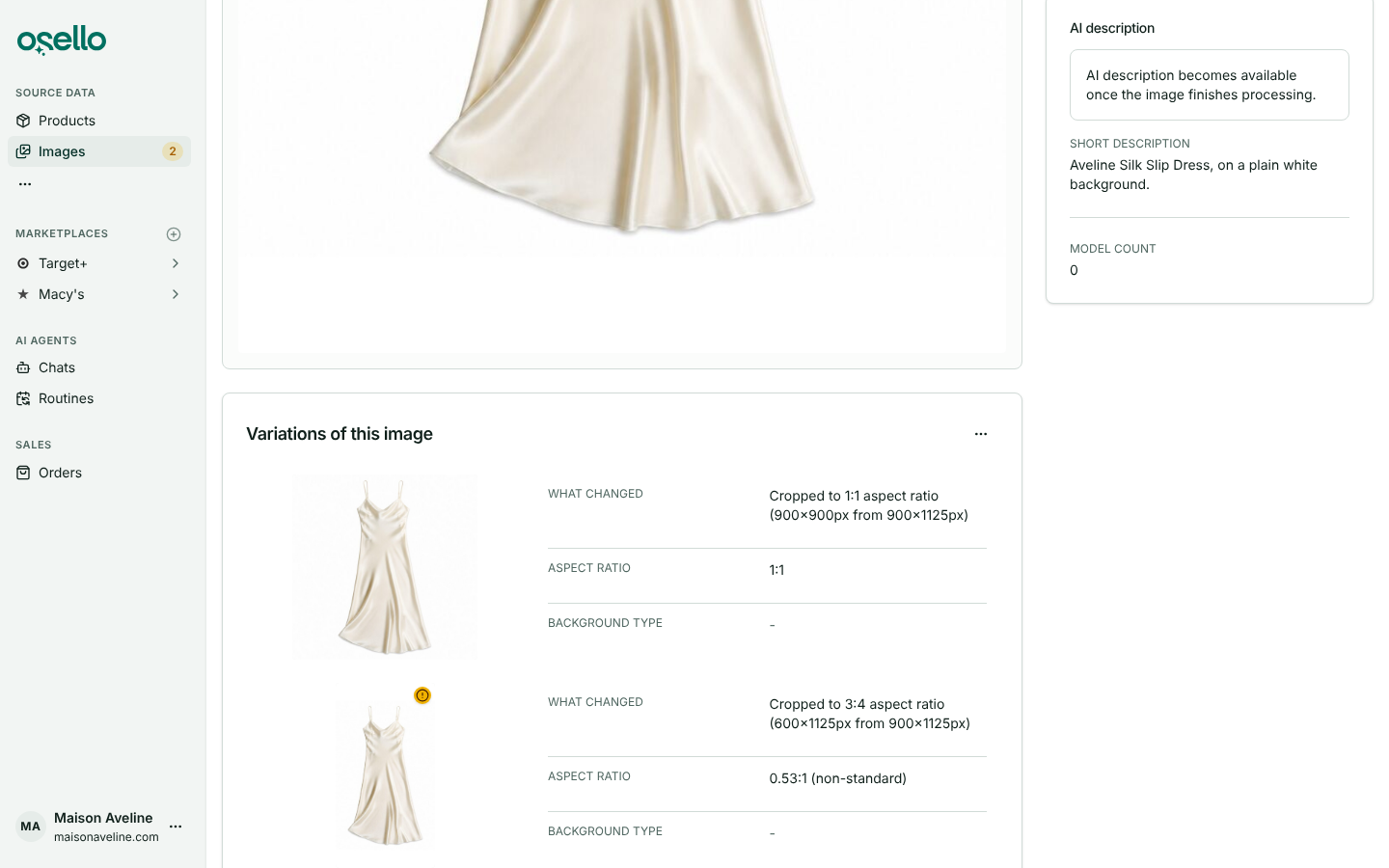
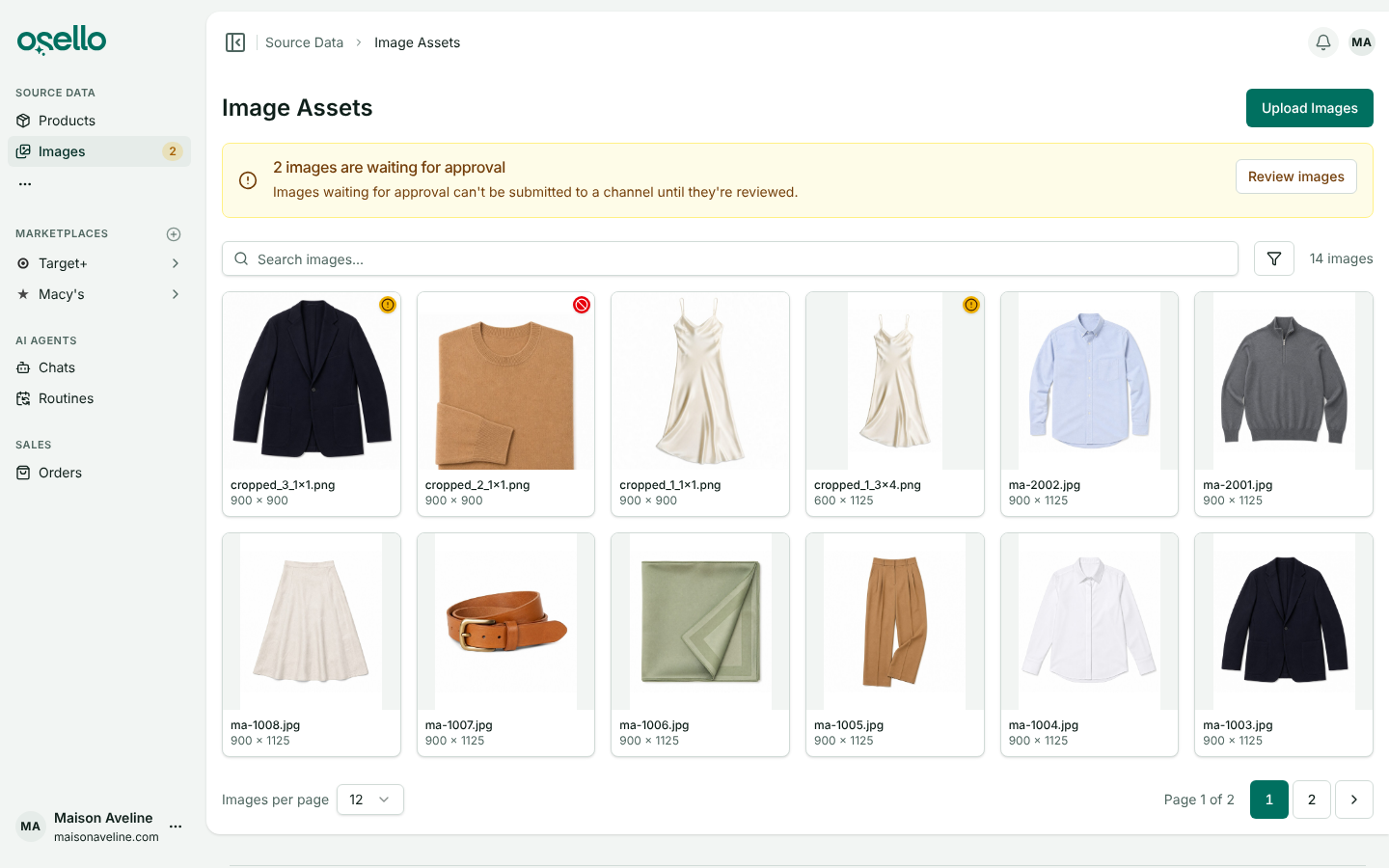
- Approval status on the Images page — images waiting for approval carry an amber badge and rejected ones a red badge, and a banner opens the approvals queue while any are waiting. Rejected images no longer appear in the image chooser. Learn more
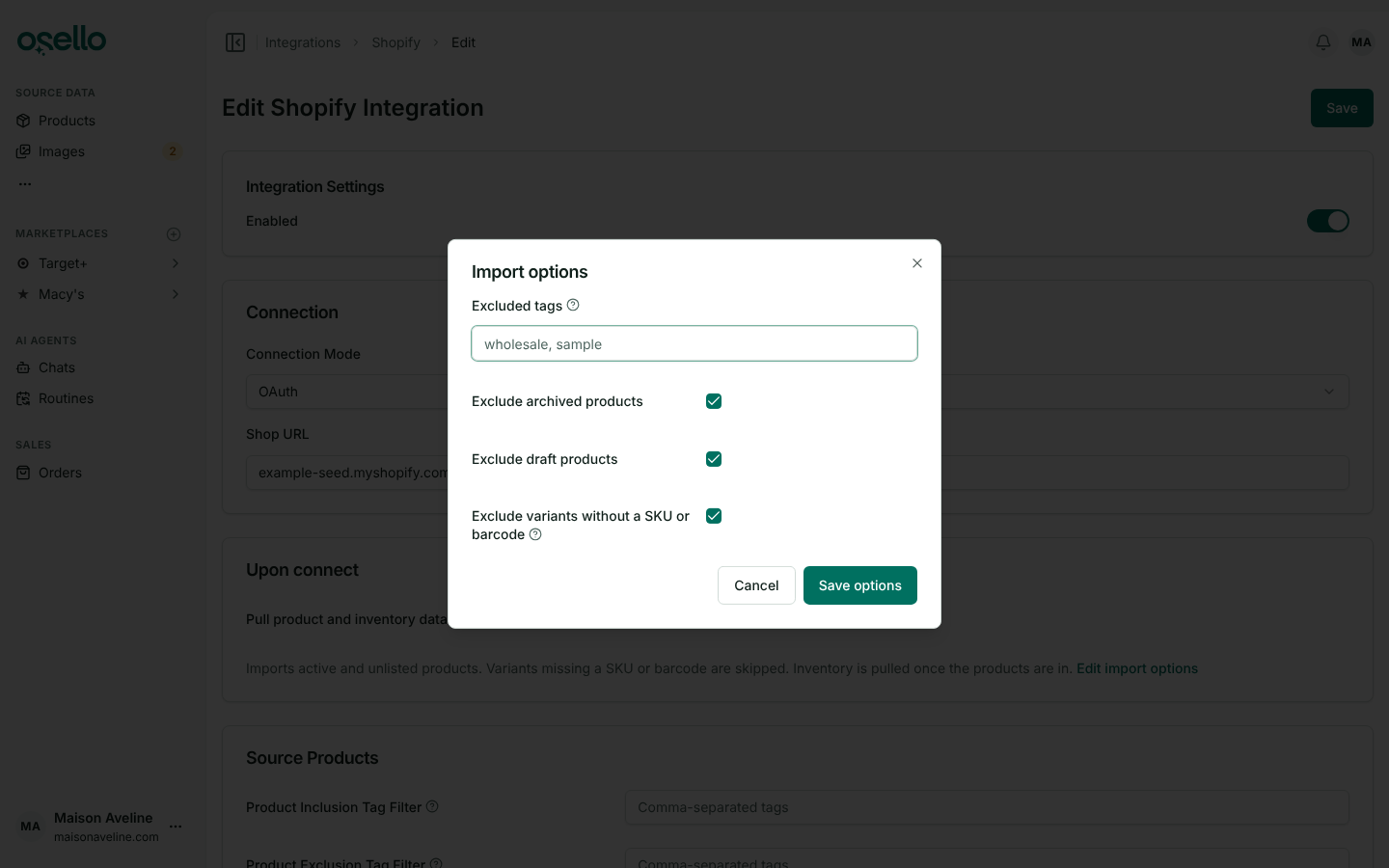
- Choose what your Shopify import skips — connecting Shopify now runs an import you shape first: skip products with chosen tags, archived or draft products, and variants without a SKU or barcode. An existing Shopify connection gets the same switches, so new archived products, drafts and SKU-less variants stay out while everything already in Osello keeps syncing. Learn more
- A heads-up when a payment fails or a card is about to expire — a banner on every page offers an Update payment method button that opens your card details. While a payment has failed your plan stays, but listing submissions pause until the card is updated. Learn more
Improvements
-
Price and stock changes reach marketplaces within about a minute — only what changed is sent, instead of the whole catalog every 30 minutes. A push every 4 hours covers the last day's changes and a nightly push sends every offer, so nothing is missed. Target+ pushes show their progress as they go. Learn more
-
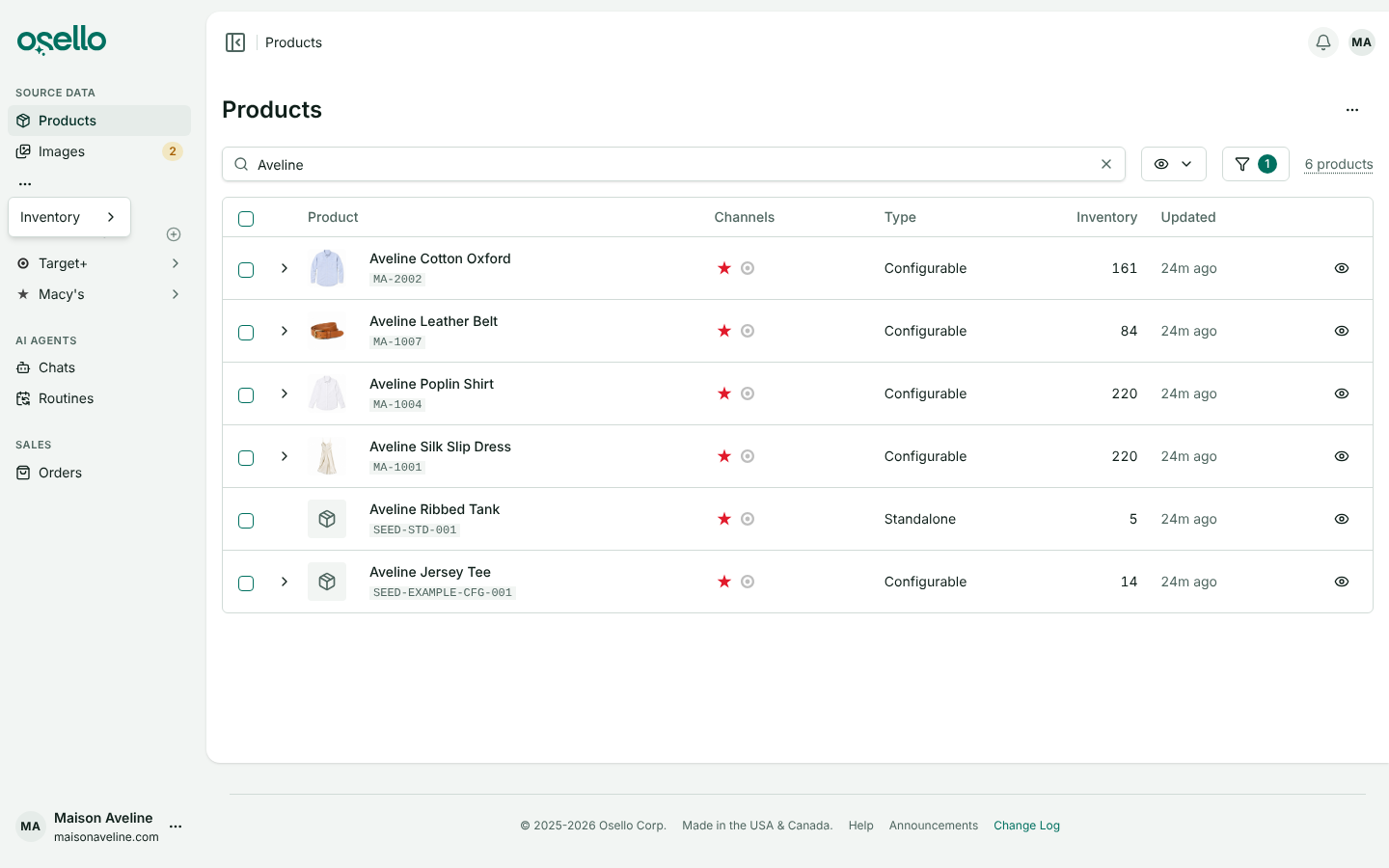
A reworked sidebar — Images and Approvals are one Images link with a live count of images waiting, AI Agents lists Chats and Routines directly, Inventory sits in the Source Data menu, and the plus next to Marketplaces connects a new one.
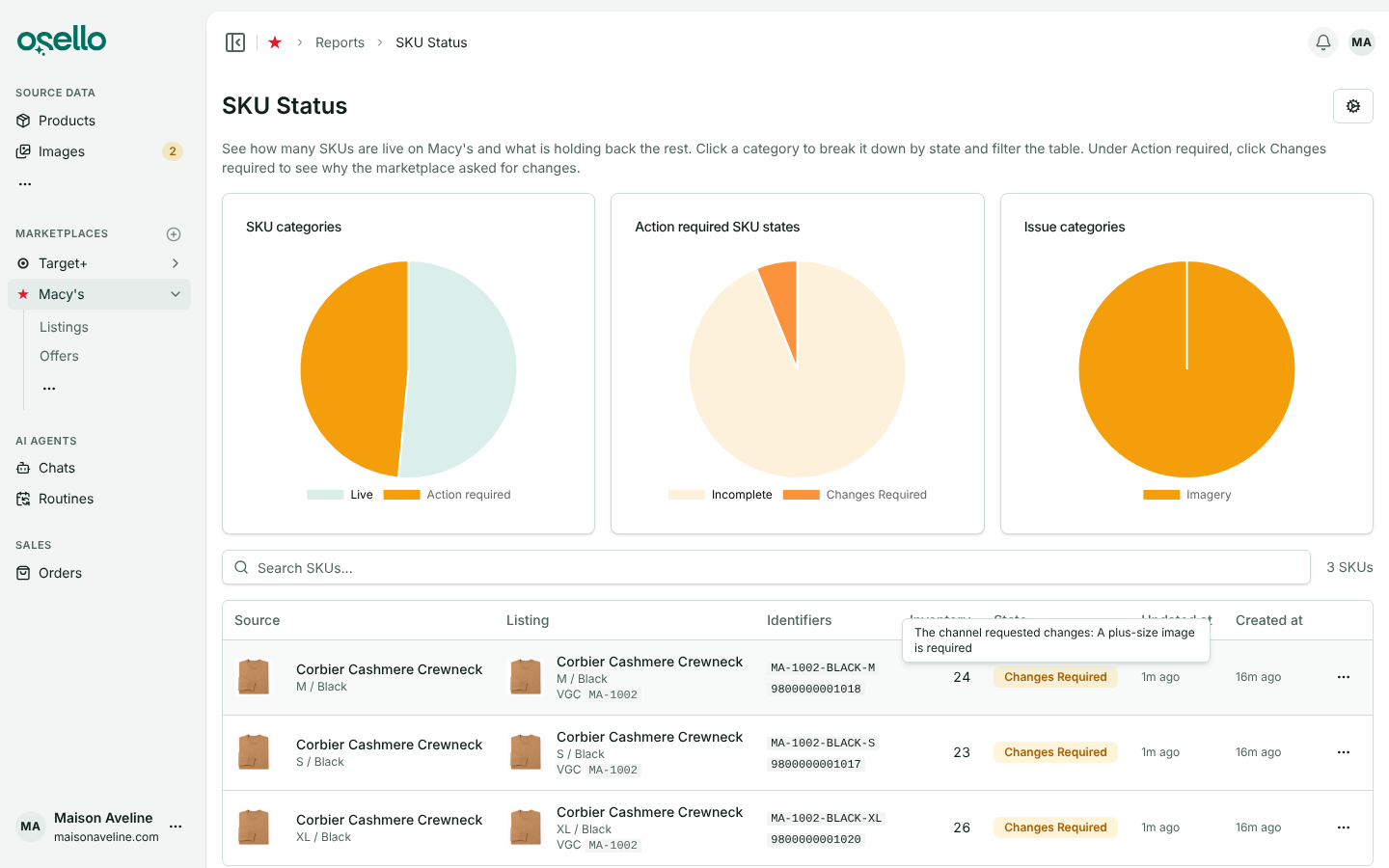
- See why a SKU needs changes — in the SKU Status report, hover a Changes required or Rejected badge to read what the marketplace asked for. The report also loads several times faster on large catalogs. Learn more
-
Large Target+ submissions finish — a bulk submission interrupted mid-run resumes where it stopped, and each batch reads the Target+ catalog once instead of once per listing. Learn more
-
Target+ variations and materials — families created with Target's variation themes import and submit correctly, Size Type is available as a variation option, and Target's apparel material fields are one Materials field. Learn more
-
Stock is held for a week on pending marketplace orders, up from a day, while the marketplace decides. Learn more
-
Target+ orders shipped outside Osello are picked up within about 3 hours, with their tracking. Learn more
-
AI agents save image edits without asking — they judge the result, save it and link anything waiting for your approval in their reply. Size charts and other graphics are checked for content, so no row, number or logo goes missing. Learn more
-
Switch to annual billing from the plans page while on a monthly plan. Learn more
Bug Fixes
- Fixed Nordstrom, Macy's and other Mirakl listings falling back to Ready for submission minutes after being submitted, while the marketplace was still importing them.
- Fixed an order's Net Total showing too little after a partial refund on orders with separately reported tax.
- Fixed refunds pushed to Shopify including marketplace tax the Shopify order never charged.
- Fixed Shopify fulfillments not reaching Osello on lines whose listed SKU differs from the product's SKU.
- Fixed variants staying held for image approval after the image was approved.
Other Notable Changes
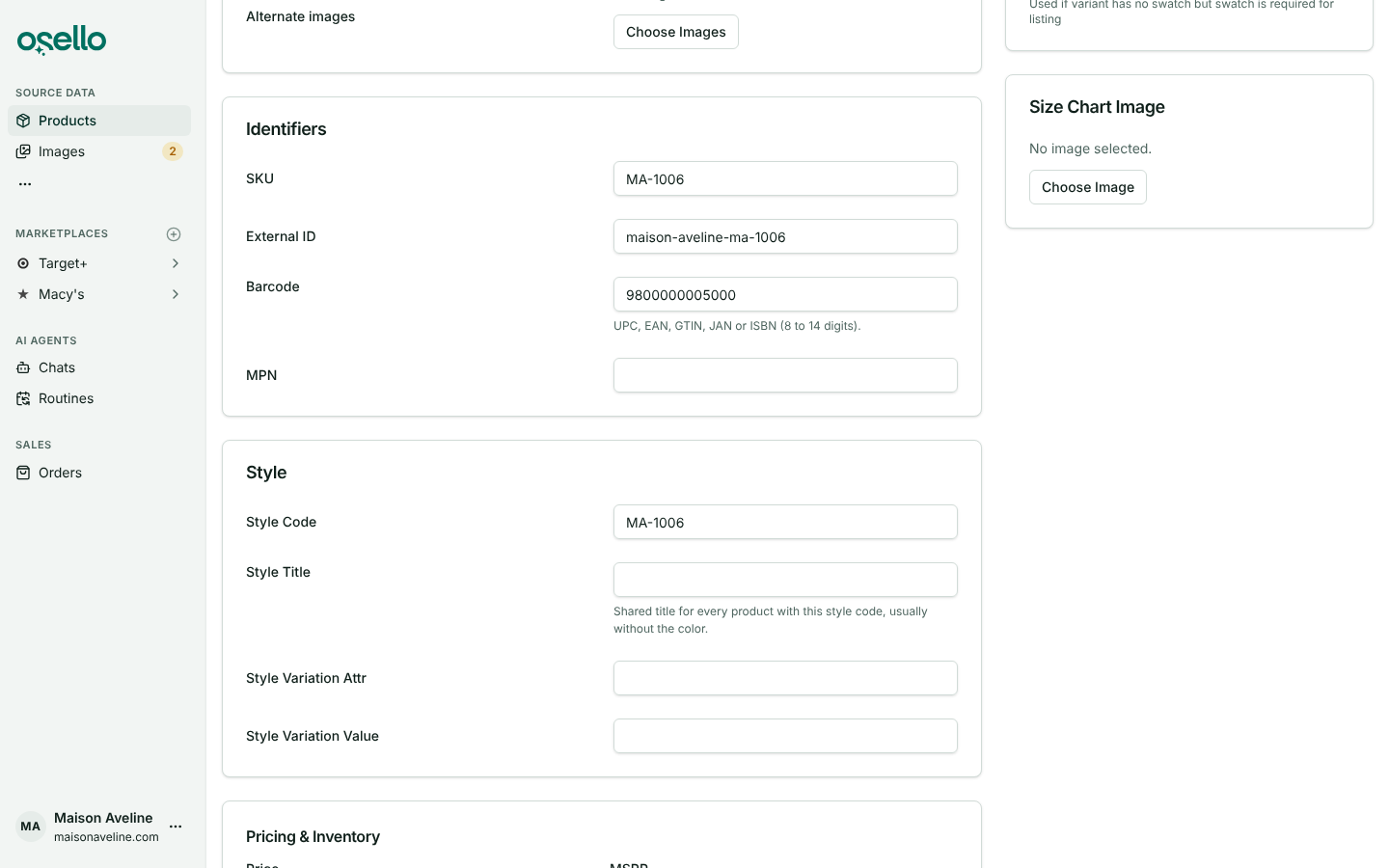
- One barcode field — UPC, EAN, GTIN, JAN and ISBN are now a single Barcode on products and variants, 8 to 14 digits. Existing values were carried over, imports still accept the old column names, and a blank Shopify barcode no longer clears one entered in Osello. Learn more
-
Usage resets on the 1st of each month — plan limits follow calendar months, each month's overage is billed on its own invoice on the 1st, and orders placed before a marketplace was connected no longer count toward GMV. Learn more
-
Offers and Active SKUs — the dashboard shows Active Offers, Total Revenue and Revenue per Active Offer, where an offer is one SKU on one marketplace. Plan limits count Active SKUs: SKUs on products that are not draft or archived, listed or not. Free stores are blocked from submitting only once over the limit, and paid plans no longer see an overage prompt on submit. The Live SKUs report is now SKU Status. Learn more
-
Make Background White and Crop Out Face are gone from the image page. Ask the AI chat for those edits instead.
API and MCP Updates
Version: 26.0.1
Updated/removed endpoints
- Product and product variant endpoints — Breaking: responses return
barcodeonly;upc,ean,gtin,janandisbnare gone from responses. As request params they are deprecated and only fillbarcodewhen it is blank. Barcodes must be 8 to 14 digits. GET /api/stores/{store_id}/productsandGET /api/stores/{store_id}/channels/{channel_id}/listings— acceptinclude_sku_count=trueto returnmeta.sku_count, the SKUs (standalone products plus configurable options) across every matching record, not just the page.GET /api/stores/{store_id}/image_assets— newexclude_rejectedfilter, which the image chooser always sends.- Offers —
skuis always present and no longer nullable.
Notes for API consumers
- Send identifiers as
barcodefrom now on. The deprecated params keep working until a later major version, but they never overwrite a barcode that is already set.