
Custom marketplace prices and next step alerts
Set your own price or MSRP per SKU on each marketplace, see what each listing needs next on the Listings page, and follow a submission in one banner.
 By Jay El-KaakeNovember 18, 2026
Set your own price on each marketplace
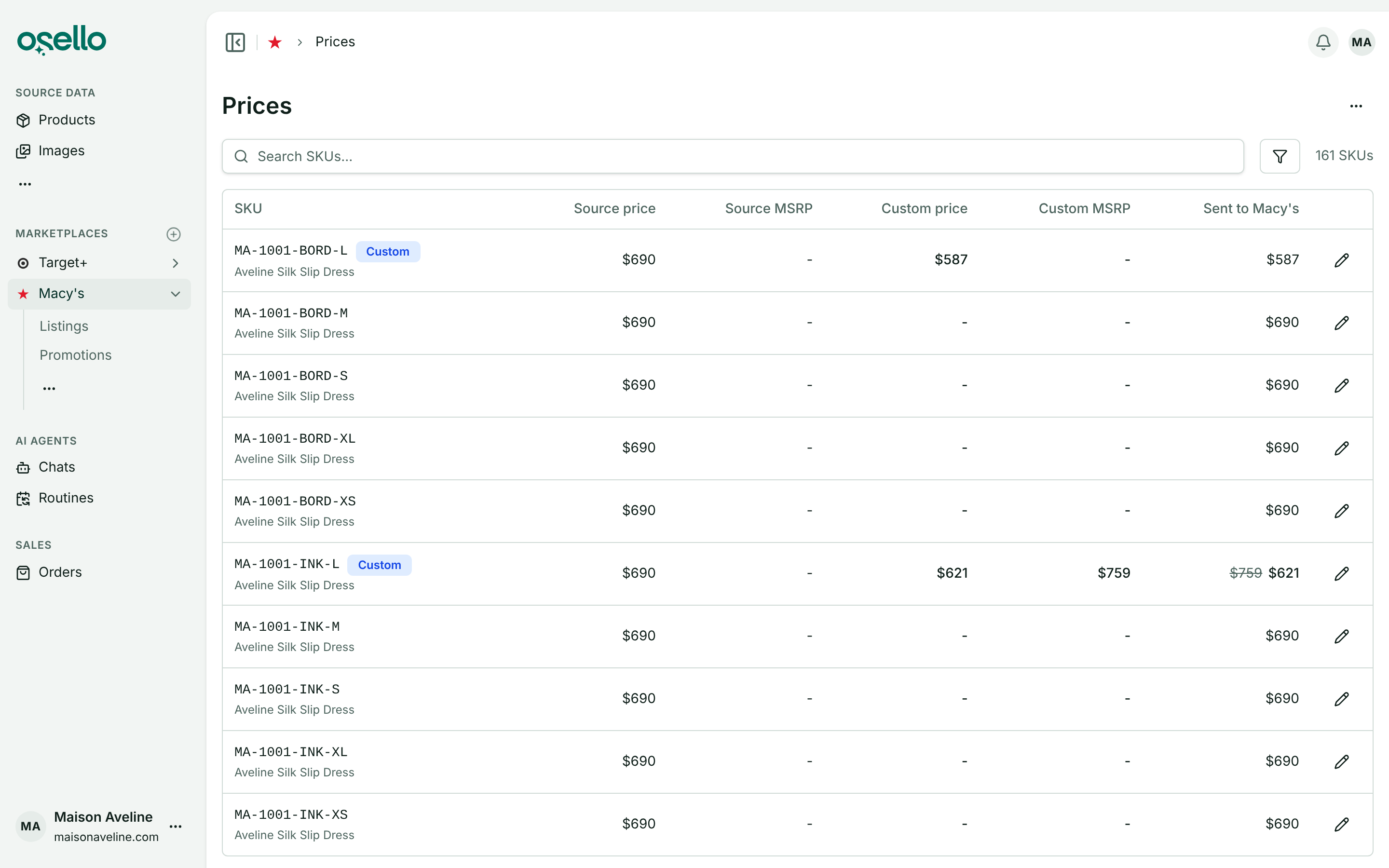
Each marketplace has a new Prices page (under Data) where you can set a custom price or MSRP for one SKU on that marketplace only. Your product data and other marketplaces stay as they are.
To price many SKUs at once, export prices, edit the file and import it back. The import checks the whole file before changing anything.
See what each listing needs next
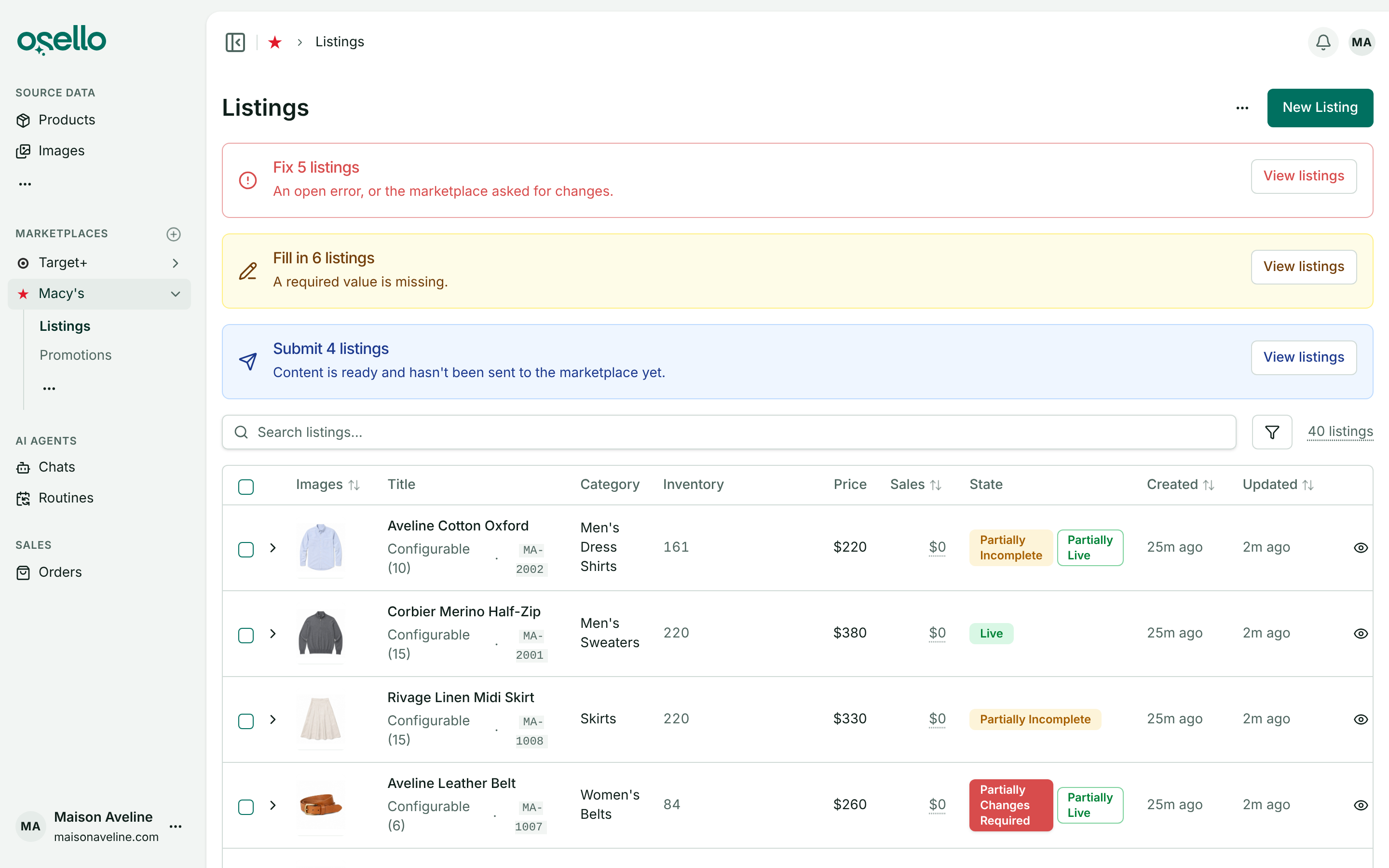
The top of the Listings page shows an alert for each step waiting on you (Fill in, Fix, Approve, Submit or Resubmit) with how many listings are at it. View listings narrows the page to them.
Simpler state filters
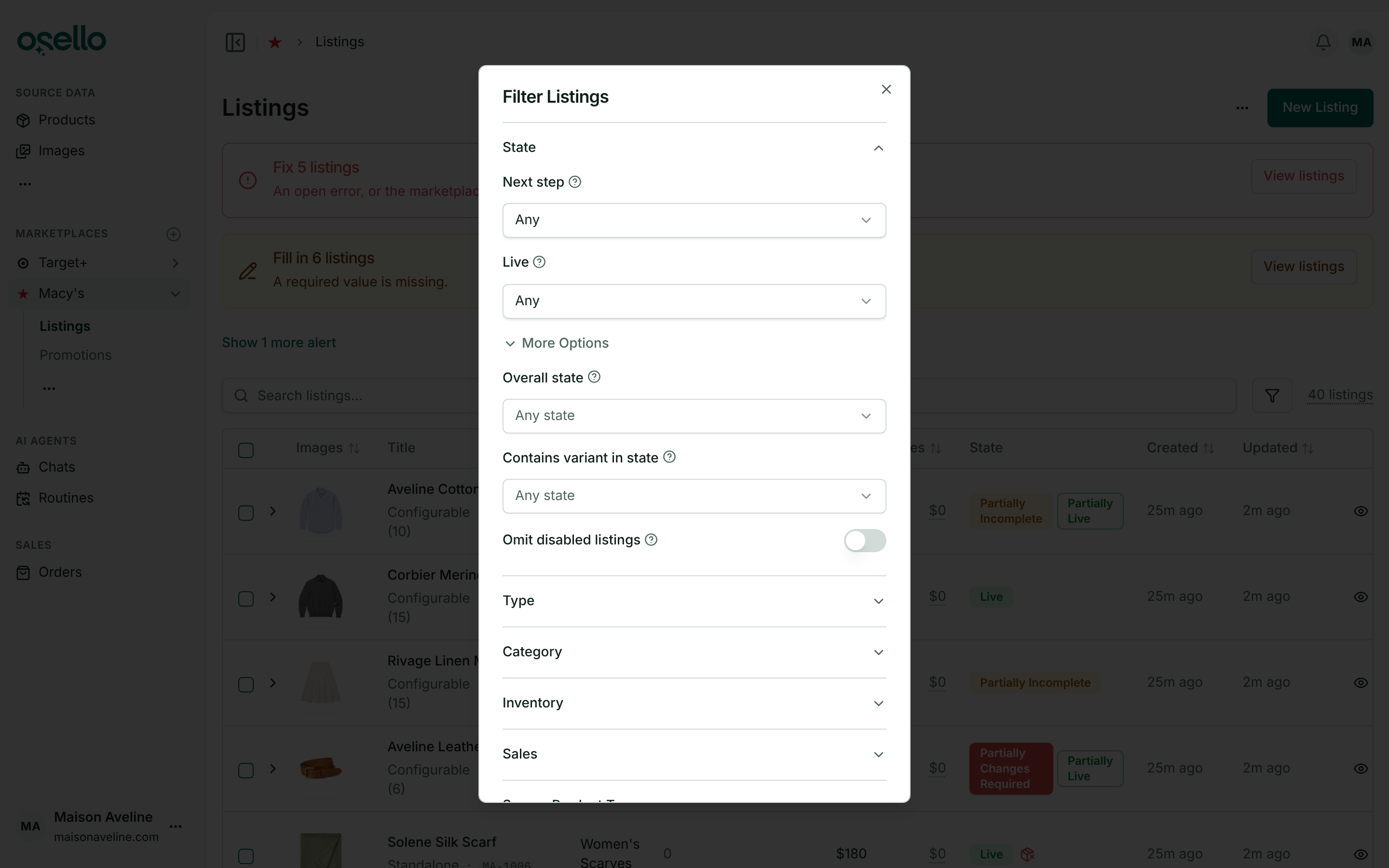
The State filters are now two fields: Next step and Live. Exact states moved under More options, grouped and searchable.
One banner for a submission in progress
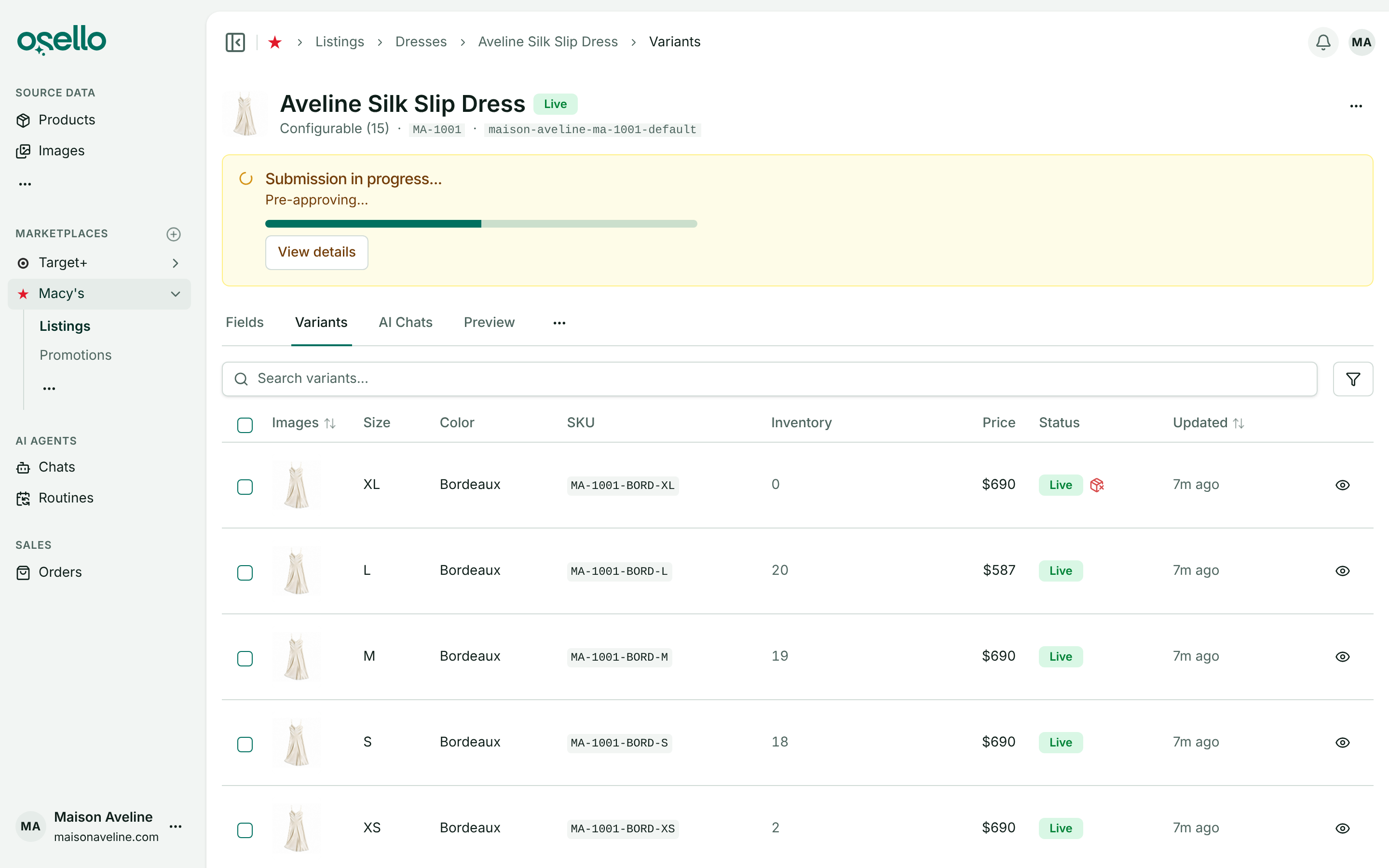
A listing being submitted shows one banner with the current step and a progress bar. The submit dialog closes right away, so a style with hundreds of variants starts as fast as a small one.
Submitting now dismisses the listing's open issues, and the Dismiss errors and submit checkbox is gone. A value that breaks the marketplace's rules still has to be fixed first.
Issues that say who raised them
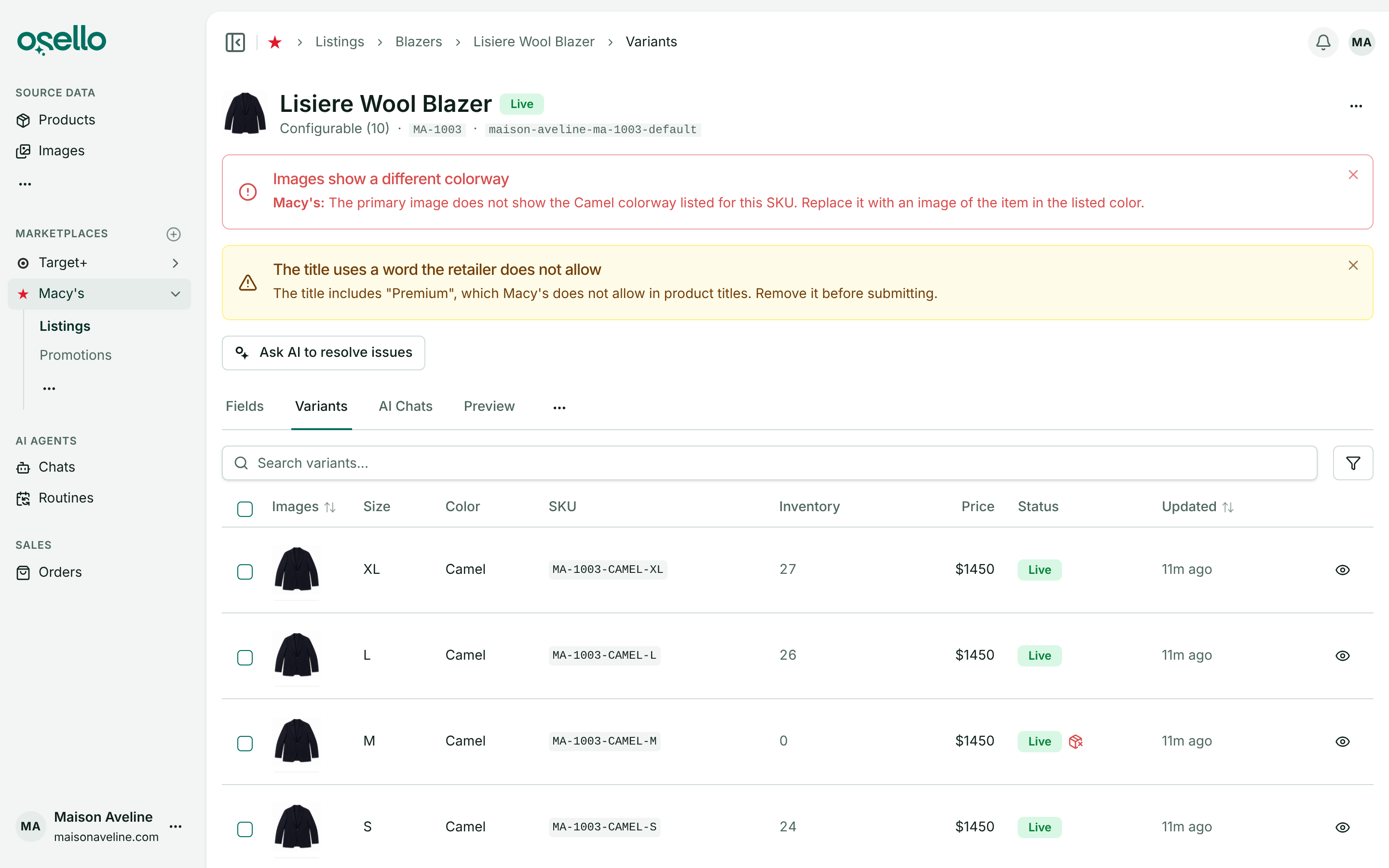
An issue the marketplace reported now starts with its name, such as "Macy's:". Check listing holds a listing only to the marketplace's rules, so a value that meets them gets no issue.
Variants not linked to a product are flagged
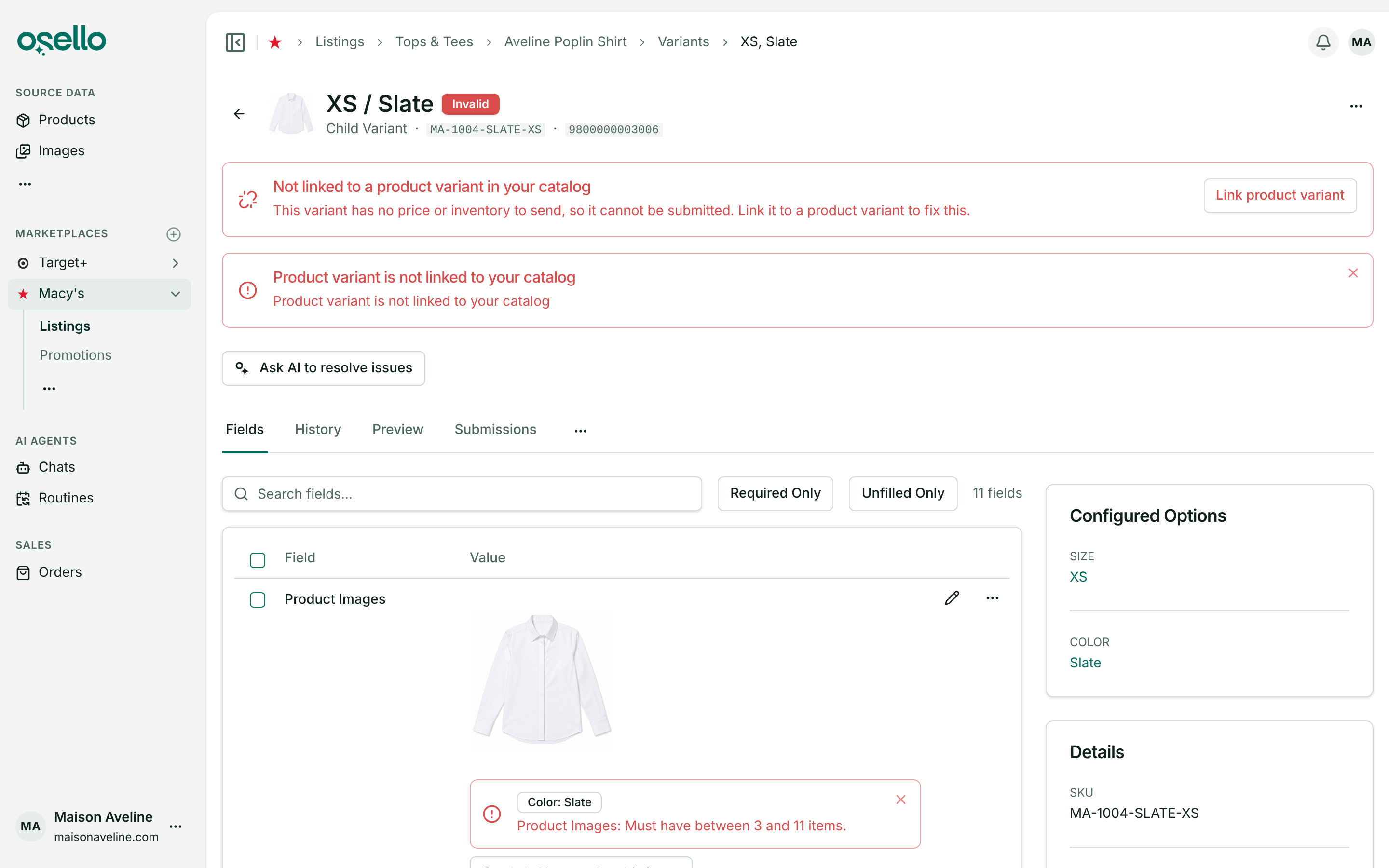
A listing variant with no matching product variant in your catalog now shows a red alert and can't be submitted, since Osello has no price or stock to send. Click Link product variant to fix it.
Filter products by barcode
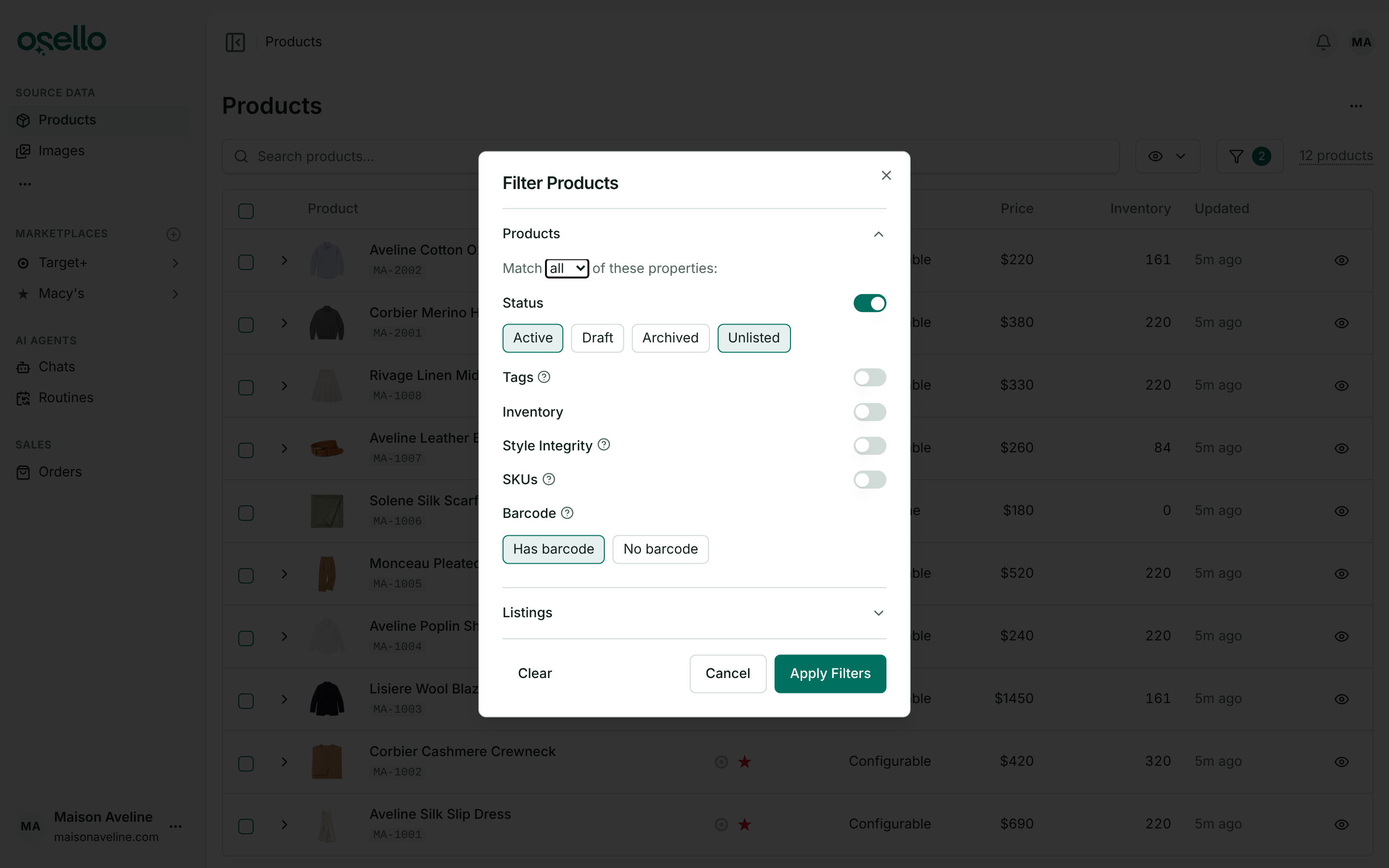
Filter products and variants to the ones with or without a barcode. On marketplaces that require barcodes, Products to List hides the ones without.
Disable listings from the SKU Status report
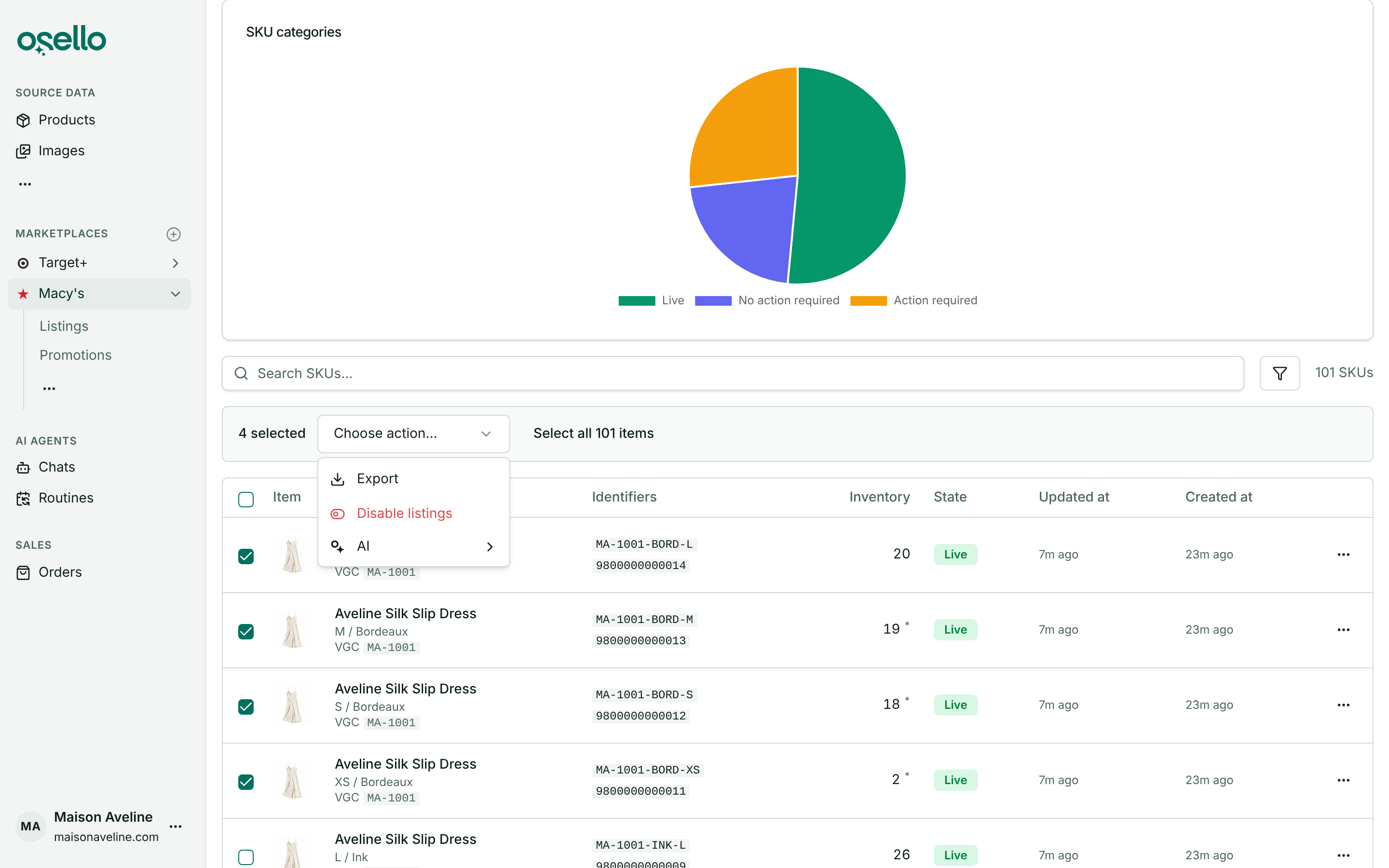
Select SKUs in the SKU Status report and choose Disable listings to turn off just those variants on that marketplace.
Imports and products
- Shopify metafields that hold images, such as size charts, now import as images, and the AI can look at them when filling a listing. Learn more
- A Mirakl file with just a SKU column and the fields you want to change now updates existing listings on Macy's, Nordstrom, Bloomingdale's and other Mirakl marketplaces. Learn more
- Deleting a style with hundreds of variants takes minutes instead of close to an hour, and deleting a product runs in the background.
Changes to how things work
- Osello's AI agents get listings ready but no longer submit them. Use Submit Listing or Submit to Marketplace. Learn more
- The Kohl's price markup setting is replaced by custom prices. No store had one set, so no prices changed.
- Monthly GMV overage is now 3.5% on Small, 2% on Medium and 1% on Large. Current subscribers keep their rates until they change plans. Learn more
- API: version 38.2.0 adds channel price endpoints and removes
dismiss_errorsand the price markup fields. See the change log for details.