
Last Week: Promotions, Two-Factor Authentication, and AI Pre-Approval (November 11, 2026)
Run dated promotions on Target+ and Mirakl marketplaces from a file, protect your sign-in with an authenticator app, let AI resolve a listing's issues, and every submission is checked before it goes out.
Last updated: Nov 11, 2026 at 7:40AM
New Features
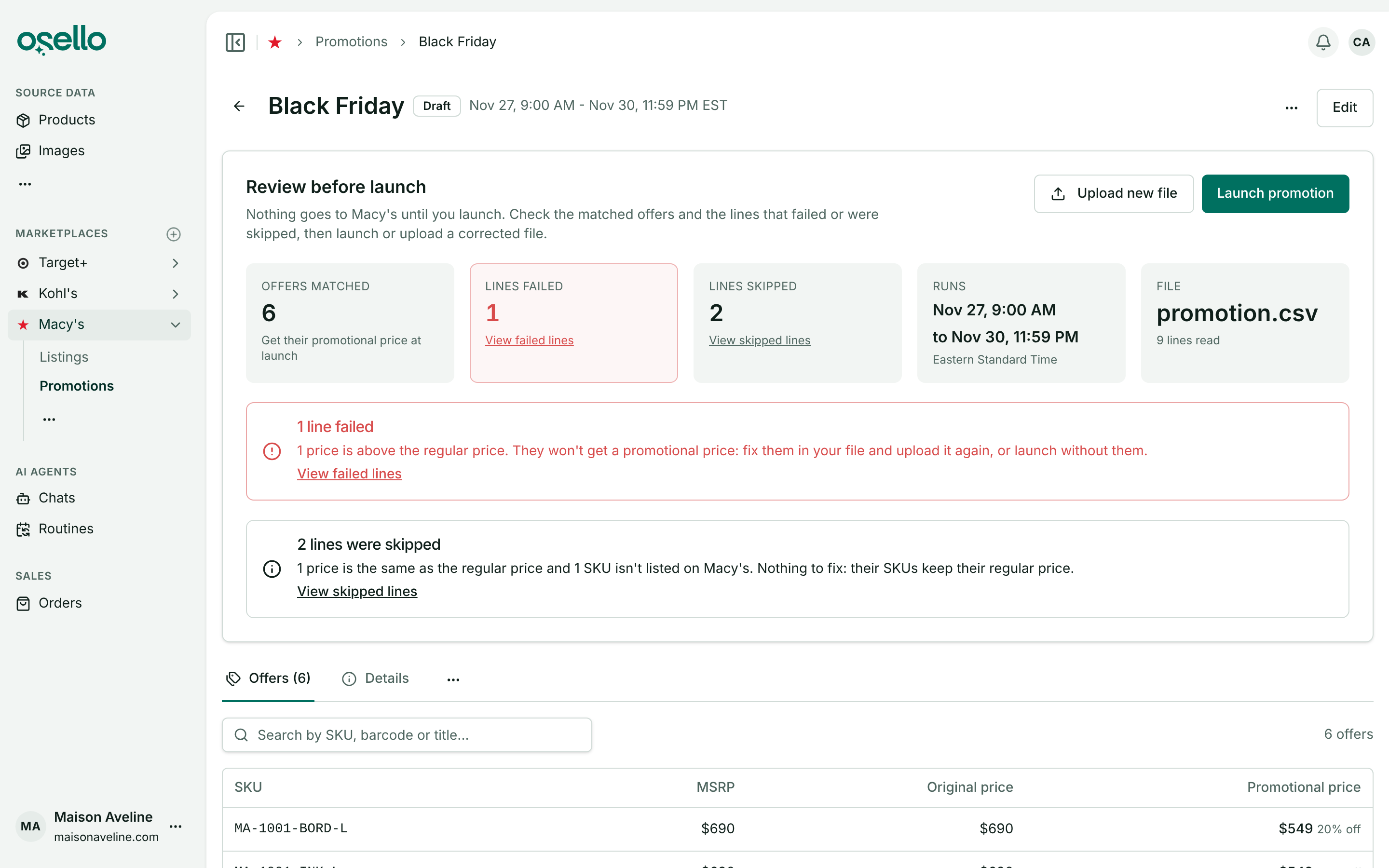
- Promotions on Target+, Macy's, Nordstrom and other Mirakl marketplaces — open a marketplace's new Promotions page, upload a CSV or Excel file of listed SKUs and their promotional prices, and pick an exact start and end time in your own time zone. Osello saves it as a draft, shows which SKUs matched and which lines failed or were skipped and why, and sends nothing until you click Launch promotion. While it runs, the Offers and Listings pages show the promotional price beside the struck-through regular price, and each SKU goes back to its regular price at the end. To end one early, delete it. Learn more
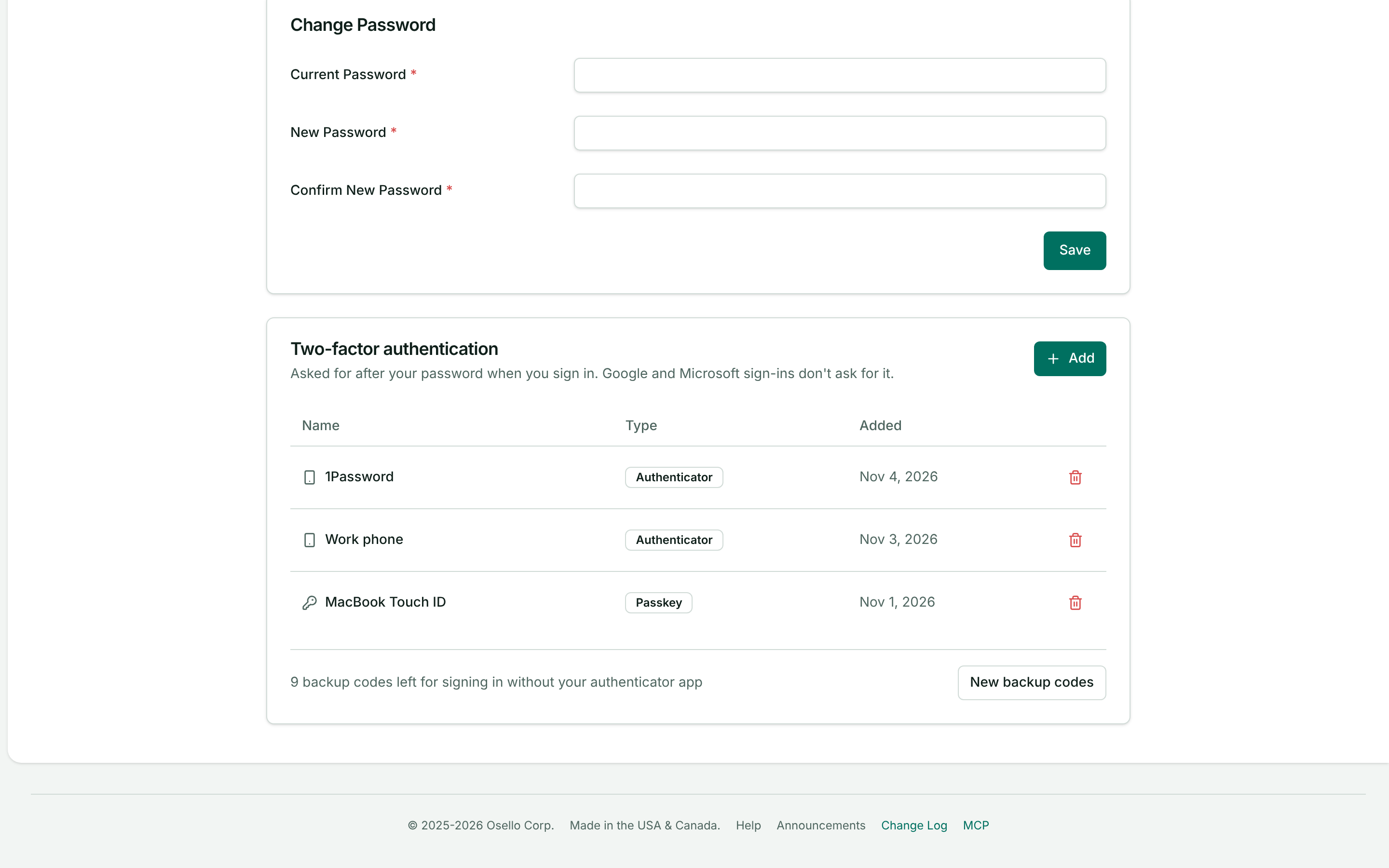
- Two-factor authentication with an authenticator app — the Security tab of your account now has one Two-factor authentication list where Add sets up a passkey or an authenticator app such as Google Authenticator or 1Password, as many of each as you like, with backup codes in case you lose your phone. Signing in with a password then asks for a passkey or a 6-digit code, starting with the method you used last. Anyone signing in with a password and no second factor on a new browser is now asked for a code emailed to them, good for 30 days on that browser, and once your store pulls marketplace orders the dashboard asks password users to add a method. Learn more
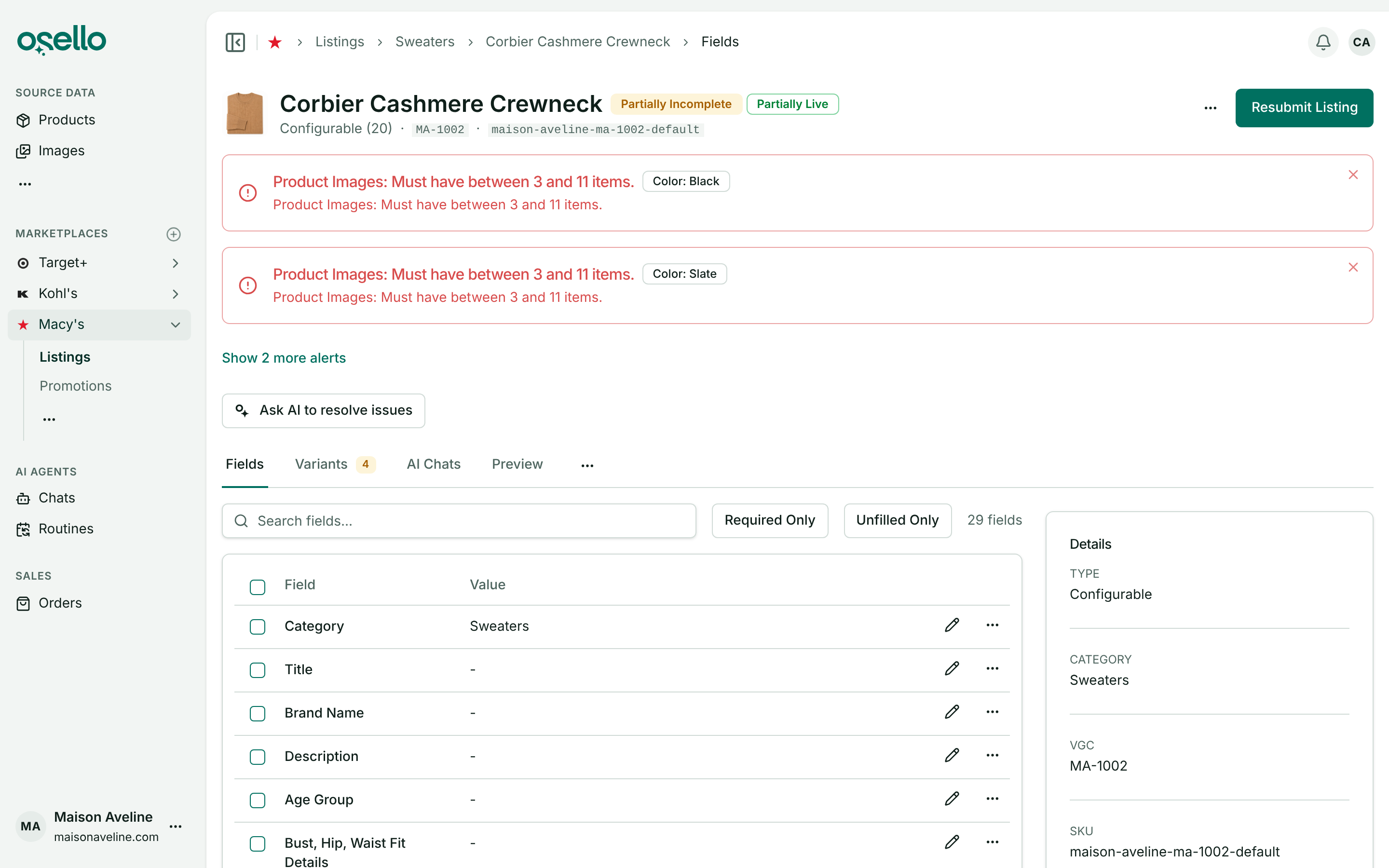
- Ask AI to resolve a listing's issues — under the alerts at the top of a listing or variant, Ask AI to resolve issues sends the open issues to the marketplace's agent, which fixes what your product data and the field's instructions make clear, fills in empty required fields, and dismisses each issue it fixed. When the issues span several levels, pick which to resolve; errors start checked. Each field's issues have their own Ask AI to resolve these issues button, and the listing's ... menu has AI -> Resolve blocking issues. An issue the agent isn't sure about stays open, and it says why in the chat. Learn more
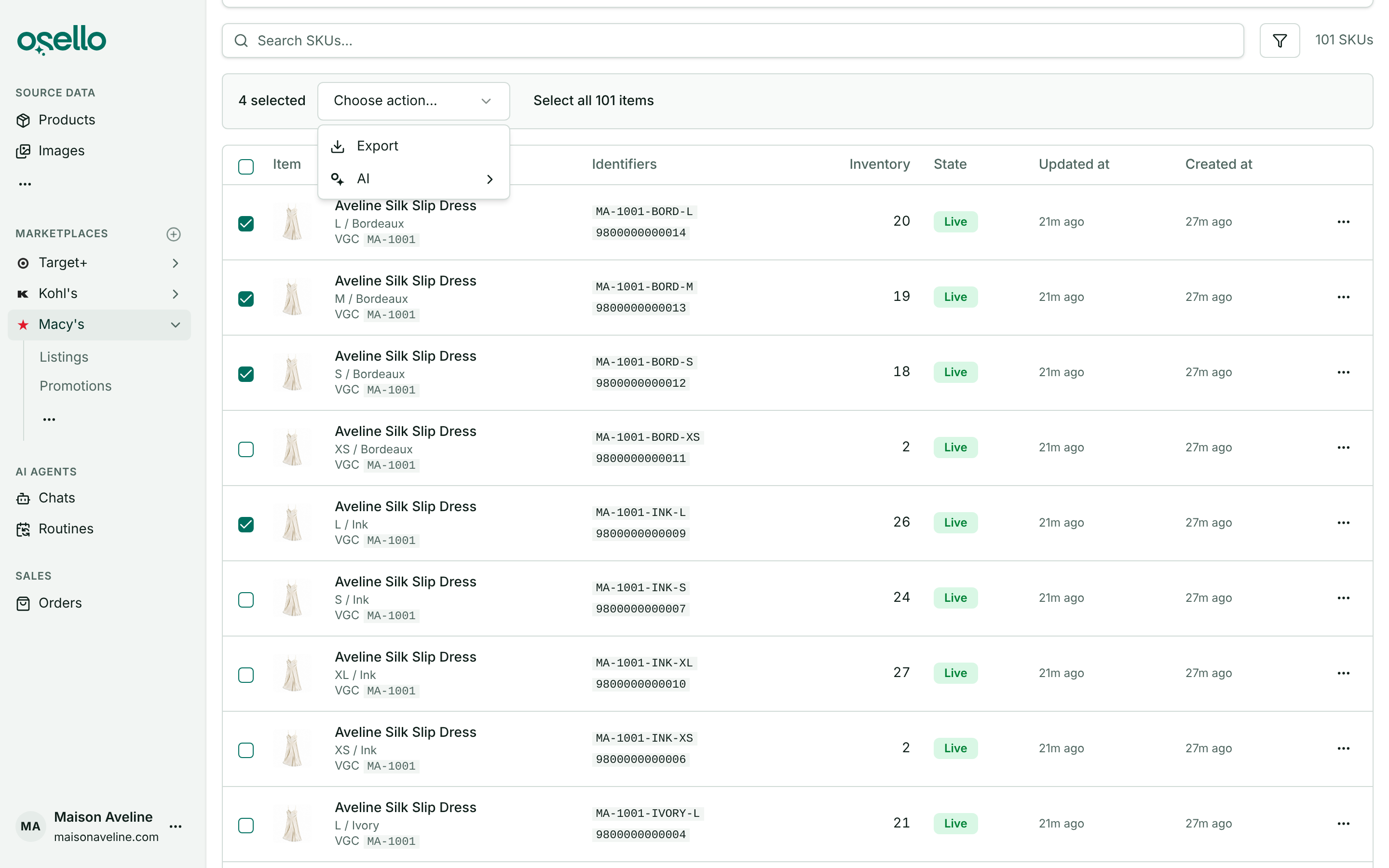
- Export or list SKUs straight from the SKU Status report — tick rows in a marketplace's SKU Status table (or Select all for everything the report matches) and choose an action. Export sends the selected SKUs' product variants or listing variants to a file, in Osello's format or the Mirakl format on Mirakl marketplaces. AI opens a chat with those product variants attached and offers Create/Enable Listing(s) for exactly those SKUs, so a yet-to-list SKU can be listed without leaving the report. Learn more
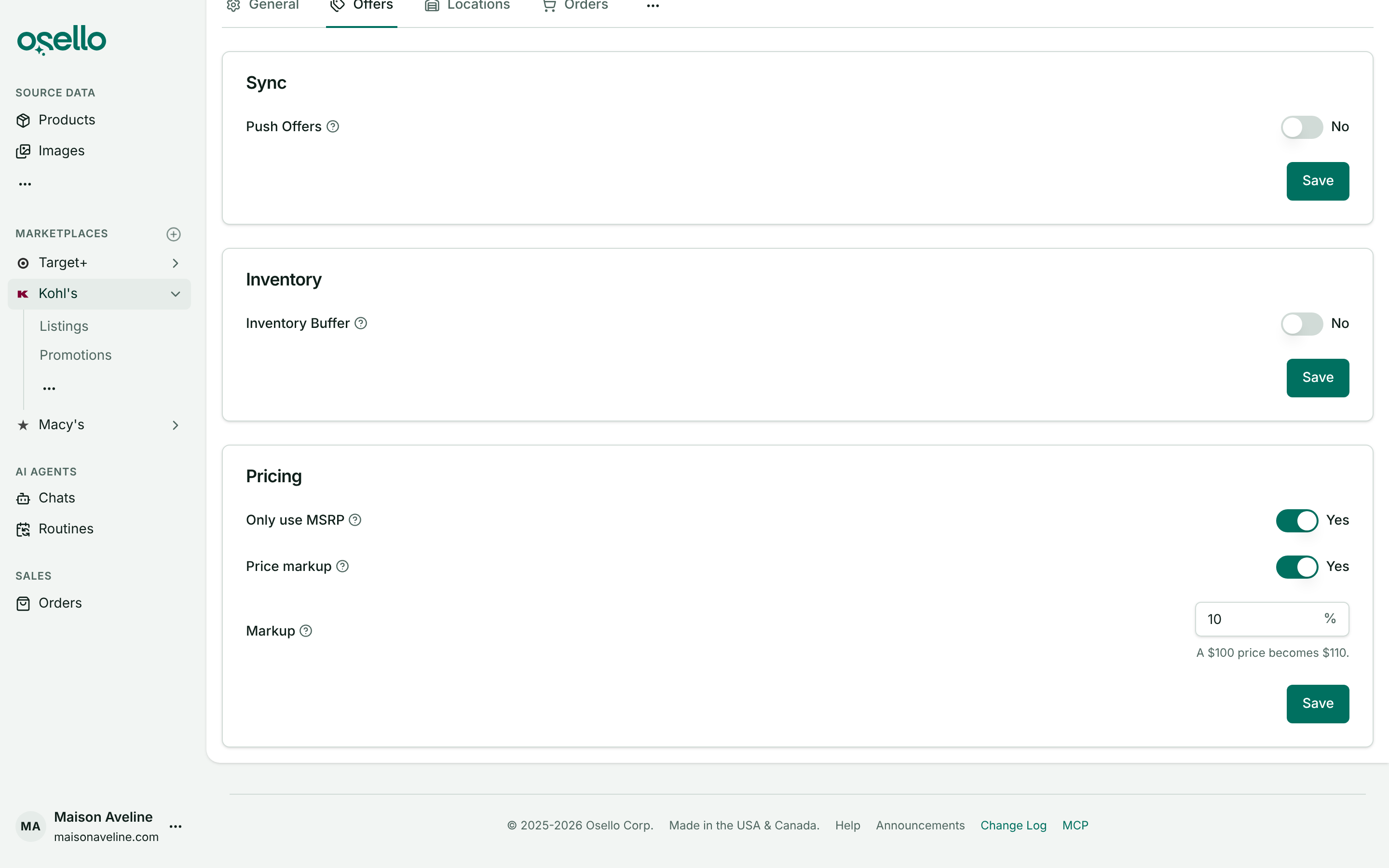
- Price markup for Kohl's — the Pricing card on a Kohl's channel's Settings -> Offers tab has a Price markup switch and a percentage between -99 and 99, so every price sent to Kohl's is raised (or lowered) by that much without changing your product data. Saving refreshes the offers and sends the new prices within a minute, and the Offers page shows the marked-up prices with the breakdown on hover. Other marketplaces keep the switch off for now. Learn more
Improvements
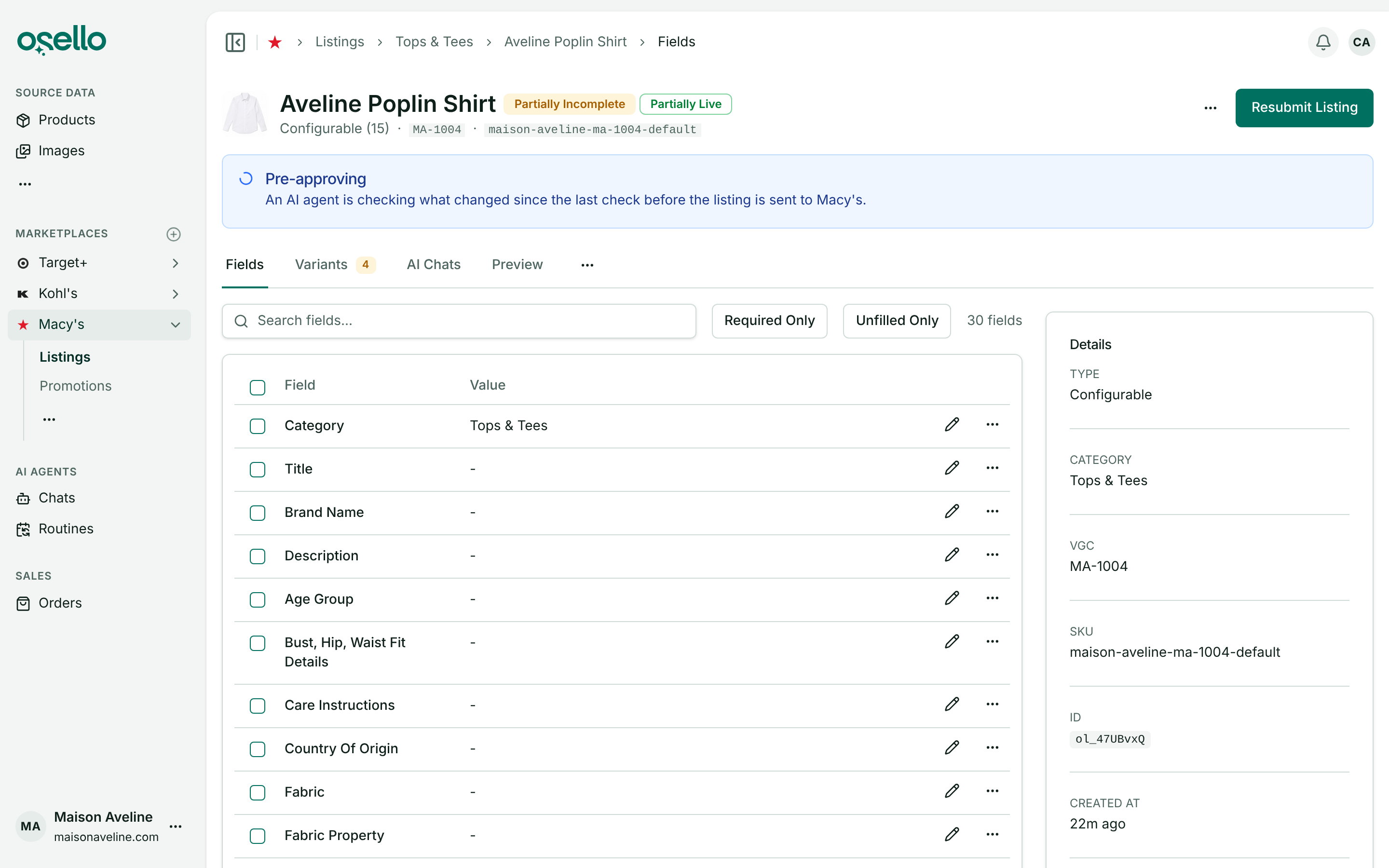
- Every submission is checked by AI before it's sent — submitting a listing, a few variants or a whole selection now runs the Check listing review on whatever changed since the last check, before anything reaches the marketplace. While it runs the listing page reads Pre-approving, with a link to the agent's chat. An error it finds stops the submission: the listing's banner reads Pre-approval failed with each error and its field, and the variants read Invalid until the errors are fixed or dismissed. Nothing changed since the last check means the listing goes straight through, and warnings never stop a submission. Open errors from any source now block a submission the same way, and the submit dialogs offer Dismiss errors and submit to send the listing as it is. Learn more
-
Listing states that say where each step stands — a variant's badge now tracks three things apart: whether its content is ready, where its latest submission is, and what the marketplace carries. Live* means an older version is live while you have edits the marketplace hasn't seen, or a newer version is still under review. A new listing shows Draft, Structuring and Preloading while Osello sets it up, and goes back through those steps when its category or variants change. Refresh Status and imports of the marketplace's own data (a Mirakl export, Target+) now take Osello's copy to be exactly what the marketplace has, clearing the unsubmitted-changes marker, while an import in Osello's CSV format counts as an edit. The listing's Check content action is now Revalidate content. Learn more
-
Issues on shared values show on every variant that uses them — a problem with a value shared by color, size or size type, such as the Product Images every Navy variant uses, is one alert on the listing tagged Color: Navy, and each of those variants shows it on that field. Dismiss it anywhere and it's dismissed for all of them. Learn more
-
Products change type on re-import — a Shopify product that gains or loses options after Osello imported it now converts between standalone and configurable on the next import or sync, keeping its SKUs, stock, orders and listing links. A variant the source dropped is removed only while it isn't listed; a listed one fails its row and names it. Learn more
-
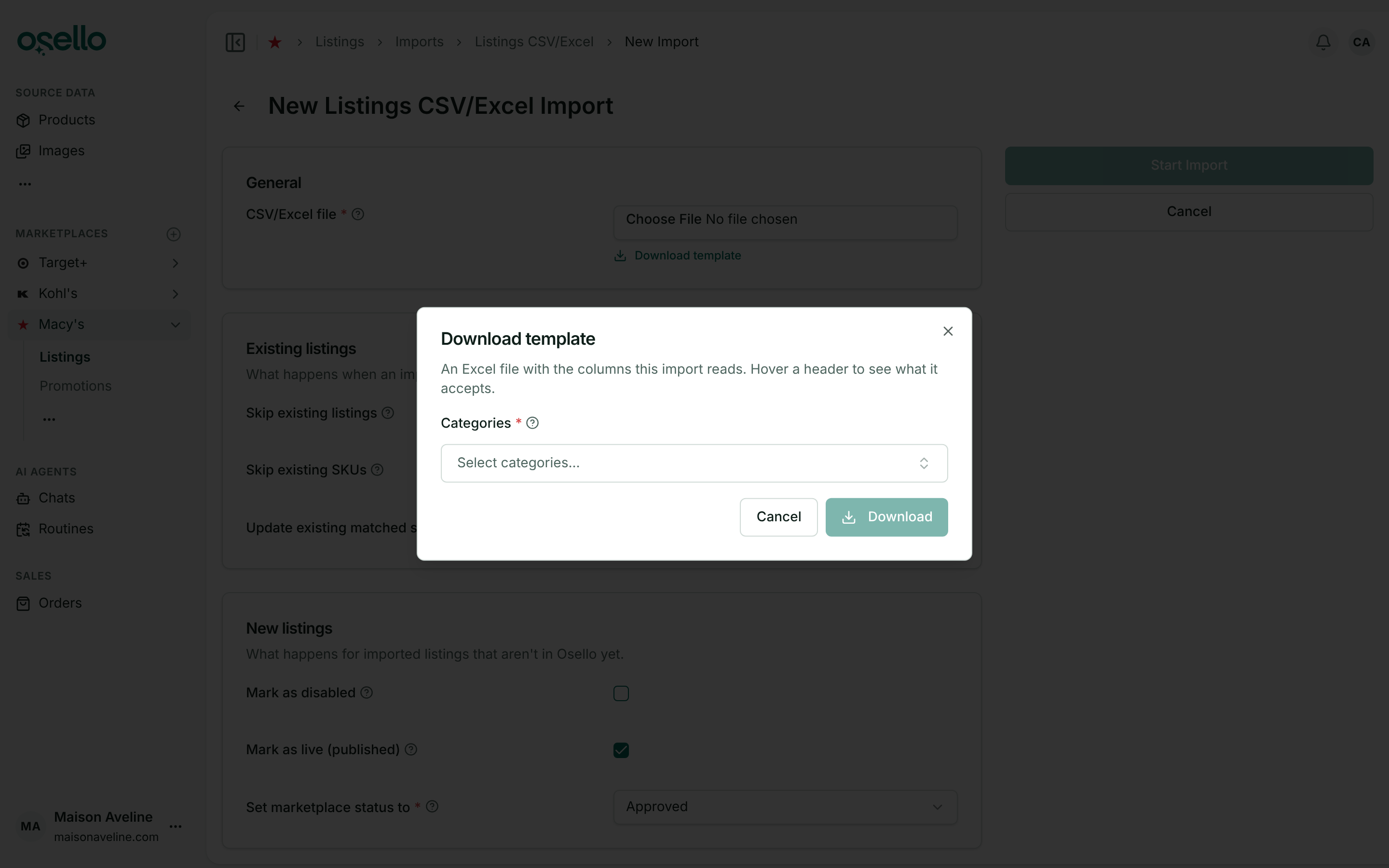
Download template moved into a dialog — on the New Import page, the Template card is now a Download template link under the file field. It opens a dialog where a marketplace listing template still asks you to pick its categories first. The page also keeps your place when you change an import option, and each marketplace's sidebar menu lists Imports under Data. Learn more
- Large listings load faster — the Listings page, a listing's fields and its preview open in a fraction of the time on styles with hundreds of variants, and a listing export with conditional text fields no longer takes over half an hour.
Bug Fixes
- Fixed CSV imports dropping accented letters, curly quotes, dashes and other non-ASCII characters from every row. Files saved from Excel on Windows are read correctly too.
- Fixed order pushes to Shopify failing when Shopify rate-limits a busy store. Osello now waits for the limit to lift and retries, and its order status checks read 50 orders per request instead of one, so they finish sooner and use far less of your Shopify API budget.
- Fixed an order Shopify failed to confirm never being created there. Osello now checks again and creates the order within 15 minutes, and says so on the order instead of reporting an error forever.
- Fixed Retry sync on an order whose acceptance failed to reach the marketplace. It now sends the accept or refuse decisions again, and a Mirakl order whose acceptance timed out is retried on its own within 15 minutes while the marketplace still waits for an answer. Learn more
Other Notable Changes
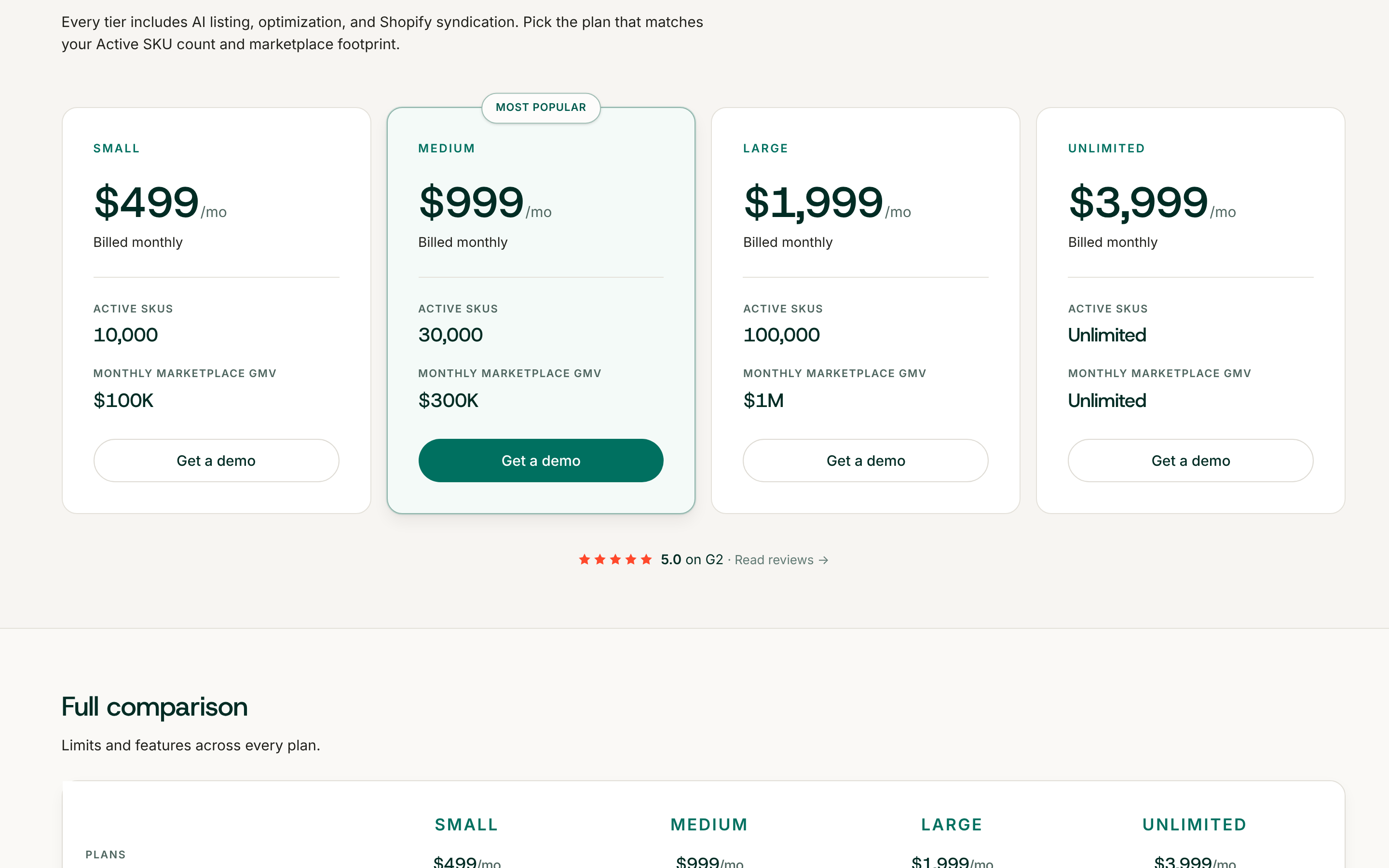
- The Unlimited plan — a fourth plan with no overage charges, for stores past the Large plan's limits. It's on the pricing page and the in-app Plans page beside Small, Medium and Large. Learn more
-
Usage emails as you near a plan limit — on a paid plan, your store's billing contacts get an email when Active SKUs, monthly GMV or connected marketplaces reach 75% and 100% of the plan's limit, and when the month's overage reaches 75% of what you pay a month for the plan. Each email shows your usage against the limit and links to the Plans page. Learn more
-
Security upgraded across the app — overall security has been greatly upgraded across Osello, from signing in to connecting your store and marketplaces.
API and MCP Updates
Version: 36.1.1
New endpoints
GET,POST,PUT/PATCHandDELETE /api/stores/{store_id}/channels/{channel_id}/promotions— list, create, change and delete a channel's promotions. A promotion takesname,starts_atandends_at(ISO 8601 with a UTC offset; a bare time is refused) and an upload of SKU and price lines, and is created as a draft (status,launch_blocker,lines_count,offer_promotions_count,failed_lines_count,skipped_lines_count).POST /api/stores/{store_id}/channels/{channel_id}/promotions/{id}/launch— launches a draft;PUTrefuses a launched promotion.GET /api/stores/{store_id}/channels/{channel_id}/promotions/{promotion_id}/offers— the matched offers with each promotional price and whether it applies right now (is_applied).GET /api/stores/{store_id}/channels/{channel_id}/promotions/{promotion_id}/skipped_lines— the lines that failed or were skipped, withresult,reasonandreason_code.
Updated/removed endpoints
- Breaking: listing variant states are split.
content_statenow only says whether Osello's content can be submitted:validating,incomplete,invalid,pending_store_approvalorvalid. Two new attributes carry the rest:submission_state(unsubmitted,submitting,pending_acknowledgement,failed,pending_approval,pending_publication,changes_required,rejected,unknown,pending_resubmission,unchanged) andpublished_state(unpublished,published,unlisted,suspended), withsubmission_state_message.has_newer_versionis true when the live version is not the latest. - Breaking:
overall_statevalues are renamed on listings and variants and in theoverall_statefilters.setup_in_progressbecamesetup_draft,setup_structuringandsetup_preloading;content_readybecamesubmission_unsubmittedandsubmission_pending_resubmission; the formercontent_submitting,content_submitted,content_submission_failed,content_pending_approval,content_pending_publication,content_changes_required,content_rejected,content_unlisted,content_suspendedandcontent_unknownbecamesubmission_submitting,submission_pending_acknowledgement,submission_failed,submission_pending_approval,submission_pending_publication,submission_changes_required,submission_rejected,published_unlisted,published_suspendedandsubmission_unknown;content_validatingandcontent_invalidare new. Each keeps itspartially_form. Filters still accept the old names as aliases, but responses never return them. - Listing submissions —
statereadspre_approvingwhile the pre-approval check runs, and each submission carriespre_approval_state(not_required,pending,checking,passed,failedorskipped),pre_approval_message,pre_approval_started_at,pre_approval_completed_atandpre_approval_ai_chat_id. - Submit endpoints —
POST .../listings/{id}/submit,.../listings/mass_submit,.../listings/submit_categoryand.../variants/mass_submittakedismiss_errorsto dismiss the open errors that would otherwise block the submission. A content write to a listing or variant still being set up (setup_draft,setup_structuringorsetup_preloading) is refused with a 409setup_in_flight. - Channels — carry
price_markup_enabled,price_markup_percentandsupports_price_markup; turning the markup on where it isn't supported is refused with a 422. - Listing issues — an issue on a shared value carries
shared_option, the option value it applies to.
Notes for API consumers
- MCP —
check_channel_listing_contentandcheck_channel_listing_variant_contentare retired; the tools arevalidate_channel_listing_contentandvalidate_channel_listing_variant_content. New promotion tools create, launch and delete a channel's promotions, passing the file's lines as text.