
Last Week: One Product Images Field, File Type Conversion, and Per-Store Notifications (November 4, 2026)
A listing's images now live in one ordered Product Images field you drag into order, images convert to the file type a marketplace takes, and each store member picks their own notifications and billing contacts.
Last updated: Nov 4, 2026 at 2:41AM
New Features
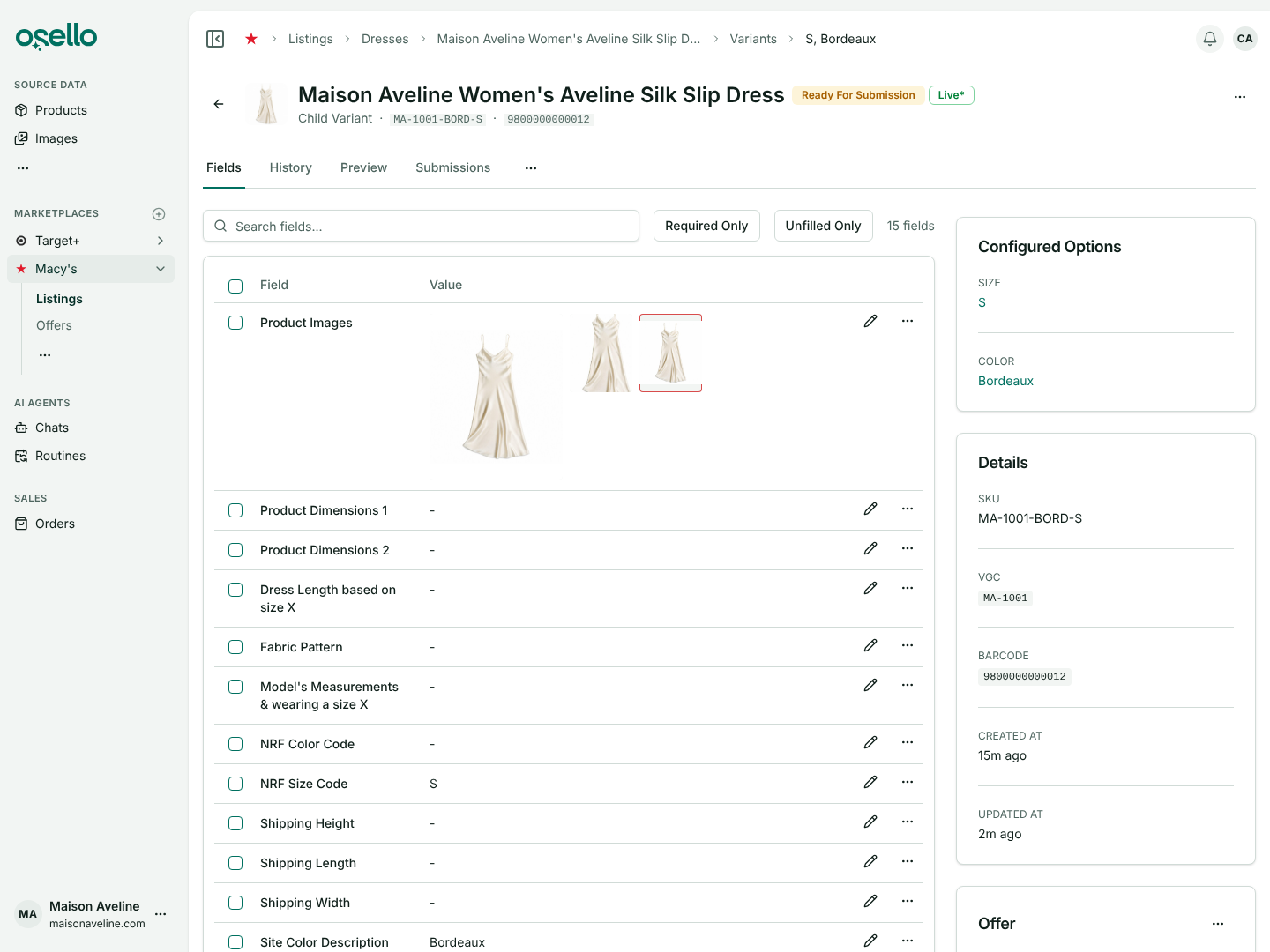
- One Product Images field for every listing — a listing's photos now live in one field, Product Images, in the order shoppers see them, and the first photo is the primary image. The separate Primary Image and Alternate Images fields are gone, and everything in them moved over with its history. On a variant's Fields tab the photos sit in a grid, the first at twice the size, each shown in the shape the marketplace asks for with a red outline when it isn't that shape. Drag photos into order and click Save sort order; dragging one to the front makes it the primary image. Each photo's ... menu still crops, edits, replaces or removes it, with AI Studio and Crop under Edit, and an edited photo takes the place of the one you started from. The product and variant pages get the same ordered Images list, the Listings and Variants tables show the photos in one Images column, Update If Needed on the field fixes the first photo against the marketplace's rules, and each category is held to its own minimum number of images. Learn more
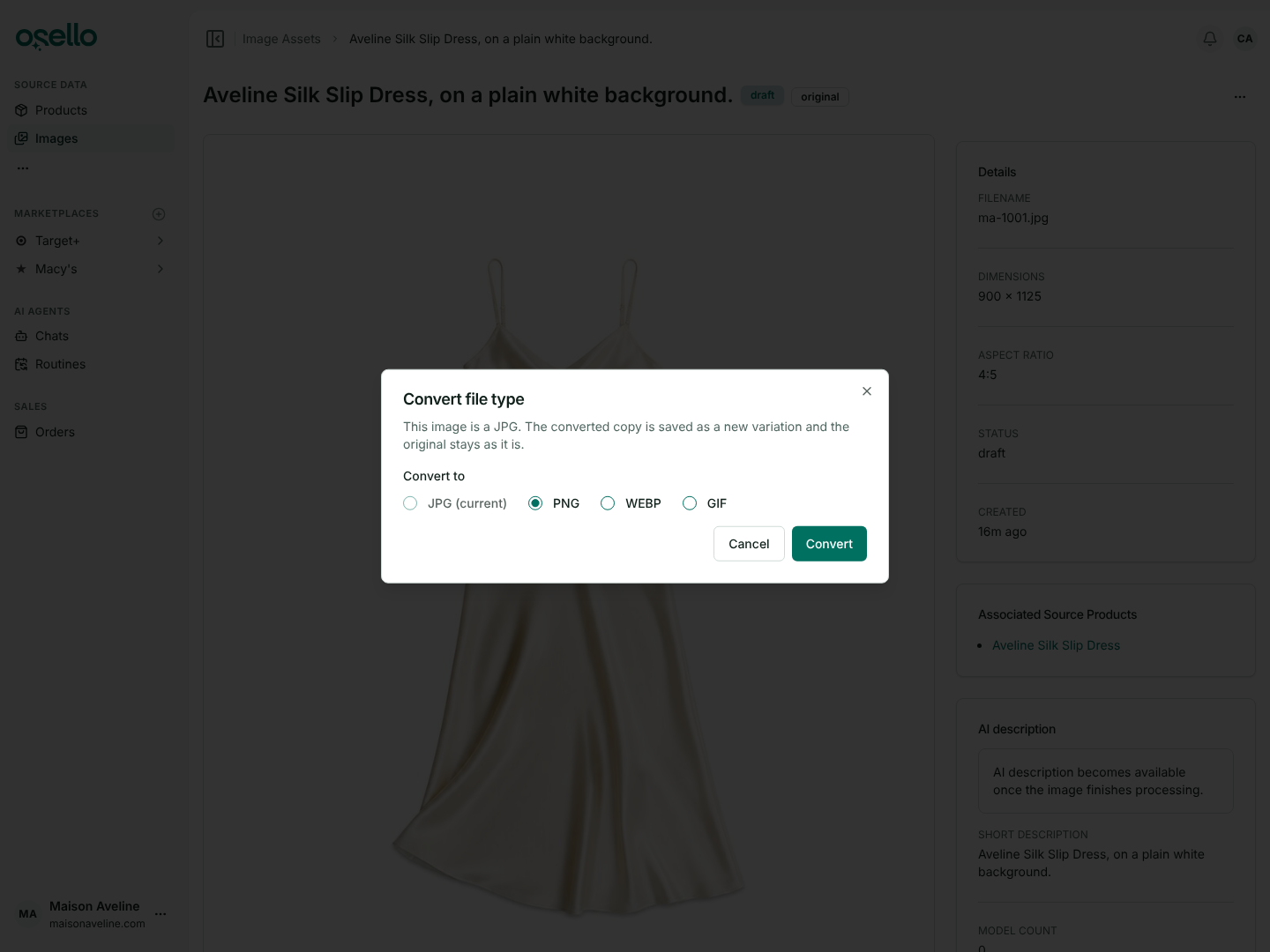
- Convert an image to another file type — open an image's page and choose Convert file type from its ... menu to save a JPG, PNG, WEBP or GIF copy as a variation, with the original left as it is. Each marketplace's Product Images field now has an allowed file types setting: Kohl's and Target+ take JPG only, and a listing holding a file type its marketplace doesn't take reads as Invalid with the image named. When Osello picks a listing's images from your products, it converts any image in a file type the marketplace doesn't take, and the image's AI agent converts on request. Learn more
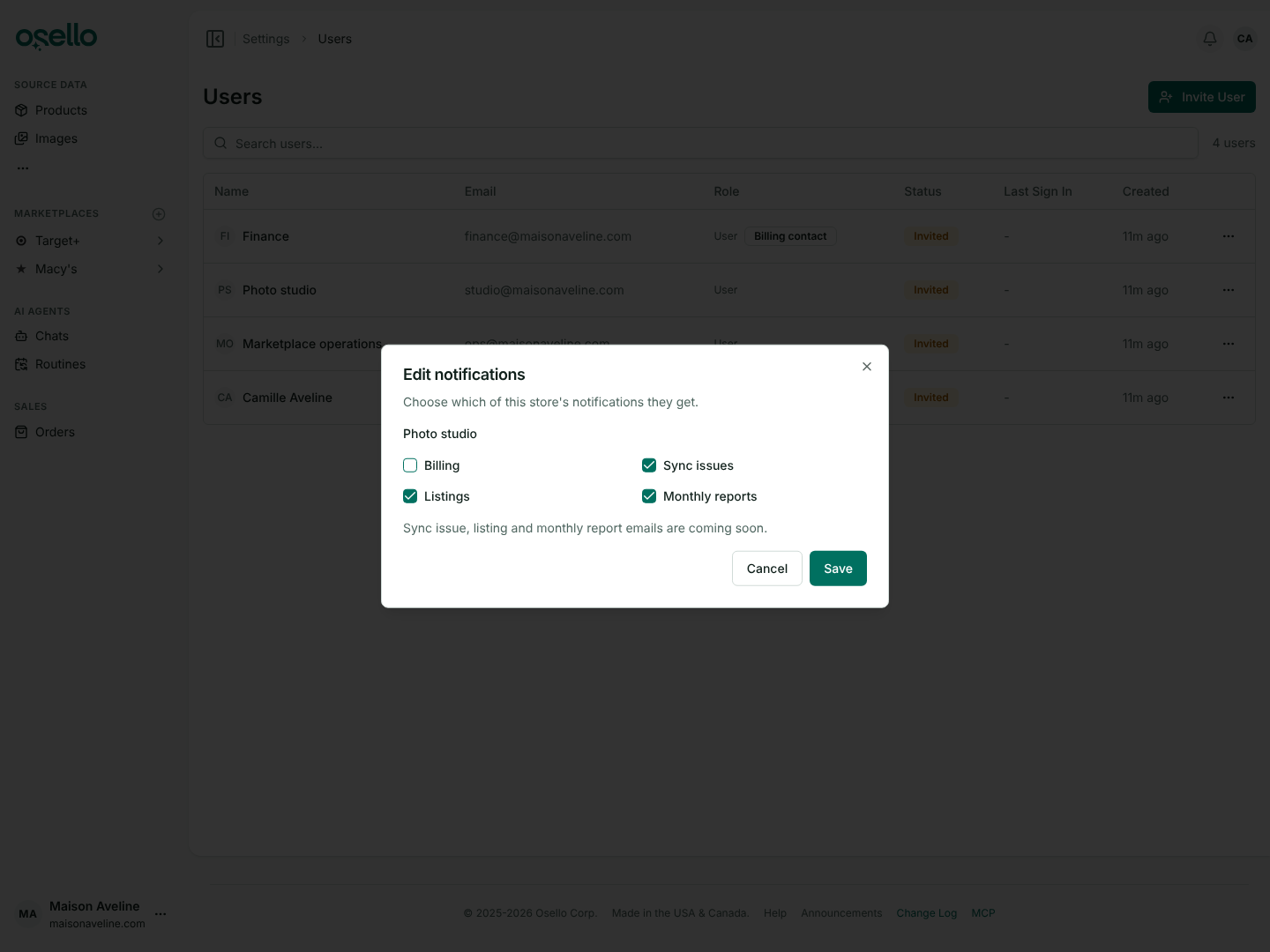
- Notifications and billing contacts per store — the Users page shows a Billing contact badge next to the people Osello contacts about the store's plan and billing. A store can have several, each store sets its own, and the first person to join a store becomes one. Edit notifications in a person's row menu picks what they get about this store: Billing, Sync issues, Listings and Monthly reports, and the invite dialog sets the same. Everyone can also set theirs for every store they belong to from the Store notifications card on their Preferences page. The account-wide Billing email preference is gone. Learn more
Improvements
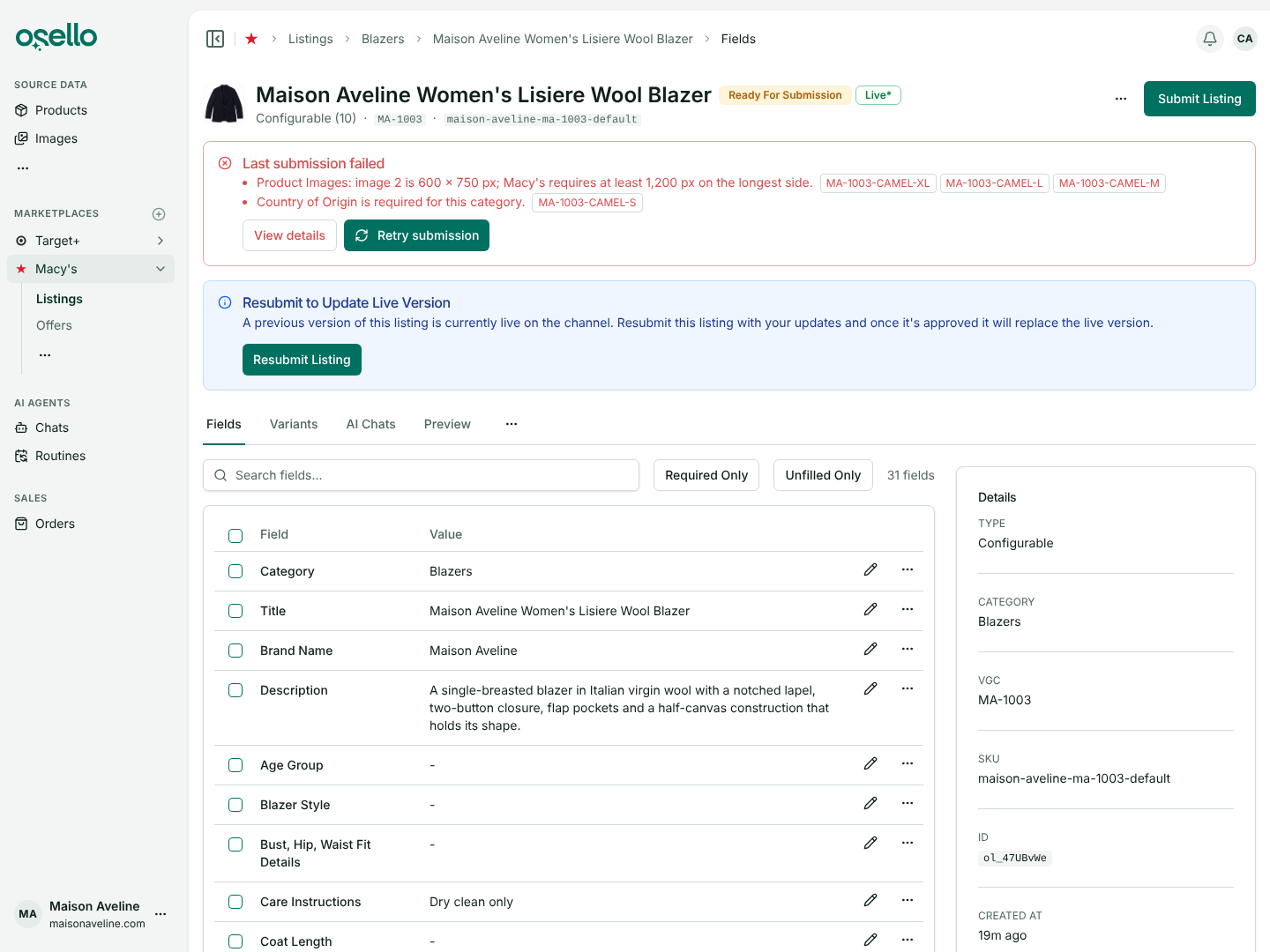
- A failed submission is called out on the listing page — when a listing's last submission failed, or some of its variants did, a red banner at the top of the listing lists each reason with the SKUs it hit. View details opens the submission and Retry submission opens the submit dialog. Learn more
-
Color and size fields on Macy's, Nordstrom and other Mirakl marketplaces — fields that repeat a variant's color or size as shoppers see it, such as Nordstrom's Color Description and Size Description, are now regular listing fields filled from the variant's value in your listing's structure, or from your product when the listing has none of its own. They used to be filled only as the listing was sent, so a variant with no color went out blank and was rejected. Now the field shows as required before you submit, you can type a different value, and the field follows a color you rename with Edit Structure or change in Shopify while it still holds the old value. Learn more
-
Shopify products without a SKU — a single product with no options and no SKU now imports, using its Shopify variant ID as its SKU. A product that can't be imported, such as one whose variants all lack a SKU, shows as a failed row with the reason while the rest of the catalog imports; one such product used to fail the whole import. Learn more
Other Notable Changes
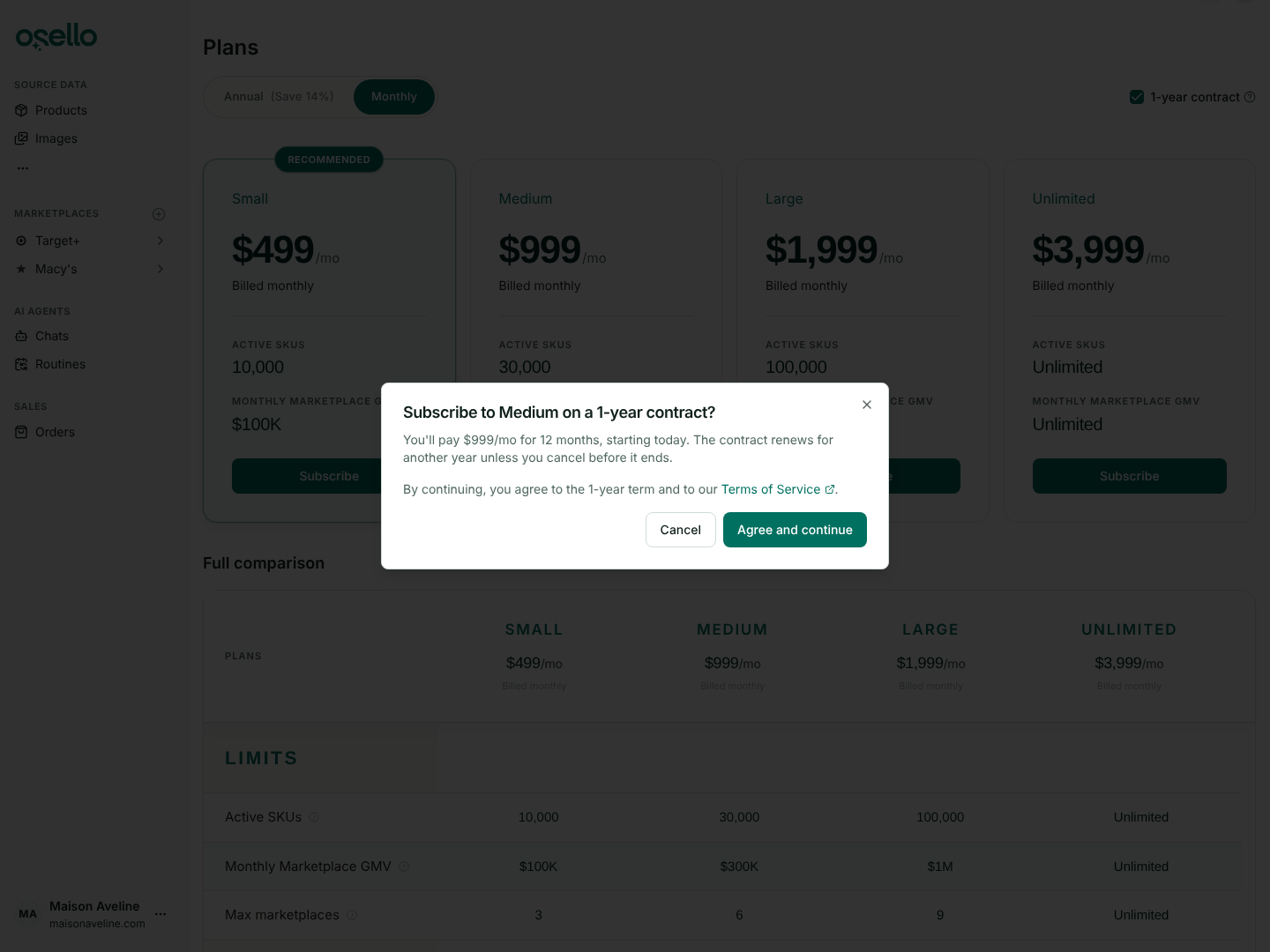
- Plan changes agree to the 1-year term first — before checkout on a 1-year contract, or any plan change that starts a new one, the Plans page asks you to agree to the term and to the Terms of Service. The page's address keeps the billing you picked, so you can reload or share it. Changing plans from the Billing page works again for the prices introduced in July, and the Stripe billing portal no longer offers the retired prices or lets a plan's quantity change. Learn more
API and MCP Updates
Version: 30.0.0
Updated/removed endpoints
- Breaking: listings and listing variants — return
product_image_attributes, the images in order with the first as the primary image, in place offeatured_image_attributesandalternate_image_attributes. The field type code isproduct_images;featured_imageandalternate_imagesare gone from every type enum. On the field value endpoints (.../listings/{listing_id}/field_valuesand.../variants/{variant_id}/field_values),selection_idson aproduct_imagesvalue is the ordered list of image asset IDs, and a call naming thefeatured-imageoralternate-imageshandle gets a 404 that points atproduct-images. - Breaking:
GET /api/stores/{store_id}/image_assets— theused_infilter is gone. - Image assets — carry
file_type:jpg,png,webp,gif,avif,svg,heicorheif. - Listing submissions — a listing's
last_submission, and.../listings/{listing_id}/submissions/{id}, can includefailed_listing_variant_submissions: the variants whose submission failed, each with itsskuandfailure_message. GET /api/stores/{store_id}/channels/{channel_id}/fields— takesin_use=trueto return only fields applicable to at least one listing on the channel.GET /api/stores/{store_id}/productsand.../products/{product_id}/variants— takeinclude_disabled_listings=truesolisted_onandnot_listed_onalso count disabled and channel-unlisted listings; the products index also documentsinclude_variants. The metafield indexes takeinclude_ignored=trueto return values for ignored definitions too.
Notes for API consumers
- Every GET endpoint's query parameters are now in the API reference, and the MCP tools built from them offer the same arguments: the store report tools take
start_date,end_date,all_time,interval,metricandtaxonomy_category_id, and the channel SKU Status chart takesinclude_yet_to_list,include_disabled,include_importedandmin_inventory. - MCP —
convert_image_assetconverts an image tojpg,png,webp,giforavif(refused when the server can't write that format) and returns the variation.list_image_assetslosesused_in, and the listing tools returnproduct_image_attributes.