
Last updated: Oct 19, 2026 at 6:05PM
Target+ doesn't accept a carrier name on a shipment — it wants one of its own shipping methods, such as UPSGround or USPSParcelSelect. Osello matches the carrier on each shipment to a Target+ method automatically, and the marketplace's Shipping settings tab lets you choose the method for any carrier it can't match, or override a match you don't want.
How carriers are matched
When a shipment is sent to Target+, Osello looks at the carrier on it — the one Shopify reported on the fulfillment, or the one you entered when marking the order fulfilled — and works down this list:
- A method you chose on the Shipping tab for that carrier. This always wins.
- A carrier Target+ lists with the same name (USPS, UPS, FedEx, OnTrac). The service Target+ asked for on the order is used if it's known; otherwise the carrier's ground service.
- A carrier name that contains one of those — "OnTrac Ground Service" is treated as OnTrac. This is a guess, so it's worth confirming on the Shipping tab.
- A known stand-in. Target+ has no DHL method, and DHL eCommerce hands its parcels to USPS for delivery, so those shipments are reported as USPS Parcel Select.
If none of these apply, the shipment is not sent, the order shows what's missing, and the fix is a choice on the Shipping tab followed by Retry sync on the red alert at the top of the order's page. See Fulfill orders and add tracking.
Choose a method for a carrier
- In the sidebar, open the Target+ marketplace, click the ... under its links and choose Setup -> Settings, then open the Shipping tab.
- Each row is a carrier your shipments have named, with how many shipped items used it. The dropdown shows what Osello would report automatically — Automatic (UPSGround), for example — or warns when nothing matches.
- Pick the Target+ shipping method for any carrier you want to pin, grouped by carrier.
- To map a carrier you haven't shipped with yet, type its name exactly as your carrier app reports it under the table and click Add carrier, then pick its method.
- Click Save. The whole table saves together.
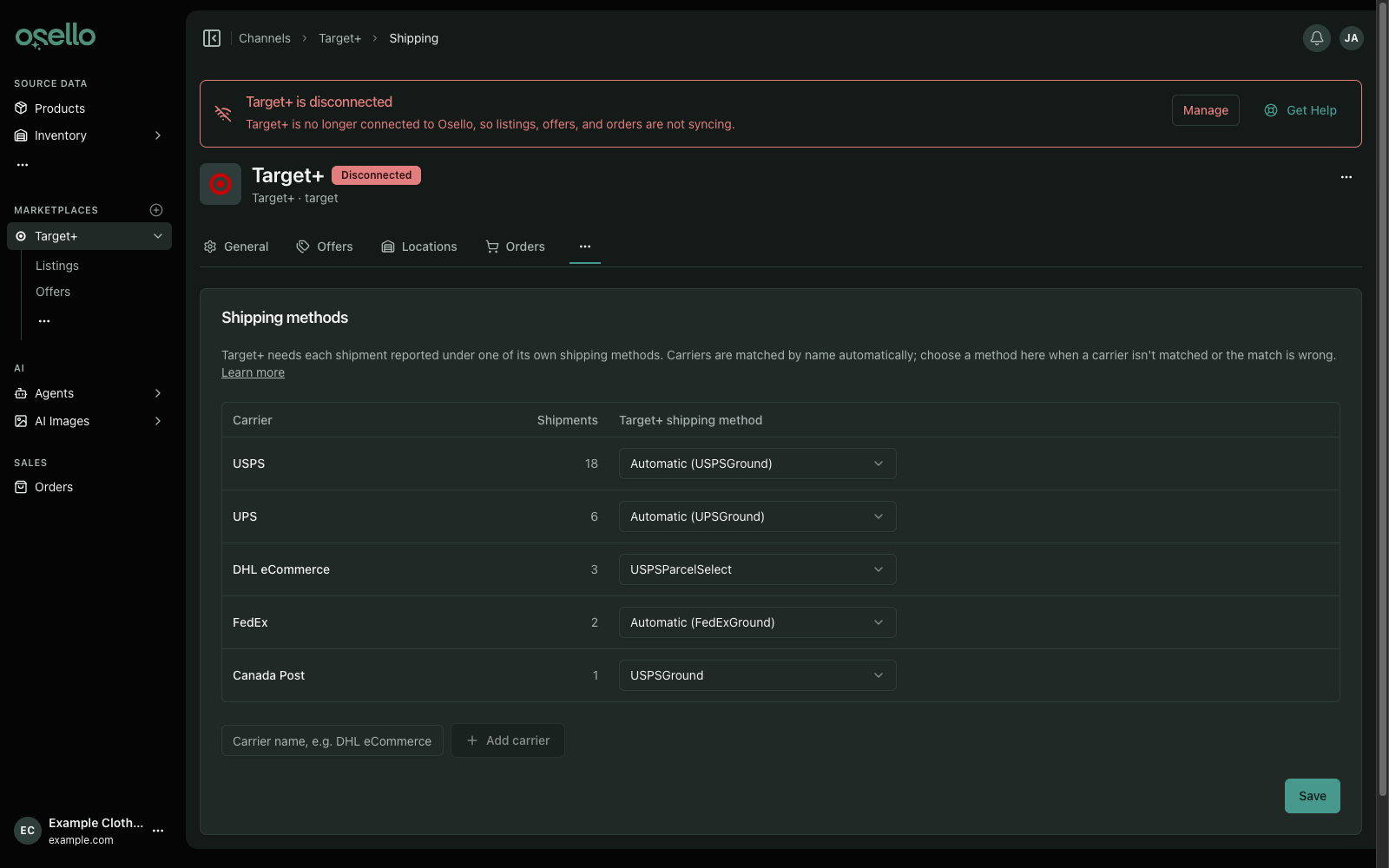
Carrier names are matched without regard to capitalization, spacing or punctuation, so "DHL eCommerce" and "dhl-ecommerce" are the same carrier.
To go back to automatic matching for a carrier, set its dropdown to the Automatic option and save.
If the dropdowns are empty
Osello loads Target+'s shipping methods when you connect and whenever settings are pulled. If the dropdowns have no methods to offer, open the marketplace's settings page, choose Pull Settings from the actions menu, and reload the tab.