Last Week: AI Assistants, Product Image Editing, and SKU Status Filters (October 14, 2026)
Connect Claude or ChatGPT to your Osello account, edit product images on the product page, and filter the SKU Status report by category and stock.
Last updated: Oct 14, 2026 at 2:59AM
New Features
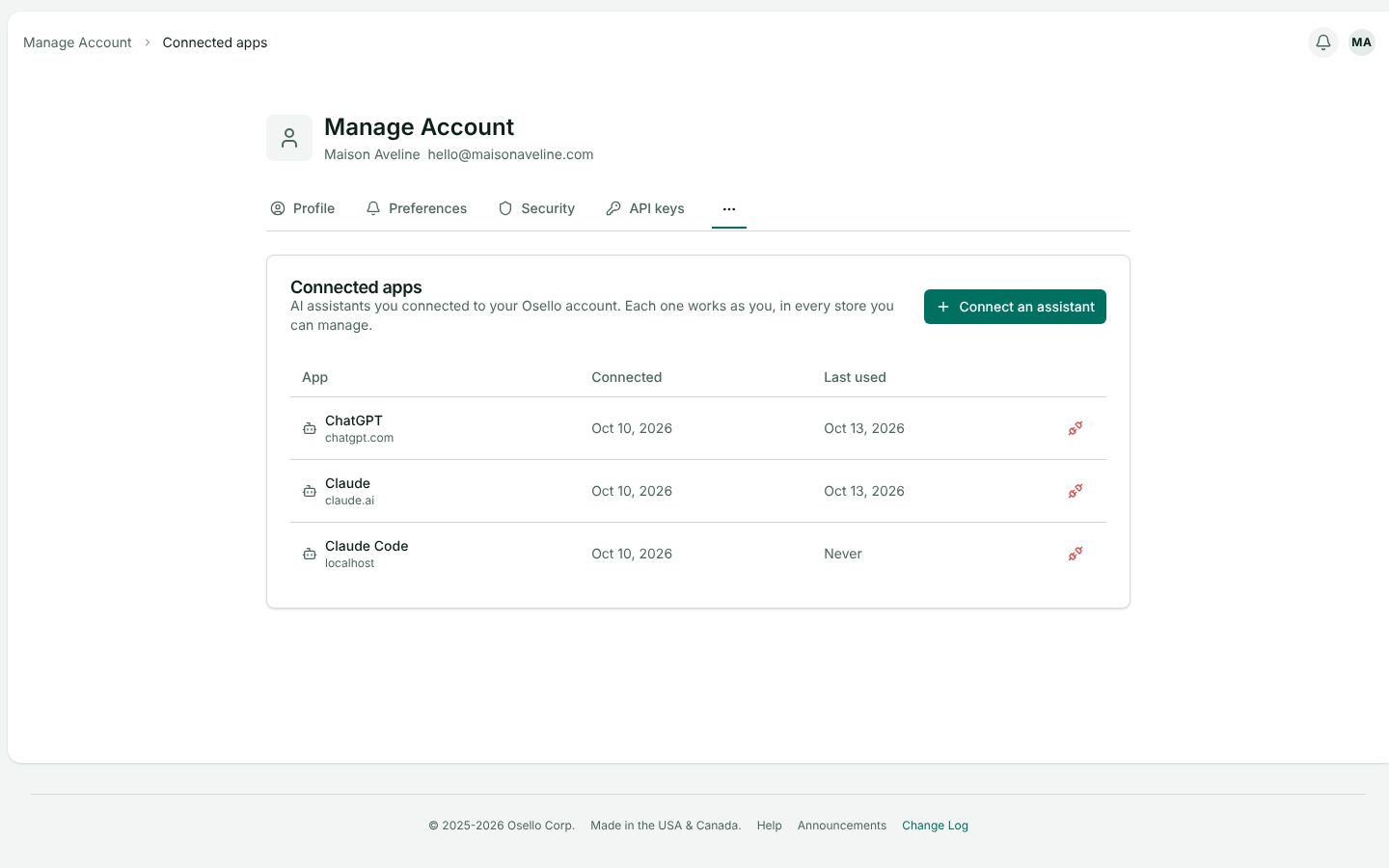
- Connect Claude, ChatGPT or another AI assistant to your account — add Osello as a connector in your assistant and sign in once. It then works as you in every store you manage: it finds products, listings and orders, explains why a listing is blocked, creates and submits listings, updates stock and prices, handles orders and returns, and runs bulk changes. It checks with you before it deletes anything, cancels an order or issues a refund. History and the Bulk Actions page show its changes as yours, made through the assistant. Disconnect it any time from Manage account, under Connected apps. The connection is in beta. Learn more
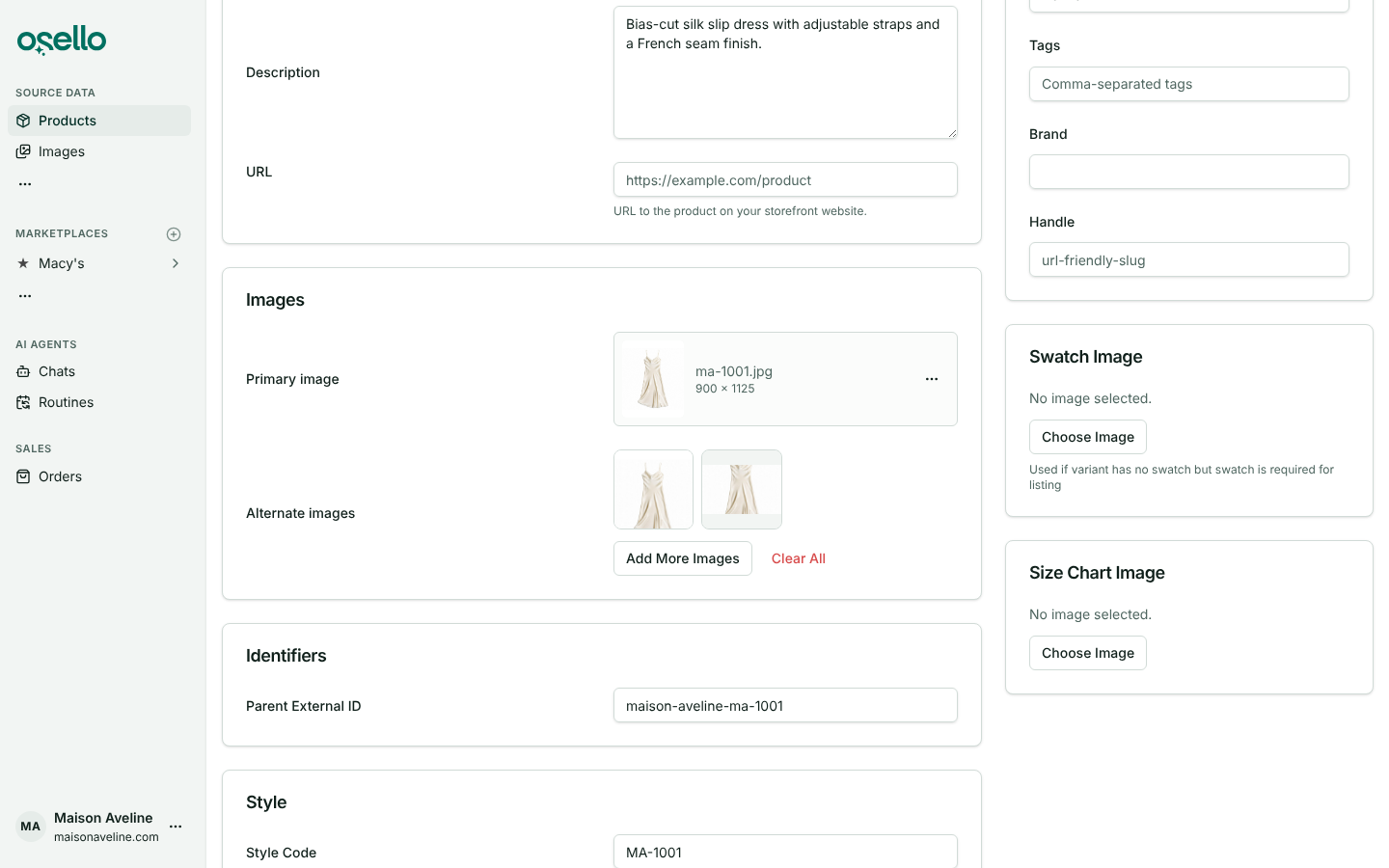
- Edit a product's images on the product page — Edit on a product or variant now has an Images card. Pick a primary image and alternate images from the product, related styles or your library, upload new ones, and drag alternates to reorder them. Listings keep the images already set on their fields. Products that sync from Shopify get their images back from Shopify on the next sync, so make lasting changes there. Learn more
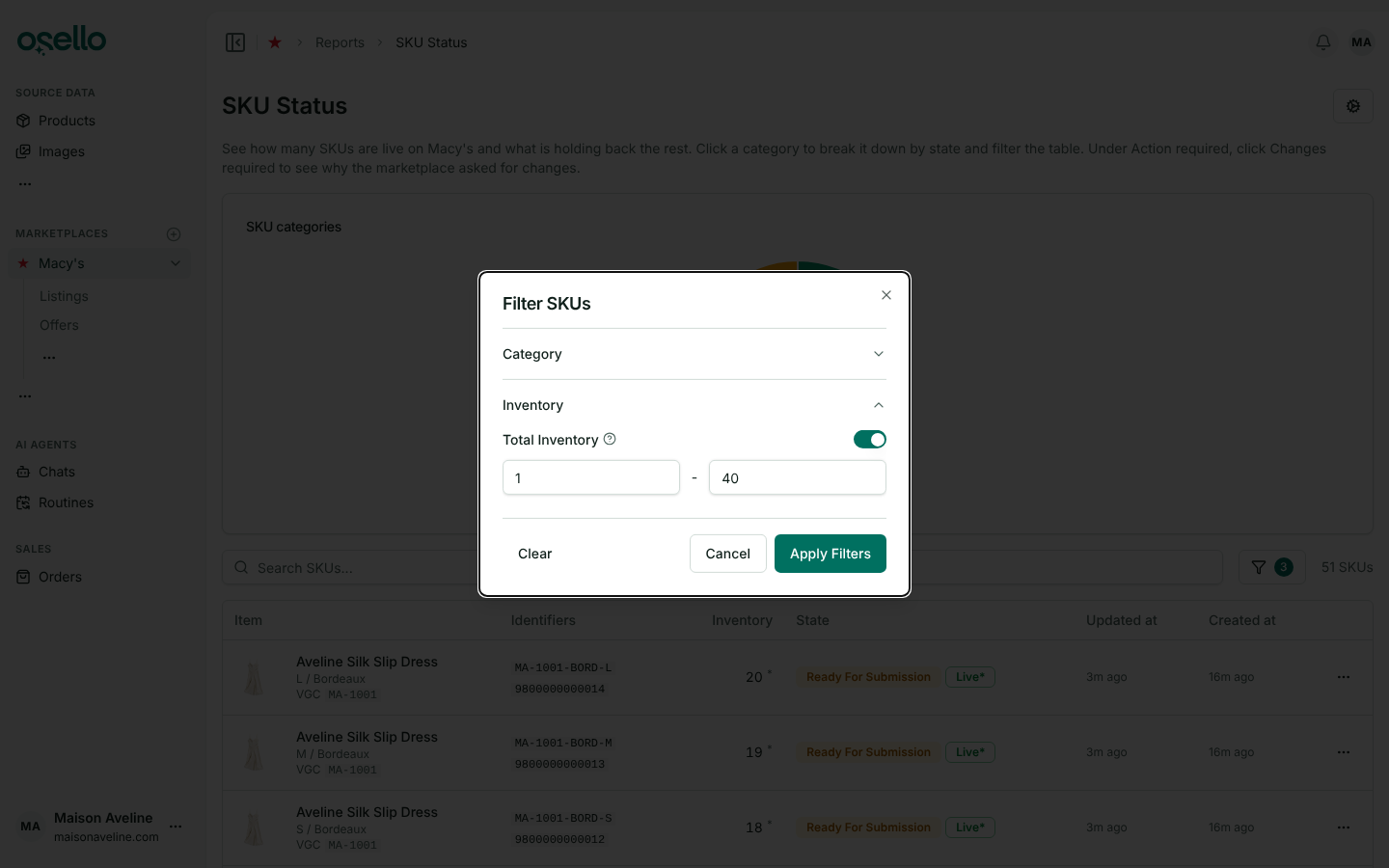
- Filter the SKU Status report by category and stock — the filter button next to the report's search box narrows the table by marketplace category and by a stock range, without changing the charts. SKUs not listed yet count as Uncategorized. The Source and Listing columns are now one Item column, and the Waiting category reads No action required. Learn more
Improvements
-
Bulk listing creation finishes faster — after a bulk create, the AI agent finishes up to three new listings at a time, each with its own Listing Manager, and reads each result as it comes in. Listings waiting for a free spot show as Queued in the chat. Simple edits, such as a listing's category or a shared field, the agent now makes itself instead of handing them off. Learn more
-
AI agents can look at your images — an agent working on a listing sees the product photos and size charts already on it, so it no longer asks you to upload a photo the listing already has.
-
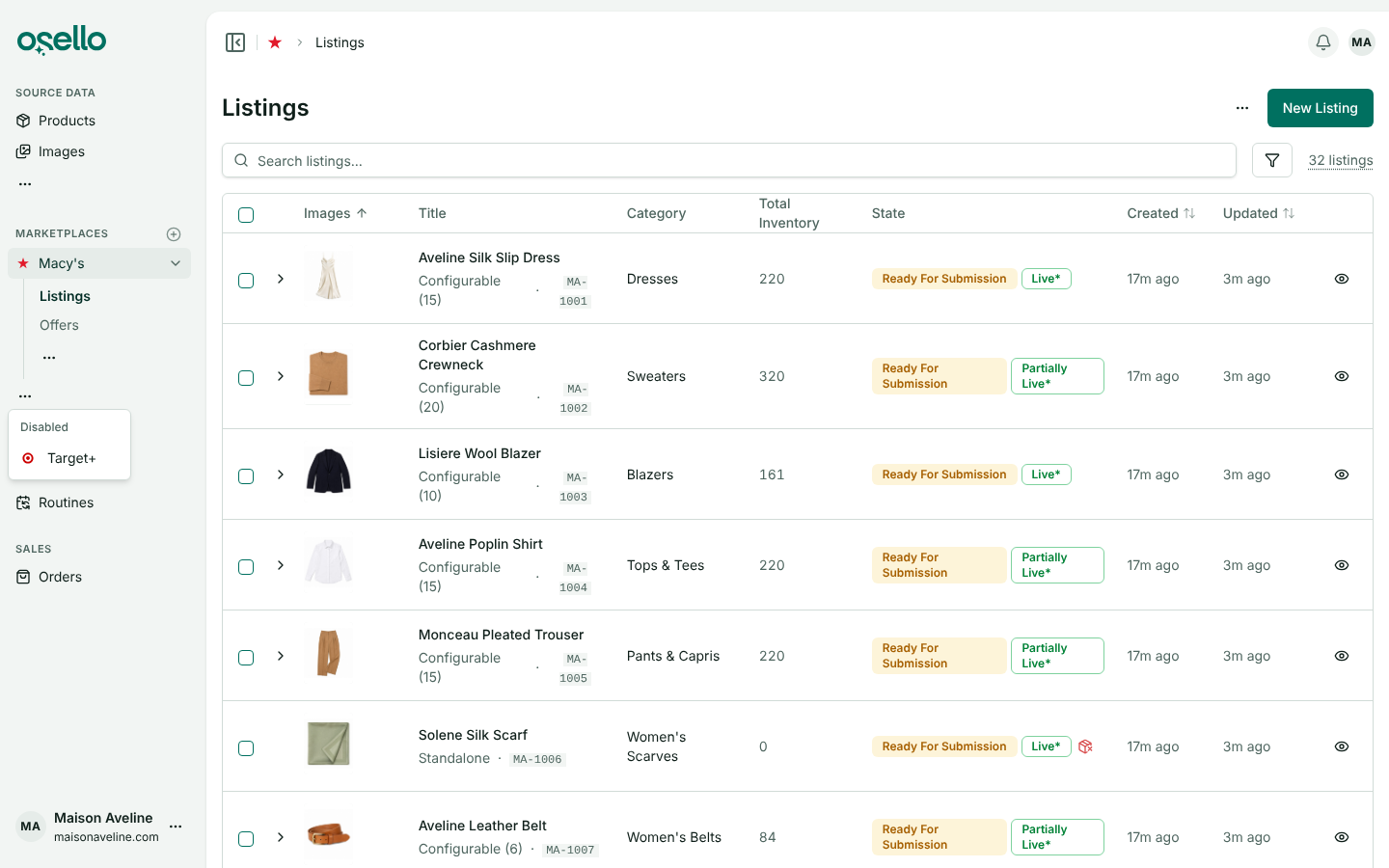
Disabled marketplaces leave the sidebar — they sit behind a "..." menu under Marketplaces, with a link to each one's settings. A disabled marketplace comes back into the list while you are on one of its pages.
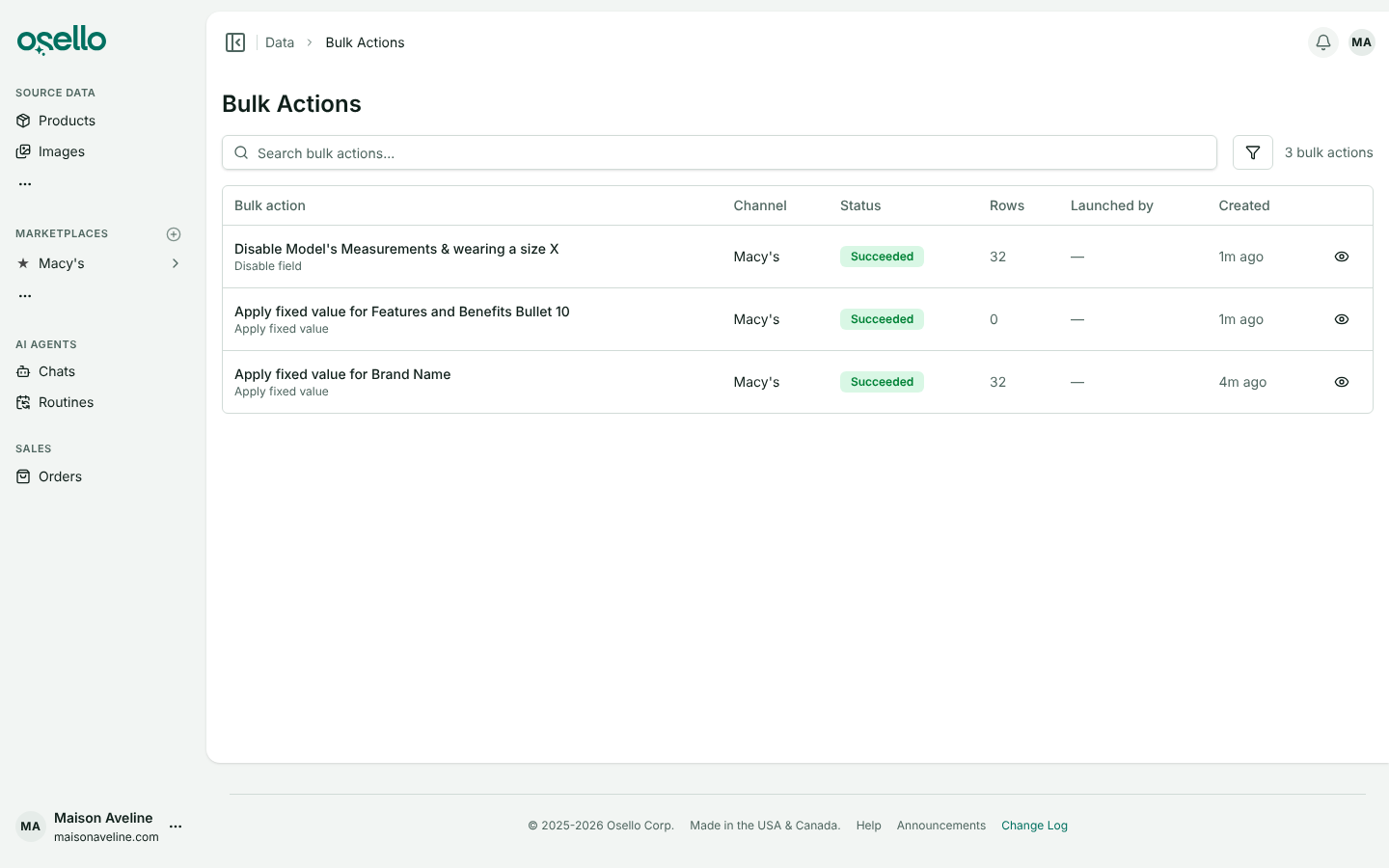
- Field setting changes show up as bulk actions — saving, changing or turning off a field's fixed value, or enabling or disabling a field for all categories or one, updates your existing listings as a bulk action with one row per listing, so you can follow it on the Bulk Actions page. Saving the same field again before it finishes starts a fresh run. Bulk actions no longer have a row limit. Learn more
Other Notable Changes
-
Listings on disabled or disconnected marketplaces count as off — Active Offers on the dashboard, offer counts and the SKU Status report leave out everything on an inactive marketplace from the day it went inactive, whatever state it was last in. Charts keep the counts recorded while it was connected. Learn more
-
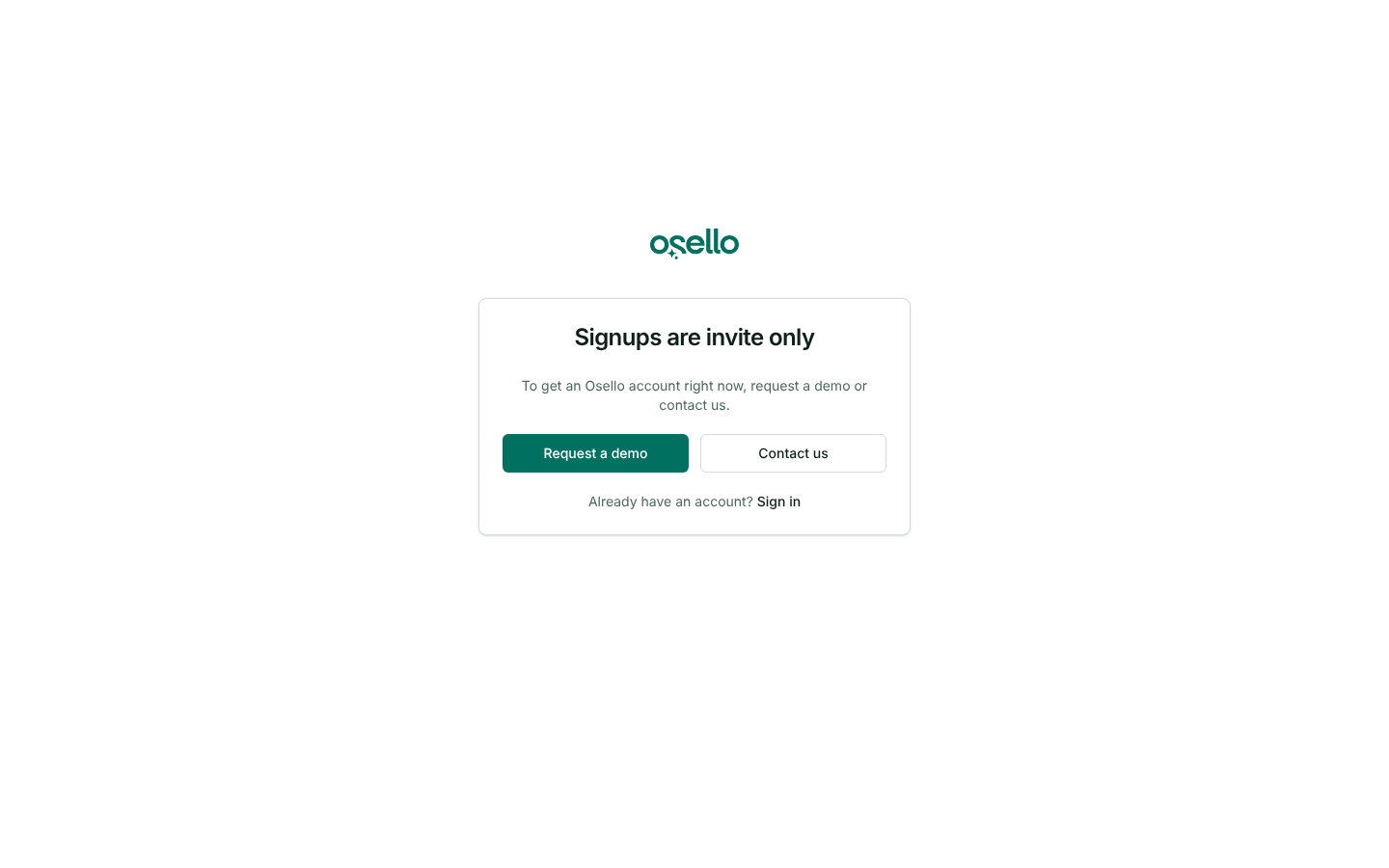
New accounts are invite only — signing up on the website, including with Google or Microsoft, no longer creates an account. Invite teammates from your store's Users page; everyone who already has an account signs in as before. Learn more
API and MCP Updates
Version: 27.3.0
New endpoints
- MCP server at
https://app.osello.com/mcp— every store read and write in the API is an MCP tool, run as the connected user over OAuth 2.1 with dynamic client registration and PKCE. Tools that can't be undone (deletes, canceling an order, refunding a return, resetting field values) are flagged destructive so assistants confirm first. Each tool's description says what it changes, what it pushes to a marketplace or integration, and what runs in the background. POST /api/stores/{store_id}/image_assets/upload_url— returns a presigned upload URL for a local file and theuploadvalue to send when creating the image asset, so a JSON-only client can add an image without a public link. Answers 422direct_upload_unavailablewhen storage can't presign.
Updated/removed endpoints
- Every POST, PUT, PATCH and DELETE — Breaking: the response body is now an envelope instead of the record:
data(the record or result, or null),message(a short success message), and when there is something to wait for,detailed_message(what runs in the background and how to follow it), pluscodeandmetawhen the outcome needs them. Listing creates and category changes say to wait forsetup_stateto reachready; submissions, bulk actions, syncs, exports, imports and order pushes name what to follow. - Listing and variant field value show and update —
idaccepts the taxonomy field's handle (for exampletitle) as well as a field value ID. An invalid ID, an ID not on the listing and an unknown handle each return a 404 that says which. - Field value show and index — return
input_schema(the shapedatatakes for that field in the listing's category, with option IDs when there are fewer than 50) andinput_instructions(marketplace and store instructions plus the field's requirements). POST /api/stores/{store_id}/orders/{id}/fulfill— accepts the public line item IDs the API returns, and 404s for a line item not on the order.line_itemsis documented, as iscancel_reasonon cancel.GET /api/stores/{store_id}/channels/{channel_id}/categories/{category_id}/fields— returns the full set a listing in the category is filled with: the universal fields plus the category's own and inherited ones, with channel-wide settings as the fallback.POST /api/stores/{store_id}/channels/{channel_id}/listings/mass_createand the other bulk endpoints — the 500-row limit is gone.
Notes for API consumers
- Read write results from
datafrom now on. Clients that read the record from the top level of a write response break on api version 27.0.0. - Follow
detailed_messageafter a write that starts background work before the next call that depends on it.